 Installation guide
 Owner’s manual
 Error Codes




How do you reset a Bosch wall oven?
To reset your Bosch wall oven model HBL5450UC, turn the oven’s power off at the home circuit breaker for about 30 minutes, then restore power. This clears many temporary control glitches; if a fault returns, troubleshoot the cause before continued use.
Reset steps (safe, reliable method)
- Turn the oven off.
- Switch OFF the wall oven circuit breaker (or remove the fuse if applicable).
- Wait 30 minutes.
- Switch the breaker ON.
- Set the clock if prompted.
- Test Bake for a few minutes to confirm normal heating and fan operation.
If the oven still shows an error code after the reset
A reset only clears the control; it does not fix an underlying problem. Use this quick guide to decide what to check next.
| What you notice after reset | Most likely area to check | What we recommend |
|---|---|---|
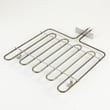
| Display comes back but heating is weak or uneven | Heating circuit | Inspect/test the element 00144667 and wiring connections |
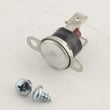
| Oven overheats, shuts down, or trips out | Over-temperature protection | Check the temperature limit 00617877 and airflow around the oven |
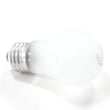
| No interior light | Light circuit | Replace the bulb 00623710 and inspect the lens/cover |
| Dead display or random resets | Power supply or control | Verify breaker is correct and connections are tight; consider the control module if symptoms persist |
Why it matters
Resetting at the breaker is the fastest way to reboot the electronic control and restore normal operation after a power surge or software hiccup. If the same error returns, addressing the root cause helps prevent repeat shutdowns and protects components like the control module, wiring harness, and heating elements.
Helpful reference
For model-specific operating details and any reset-related prompts, use the HBL5450UC owner's manual.
Last updated: February 2026
How to tell if a wall oven is gas or electric?
Your Bosch HBL5450UC wall oven is an electric wall oven; it uses a hardwired electrical connection (conduit/terminal box) and does not use a gas supply line or burner flame. You can confirm the power-connection and installation requirements in the installation guide.
Quick ways to identify gas vs. electric
Use these checks on any wall oven (including Bosch models):
- Look for a gas line: Gas ovens have a gas supply line and shutoff valve; electric ovens do not.
- Check the connection type: Electric wall ovens typically use a hardwired conduit into a junction/terminal box.
- No standing flame: Electric ovens do not have a burner flame at the bottom of the oven cavity.
- Heating style: Electric ovens heat with bake and broil elements.
- Model label clues: The rating label often lists voltage (commonly 240V) for electric units.
What you will see on the Bosch HBL5450UC
The HBL5450UC is designed as a built-in electric wall oven installation with a conduit box located above or below the unit (depending on the installation layout). That wiring setup is a strong indicator you are working with an electric oven, not gas.
Common electric-oven parts you may see referenced
If you are troubleshooting heat or cooking performance, these model-matched parts are typical for an electric wall oven:
- Element 00144667 (heating element)
- Element 00144648 (heating element)
- Temperature limit 00617877 (high-limit thermostat)
Gas vs. electric: at-a-glance
| Feature | Electric wall oven | Gas wall oven |
|---|---|---|
| Utility connection | Hardwired electrical conduit | Gas supply line plus electrical (often) |
| Heat source | Bake/broil elements | Gas burner flame |
| What you might smell | No fuel odor | Possible gas odor if a leak exists |
Why it matters
Correctly identifying gas vs. electric prevents ordering the wrong parts and helps you troubleshoot safely. Electric ovens are diagnosed around elements, thermostats, wiring, and controls; gas ovens add ignition and gas-valve components.
Last updated: February 2026
What is error code E05 on Bosch oven?
On a Bosch electric wall oven like model HBL5450UC, error code E05 commonly points to a keypad or control input issue, such as a button being held too long or a stuck key. Start by releasing all buttons and resetting power; then check for a physically stuck or contaminated control panel area.
What to do first (quick fixes)
- Press each control-panel button one at a time to confirm none are stuck.
- Wipe the control panel with a lightly damp cloth, then dry it (grease and moisture can hold a key “active”).
- Power reset: turn the oven off at the breaker for 1 to 2 minutes, then restore power.
- If the code returns immediately, avoid repeated resets; focus on the control panel and wiring checks.
- If the oven recently ran Self Clean, let it cool fully; heat can aggravate marginal keypad issues.
What E05 usually means on this type of Bosch wall oven
In most cases, E05 is triggered when the control detects an abnormal key signal (for example, a key pressed continuously). That can be caused by:
- A stuck or failing keypad/touch panel
- Moisture intrusion behind the control panel
- A loose or damaged wire connection in the control harness
- A failing electronic control (control module)
Basic troubleshooting checks (safe, practical)
| Check | What you’re looking for | What it suggests |
|---|---|---|
| Button feel/response | One key feels “different” or doesn’t click/respond | Stuck key or keypad failure |
| Panel cleanliness | Grease, cleaner residue, moisture at edges | False key activation |
| Power reset result | Code clears briefly then returns | Intermittent keypad/control issue |
| Visual wiring check (power off) | Pinched, burnt, or loose connectors | Harness/connection problem |
For wiring-related diagnostics, we follow the procedures and diagrams in the owner's manual.
Parts that can be involved
If troubleshooting points to an electronic failure, these model-listed parts are commonly involved in control-related faults:
- Control module 12022212 (main electronic control)
- Harness 00663793 (wiring connections between controls and components)
Why it matters
A stuck-key or control fault can prevent accurate temperature control, interrupt baking modes, or disable features like door lock during Self Clean. Addressing it early helps avoid nuisance shutdowns and inconsistent cooking results.
Last updated: February 2026





