 Owner’s manual











What is the capacity of the LG dle2050w?
The LG dryer model DLE2050W has a 7.1 cu. ft. drum capacity, which is designed to handle larger loads (like bulky towels and bedding) so you can dry more in fewer cycles. For related specs and setup details, see the DLE2050W manual.
How to confirm you are matching the right model
LG model numbers can look very similar across a series, so we recommend confirming the exact ID on the rating label before comparing specs.
- Check the model/serial label (typically inside the door opening or on the door frame)
- Match the full model number including any suffix (example: DLE2050W/00)
- Use the same model when ordering parts like a lint screen or heating element
What 7.1 cu. ft. means in everyday use
A 7.1 cu. ft. dryer is considered a full-size capacity for many households.
- Fits typical family-size loads from a standard washer
- Better for bulky items (comforters, blankets) than compact dryers
- Helps reduce overdrying by allowing better airflow around items
Quick capacity guide
| Dryer capacity | Best for | Typical load size |
|---|---|---|
| 3.4 to 4.4 cu. ft. | Small spaces | 1 to 2 people |
| 5.0 to 6.2 cu. ft. | Medium households | 2 to 4 people |
| 7.0+ cu. ft. | Larger households, bulky items | 4+ people |
Why it matters
Using the right capacity helps you avoid overloading (long dry times, more wrinkles) and underloading (wasted energy). It also helps when choosing compatible accessories and replacement parts for your LG dryer.
Last updated: January 2026
What's the average price of an LG dryer?
LG dryer pricing isn’t determined by the LG DLE2050W model number alone because retail price varies by capacity, features (sensor dry, steam), fuel type (gas vs. electric), and promotions. In general, new LG dryers commonly sell in the $600 to $2,000 range.
What affects the price most
- Dryer type: electric models are often priced differently than gas models
- Capacity: larger drums typically cost more
- Feature set: steam, advanced sensors, and specialty cycles raise price
- Finish and design: white vs. graphite vs. stainless-look can change price
- Installation needs: venting changes, cords, and hookups can add cost
How to compare LG dryers to your DLE2050W
Your LG DLE2050W is a specific model, but “average price” is usually based on current models being sold new. Use this quick comparison to shop more accurately:
| What you’re comparing | Best match to use | Why it helps |
|---|---|---|
| Replacing your dryer with a similar one | Similar capacity and electric/gas type | Keeps performance and installation similar |
| Upgrading features | Sensor dry, steam, or smart features | Explains higher price tiers |
| Budget replacement | Basic vented dryer with fewer options | Targets the lower end of the range |
Why it matters
Price ranges are wide because a dryer’s total cost is not just the appliance; it also includes compatibility with your laundry setup (power, venting, and space). Reviewing the installation and venting requirements in the DLE2050W manual helps you avoid surprise installation expenses.
Related help for shopping and ownership
- If your current dryer is not performing well, fixing a common wear item can be far cheaper than replacement (for example, a clogged lint path or worn drum support components).
- For operating and care tips that can reduce drying time and energy use, follow the maintenance guidance in the DLE2050W manual.
Last updated: January 2026
What is the most common problem with LG dryers?
For LG dryers like model DLE2050W, the most common complaint we see is clothes taking too long to dry. In most cases, the root cause is restricted airflow (lint buildup or a long, kinked, or clogged vent), followed by heating or temperature-sensing issues and normal wear items that create noise.
Most common issues (and what to check first)
Start with airflow and basic maintenance, then move to heat and noise checks.
- Clean the lint screen before every load and confirm it seats correctly in the housing.
- Inspect the vent run for crushing, kinks, lint buildup, or a stuck exterior damper.
- Confirm the dryer is level and stable to reduce vibration and thumping.
- If drying is still slow, suspect a heat or temperature-sensing component.
- If the dryer is noisy (rumble, thump, squeal), suspect drum support or belt-drive wear.
For venting rules and airflow guidance specific to this LG design, use the DLE2050W manual.
Common symptoms and likely causes
| Symptom | Most likely cause | What we typically do next |
|---|---|---|
| Long dry times / damp clothes | Restricted exhaust airflow | Clean/shorten venting; verify strong airflow outside |
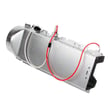
| No heat or weak heat (electric) | Heating circuit problem | Test/inspect the dryer heating element 5301EL1001J and thermostats |
| Overheating or shutting down | Airflow restriction or limit control opening | Check venting; inspect high-limit controls |
| Rattling/rumbling/thumping | Worn drum support parts | Inspect rollers, belt, and idler |
Parts that commonly relate to these problems on DLE2050W
If airflow is good but performance or noise issues continue, these model-compatible parts are often involved:
- Dryer lint filter 5231EL1003B (a damaged or poorly fitting screen can contribute to lint bypass)
- Dryer heating element 5301EL1001J (electric heat source)
- Dryer thermistor AGM30045804 (temperature sensing for heat control)
- Dryer drum support roller 4581EL2002L (rumbling or thumping as it wears)
- Dryer drum belt 4400EL2001F and dryer idler pulley 4560EL3001A (squeal, slap, or intermittent tumbling)
Why it matters
Poor airflow is the number one driver of long dry times and overheating symptoms. Fixing venting and lint issues first often restores normal drying, reduces nuisance shutdowns, and helps protect heating and thermostat components from stress.
Last updated: January 2026
How to reset an LG sensor dry dryer?
For the LG DLE2050W, a “sensor dry reset” is usually just a control reset: turn the dryer off, unplug it (or switch the breaker off) for 1 minute, then restore power and start a cycle again. If Sensor Dry still ends too soon, clean the moisture sensor bars and confirm airflow per the DLE2050W manual.
Quick reset steps (DLE2050W)
- Press Power to turn the dryer off.
- Unplug the dryer (or turn the breaker off).
- Wait 60 seconds.
- Restore power.
- Select a Sensor Dry cycle and press Start/Pause.
- If the panel is unresponsive, repeat the reset and avoid pressing multiple keys at once.
If Sensor Dry is not drying correctly after the reset
Sensor cycles depend on moisture sensing and airflow. These checks fix most “stops early” or “still damp” complaints:
- Clean the lint screen and make sure it is not coated with fabric softener residue.
- Wipe the moisture sensor bars inside the drum with rubbing alcohol; dry them fully.
- Reduce load size; mixed fabrics can confuse sensor timing.
- Confirm the vent is 4-inch metal ducting and not crushed or excessively long.
- Check for weak airflow at the outside vent hood.
If the sensor circuit is damaged or readings are erratic, the moisture sensor components may need inspection or replacement, such as the dryer moisture sensor 6500EL3001A and the dryer moisture sensor wire harness 6631EL3003B.
What “reset” can and cannot do
| Situation | What a reset helps | What to do next |
|---|---|---|
| Control glitch, cycle won’t start | Clears temporary electronic lockups | Power reset, then retry cycle |
| Sensor Dry ends too soon | Sometimes, if the control misread a prior cycle | Clean sensor bars, improve venting |
| No heat (electric model) | Usually not a true “reset” issue | Troubleshoot heating circuit and airflow |
Why it matters
On the DLE2050W, Sensor Dry uses moisture sensing plus temperature and airflow feedback. A dirty lint screen, restricted vent, or contaminated sensor bars can make the dryer think clothes are dry when they are not, shortening the cycle.
For additional diagnostics when an error code appears, use our LG dryer error codes.
Last updated: January 2026








