 Installation guide
 Error Codes



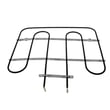
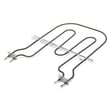


How to know if the KitchenAid wall oven thermostat is bad?
On the KitchenAid KEBS107SSS02 electric wall oven, a “bad thermostat” complaint usually shows up as overheating, underheating, or big temperature swings even after you confirm proper settings and allow full preheat. In many cases, the root cause is the oven temperature sensor or a heating circuit issue, not a separate user-serviceable thermostat.
Quick checks that point to a control or sensing problem
- Preheat fully and then wait 10 to 15 minutes before judging temperature stability.
- Compare oven temperature using a reliable oven thermometer placed center-rack.
- Watch for wide swings (for example, food burning on the outside but undercooked inside).
- Check whether Bake and Broil both heat normally (a single failed element can mimic “thermostat” issues).
- If the oven overheats consistently, suspect the sensor circuit or control logic.
Parts most often involved (and why)
If temperature is off, these parts are common suspects on electric built-in ovens like the KEBS107SSS02:
| Symptom | Most likely area | Common part to test/inspect |
|---|---|---|
| Oven too hot or too cool | Temperature feedback | Wall oven temperature sensor WPW10131825 |
| Slow preheat, uneven baking | Heating circuit | Bake element WPW10207398 |
| Oven shuts off or goes dead when hot | Overheat protection | Wall oven thermal fuse WP8304452 |
How we recommend confirming the diagnosis
- Shut off power at the breaker (built-in ovens are typically 240V).
- Inspect the sensor harness connection at the back of the oven (loose or heat-damaged wiring can cause false readings).
- Test the sensor with a multimeter and compare to typical sensor behavior (resistance changes smoothly with temperature).
- If the sensor tests good, move to checking the bake element for visible damage and electrical continuity.
For access, mounting, and cutout considerations when pulling the oven, follow the KEBS107SSS02 installation guide.
Why it matters
A temperature control problem can cause overcooked food, poor baking results, and overheating stress on components like the bake element, wiring, and thermal fuse. Catching the correct root cause prevents repeat failures and unnecessary part replacement.
Last updated: January 2026
How do I find the model of my KitchenAid oven?
For your KitchenAid electric built-in oven, the model number is typically printed on a rating label on the oven frame (visible when you open the door) or on the oven chassis. For undercounter setups, the installation instructions note a label on top of the oven chassis.
Where to look first (fastest checks)
- Open the oven door and check the frame around the opening (often along the side trim or bottom lip).
- Look for a rating label with MODEL and SERIAL.
- If the oven is installed under a counter, check the top of the oven chassis (the installation guide calls out an undercounter label location).
- If you have paperwork from installation, the model number is often printed on the purchase or service documents.
If the label is hard to see
- Use a flashlight and take a photo; zoom in to read small print.
- Wipe grease or dust off the label gently with a damp cloth (do not soak it).
- If the label is on the chassis, you may need to slide the oven forward slightly; follow the safety and clearance guidance in the installation guide.
What the model number looks like
KitchenAid wall oven model numbers are usually a mix of letters and numbers. For this parts page, the model number format is like KEBS107SSS02.
| What to record | Example | Why we need it |
|---|---|---|
| Model number | KEBS107SSS02 | Ensures parts match your exact configuration |
| Serial number | (varies) | Helps confirm production version for service |
| Brand | KitchenAid | Narrows parts and diagrams |
Why it matters
KitchenAid wall ovens can look similar across multiple revisions; using the exact model number helps us match the correct bake element, temperature sensor, door gasket, and other wall oven parts for your specific build.
Last updated: January 2026
How do I reset my KitchenAid Superba oven?
To reset your KitchenAid wall oven model KEBS107SSS02, restore power by turning the oven’s circuit breaker OFF for about 1 minute, then turn it ON. The control display typically goes blank and then returns, which indicates the control has rebooted.
Quick reset steps (power reset)
- Turn the oven breaker OFF (or unplug if it is accessible).
- Wait 60 seconds.
- Turn the breaker ON.
- Press CANCEL/OFF to clear any active cycle.
- Set the clock if it flashes or shows an incorrect time.
- Test BAKE for a few minutes to confirm normal operation.
If the oven still will not respond
A reset fixes many temporary control glitches, but it will not correct a failed heating or safety component. Check these common symptoms:
- No heat but display works: suspect a failed heating element such as the bake element WPW10207398.
- Temperature is inaccurate: suspect the wall oven temperature sensor WPW10131825.
- Oven is completely dead (no display, no beeps): check house power first; if power is good, a blown thermal fuse is a common cause.
What to check first (fast triage)
| What you see | What it usually means | What to do next |
|---|---|---|
| Display resets, then works | Control glitch | Use oven normally and monitor |
| Display on, no heat | Heating circuit issue | Inspect elements and wiring |
| Trips breaker | Shorted component or wiring | Leave breaker off; inspect wiring |
| Dead display | Power supply or safety open | Verify breaker, then test fuse |
Why it matters
A proper power reset clears “stuck” keypad logic and reboots the electronic oven control. If the problem returns quickly, focusing on the heating circuit (element, sensor, wiring, thermal fuse) prevents repeated shutdowns and uneven baking.
For cabinet and electrical placement details that affect safe power connections, follow the KEBS107SSS02 installation guide.
Last updated: January 2026
How much does a 30 inch double wall oven weigh?
A 30-inch double wall oven typically weighs 200 to 260 lb installed, and shipping weight is usually 20 to 40 lb higher. The KitchenAid KEBS107SSS02 is a single 30-inch built-in oven, so use the double-oven range only for planning a true double unit; confirm requirements in the KEBS107SSS02 installation guide.
Typical weights to plan for
- 30-inch double wall oven (installed): 200 to 260 lb
- 30-inch double wall oven (shipping): 220 to 300 lb
- 30-inch single wall oven (installed): commonly 140 to 190 lb
- Heavier builds: convection hardware, thicker insulation, heavier door glass
| Appliance type | Installed weight (typical) | Shipping weight (typical) |
|---|---|---|
| 30-inch single wall oven | 140 to 190 lb | 160 to 230 lb |
| 30-inch double wall oven | 200 to 260 lb | 220 to 300 lb |
How to confirm the right weight for your exact oven
Use the model and rating label to verify whether you have a single or double oven, then match it to the installation specs.
- Check the model number on the oven frame (often along the door opening).
- Compare your cabinet cutout height to the installation requirements.
- Use the spec section in the KEBS107SSS02 installation guide to plan cabinet support and handling.
Why it matters
Weight affects cabinet support, safe lifting, and whether you need a dolly and extra help. Built-in ovens are front-heavy, so controlling tilt and protecting the door and trim prevents damage.
Last updated: January 2026







