Owner’s manual

Where is the serial number on a Pro Form treadmill?
On the Proform treadmill model 831293061, the serial number is printed on a serial number decal attached to the treadmill frame. The 831293061 owner's manual shows this decal location on the front cover and notes you should record the model and serial number before calling for service.
Common serial number decal locations to check
Look for a white or silver sticker (often near the lower frame):
- Near the power cord and on/off circuit breaker area on the frame
- On the base frame near a front corner (right or left)
- On the side frame where an upright mounts to the base
- Along the lower rail area near the walking deck edge
- Near the rear frame area (less common, but possible)
Quick steps to find it fast
- Unplug the treadmill and fold it only if you can do so safely (per the manual).
- Use a flashlight and check the frame near the power cord first.
- Wipe dust off decals with a dry cloth so the numbers are readable.
- Write down both the model number (831293061) and the serial number exactly as shown.
What the decal typically looks like
| Item | What you will see | Why it helps |
|---|---|---|
| Model number | 831.293061 or 831293061 | Confirms the correct parts list |
| Serial number | A longer letter/number code | Identifies your exact production unit |
| “Serial No.” label | Printed near the code | Confirms you found the right sticker |
Why it matters
We use the serial number to match the correct Proform 580X treadmill parts and diagrams for your exact unit, which helps avoid ordering the wrong walking belt, motor, or console-related parts.
Last updated: February 2026
How do I check the model of my ProForm treadmill?
To check the model on your Proform treadmill, look for the model and serial number decal on the frame. For model 831293061 (Proform 580X), the manual notes the serial number is on a decal attached to the treadmill; the front cover shows the decal location. See the 831293061 owner's manual.
Where to look on the treadmill
Check these common decal locations first:
- On the frame near the front of the treadmill, close to the motor hood
- Along the base rail on either side of the walking belt
- On the upright (near the console support)
- On the underside of the deck (especially on folding treadmills)
- Near the power cord or on/off circuit breaker area
What you should write down
Record both identifiers before ordering parts or calling for help.
- Model number (example: 831293061)
- Serial number (unique to your treadmill)
- Brand (Proform)
- Any letters after the model number (if shown)
| Item | What it tells us | Why we need it |
|---|---|---|
| Model number | The exact treadmill design family | Matches the correct parts list and diagrams |
| Serial number | Your unit’s production run | Helps confirm compatible revisions |
Why it matters
The model number is what ties your treadmill to the correct parts breakdown (walking belt, drive motor, rollers, console key/clip). Using the wrong model number is the fastest way to end up with a part that does not fit.
Last updated: February 2026
What are common problems with ProForm treadmills?
Common problems on the Proform 831293061 treadmill include no power, the belt slowing or slipping, incorrect speed readings, and incline that will not calibrate. Many issues are fixed by confirming the safety key is fully inserted, using the correct surge suppressor, and performing the manual reset and adjustment steps in the 831293061 owner's manual.
Most common symptoms (and what they usually point to)
- Blank console or won’t start: outlet or surge suppressor issue, tripped breaker, or missing safety key
- Walking belt slows when you step on it: overtight belt, friction, or power protection issue
- Speed reading is wrong: reed switch and magnet gap out of position
- Incline won’t change correctly: incline system needs recalibration
- Intermittent stops or speed changes: power quality problems (surge suppressor not meeting specs)
Quick checks we recommend first
- Power setup: Plug the treadmill into a single-outlet surge suppressor that meets the manual’s specs (UL 1449 TVSS, 400V or less suppressed voltage rating, 450 joules minimum, 120V/15A, with a monitoring light).
- Safety key: Make sure the key is fully seated in the console; replace it if it is cracked or loose (use treadmill safety key 119038).
- Reset: Remove the key, wait a few seconds, reinsert it fully; if needed, unplug for about 5 minutes and retry.
- Incline recalibration: Start an incline change, remove the key while it’s moving, then reinsert after a few seconds to trigger auto-calibration.
- Belt tension: If the belt slows, loosen both rear roller bolts evenly (about 1/4 turn at a time) until you can lift each side of the belt about 2 to 3 inches.
Symptom-to-fix cheat sheet
| Symptom | Most likely cause | Best first action |
|---|---|---|
| No power | Surge suppressor, breaker, safety key | Verify surge suppressor specs; check breaker; reseat key |
| Belt slows under load | Belt too tight | Adjust rear roller bolts evenly |
| Speed display wrong | Reed switch gap | Set magnet-to-sensor gap to about 1/8 inch |
| Incline incorrect | Needs calibration | Perform incline recalibration procedure |
Why it matters
Power protection and correct belt tension prevent control-system damage and reduce belt and roller wear. Keeping the reed switch aligned also helps the console report speed accurately, which improves workout consistency and troubleshooting.
Last updated: February 2026
Is it worth repairing a treadmill?
Yes, repairing a Proform treadmill model 831293061 is worth it when the fix is a maintenance item (belt alignment, lubrication, safety key) or a single failed part; it typically costs far less than replacing the entire treadmill and restores safe, consistent operation.
Quick decision checklist
- Repair it if the issue is belt tracking, slipping, or routine wear.
- Repair it if the frame is solid and the console powers on normally.
- Repair it if the cost is under about half the price of a comparable new treadmill.
- Replace it if the treadmill has repeated electrical failures or multiple major parts failing at once.
- Replace it if the walking belt and deck are badly worn and the motor also struggles.
Common repairs that are usually worth it (and why)
Many “treadmill problems” are adjustment or maintenance related. Your manual notes the walking belt is factory-lubricated and warns not to apply silicone spray or other substances because they can damage the belt and increase wear; following the correct maintenance guidance prevents expensive failures. See the 831293061 owner's manual.
Here are model-relevant parts that often solve the most common complaints:
- Lost or damaged safety key: replace the treadmill safety key 119038.
- Belt drifting left or right: use the treadmill walking belt alignment tool 128457 and re-center the belt.
- Slipping, squealing, or inconsistent speed under load: inspect drive components; a worn drive belt can be the cause (see belt 224176).
When a major repair still makes sense
If the treadmill is otherwise in good shape, a single major component replacement can be a smart investment.
| Repair type | Typical symptom | Usually worth it when… |
|---|---|---|
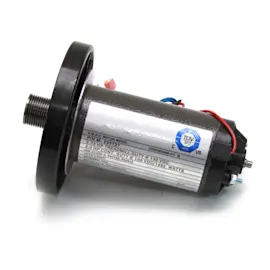
| Drive motor replacement | Belt slows, surges, or won’t run | Everything else is solid and you want to extend life 3 to 5+ years |
| Roller replacement | Grinding noise, belt tracking won’t hold | Belt and deck are still in good condition |
| Electrical troubleshooting | Random stops, no power | It’s a one-time issue (cord, breaker, wiring) not recurring damage |
Why it matters
A treadmill that changes speed unexpectedly or stops can cause falls. The manual also recommends using a proper surge suppressor to reduce control-system damage and improve reliability; that can prevent repeat failures and protect your repair investment. See the 831293061 owner's manual.
Last updated: February 2026
What is the life expectancy of a ProForm treadmill?
A Proform treadmill like model 831293061 typically lasts 7 to 10 years in normal in-home use. Lifespan depends most on user weight, weekly hours, and routine care (especially keeping the walking belt properly aligned and the motor area clean); our 831293061 owner's manual outlines the maintenance and safety practices that protect the machine.
What affects treadmill lifespan the most
- Hours of use per week (more hours equals faster wear on the belt, deck, and rollers)
- User weight and impact (this model is intended for users 250 lb or less)
- Walking belt condition and tracking (centered, not slipping, not overly tight)
- Dust control (keeping lint and dust out of the motor area)
- Power protection (using a proper surge suppressor on a dedicated circuit)
Typical wear items and when they matter
These parts usually determine whether a treadmill feels “worn out” even if the frame is fine.
| Component | What you notice when it’s wearing | Common fix |
|---|---|---|
| Walking belt / drive belt | Slipping, hesitation, burning smell | Adjust, lubricate, or replace belt |
| Rollers | Belt drifts, squeaks, rough feel | Replace roller(s) |
| Drive motor | Surging, weak speed, overheating | Diagnose wiring, then replace motor if needed |
| Speed sensor | Speed drops out, console shows erratic speed | Check sensor gap, replace sensor |
Maintenance that extends life (high impact)
- Unplug after use and before cleaning or adjustments.
- Keep the treadmill level and use a floor mat to reduce dust intake.
- Check belt tracking regularly; use a tool like the treadmill walking belt alignment tool 128457 when needed.
- If speed readings are inconsistent, inspect the sensor and wiring; the toyostove treadmill reed switch and sensor wire 165798 is a common replacement.
- If the belt still slips after correct adjustment, inspect the drive system and consider replacing the belt 224176.
Why it matters
A treadmill can “fail early” from belt misalignment, dust buildup, or power issues long before major components wear out. Consistent basic upkeep keeps the belt, rollers, and motor running cooler and smoother, which is what delivers the full 7 to 10 year service life.
Last updated: February 2026