 Installation guide
 Owner’s manual



How big is a Kenmore microwave model 72187583610 in inches?
The Kenmore Elite microwave/hood combo model 72187583610 measures 29 7/8 inches wide x 17 13/16 inches high x 15 13/16 inches deep (outer dimensions). These are the overall cabinet dimensions used for fit, clearance, and installation planning; confirm your cutout and venting needs in the 72187583610 installation guide.
Dimensions at a glance
| Measurement | Size (inches) |
|---|---|
| Width | 29 7/8 |
| Height | 17 13/16 |
| Depth | 15 13/16 |
What these measurements mean
- Width is the left-to-right outside cabinet size.
- Height is the top-to-bottom outside cabinet size.
- Depth is the front-to-back outside cabinet size (not including any extra space you may need for the power cord, ducting, or wall clearance).
Fit and clearance tips we use for over-the-range installs
- Measure the space between cabinets in three places (front, middle, back) to catch out-of-square walls.
- Plan for venting clearance if you are using a damper/duct connector (roof or wall venting).
- Make sure the microwave is mounted at the proper height above the cooktop (your guide calls out minimum clearances).
- If your model has a slide-out hood, keep clearance in mind so it can extend and retract freely.
- If you are replacing an older unit, compare the mounting bracket and top cabinet hole pattern, not just the outside dimensions.
Why it matters
Correct outer dimensions help prevent cabinet interference, door swing issues, and venting problems. Getting the fit right also reduces strain on mounting points and helps the vent hood capture smoke and vapor effectively.
For additional model-specific specs (like output power, cavity volume, and electrical rating), use the 72187583610 owner's manual.
Last updated: February 2026
How do you reset a Kenmore Elite microwave?
To reset your Kenmore Elite microwave model 72187583610, we recommend doing a simple power reset first (unplug or switch off the breaker briefly, then restore power). For control resets and feature settings, follow the steps in the 72187583610 owner's manual.
Quick reset options (most common)
- Power reset: Unplug the microwave or turn off the circuit breaker for 1 minute, then restore power.
- Clear a cooking program: Press STOP/CLEAR (or CANCEL) once to stop cooking; press again to clear the display.
- Wake the display: If the display is off, touch Energy Saving to turn it back on.
- Reset after a power outage: Set the clock again if it is flashing or blank.
What to check if it still acts “stuck”
A microwave/hood combo can look like it needs a reset when a safety or power condition is stopping operation.
- Make sure the door closes fully and latches securely (the safety interlocks must engage).
- Confirm the outlet has power (try a small appliance on the same outlet).
- If the unit is totally dead, a blown fuse is a common cause; see How to replace a microwave fuse.
- If it runs but does not heat, the issue is usually in the high-voltage heating circuit; see Why is my microwave not heating.
Reset vs. repair: what the symptoms usually mean
| Symptom | Most likely cause | Best next step |
|---|---|---|
| Display blank, no response | No power, blown fuse | Power reset; then inspect fuse |
| Display on, keypad odd behavior | Control glitch | Power reset; then review manual settings |
| Runs but no heat | Heating circuit problem | Troubleshoot heating components |
| Turns on only with door pressure | Door interlock issue | Inspect latch and interlock system |
Why it matters
A “reset” fixes temporary control glitches, but it will not bypass door safety interlocks or correct a failed electrical part. If the door does not close properly, do not operate the microwave until it is corrected.
Last updated: February 2026
How many cubic feet is a Kenmore Model 72187583610 microwave?
The Kenmore Elite 72187583610 microwave/hood combo has a 2.2 cu. ft. cavity volume (capacity). This is the interior cooking space, and it helps you judge whether larger dishes, casserole pans, or tall microwave-safe containers will fit comfortably.
Where to confirm the capacity for your exact model
We list the cavity volume in the specifications section of the 72187583610 owner's manual. That same section also shows key specs like output power and outer dimensions.
What “2.2 cu. ft.” means in everyday use
Capacity is about interior space, not cooking power. A larger cavity volume typically makes it easier to:
- Heat larger plates and wide bowls without crowding
- Fit common microwave-safe casserole dishes
- Reduce splatter by leaving more headroom above food
- Use the turntable more effectively with wider items
Capacity vs. size vs. power (quick comparison)
| Spec type | What it tells you | Why it matters |
|---|---|---|
| Cavity volume (cu. ft.) | Interior cooking space | Fit of dishes and containers |
| Outer dimensions | Overall outside size | Cabinet clearance and installation fit |
| Output power (watts) | Heating performance | Cook time and browning results |
Why it matters
Choosing cookware and planning meals is easier when you know the cavity volume. For the Kenmore Elite 72187583610, 2.2 cu. ft. is a larger over-the-range capacity, so it generally handles family-size portions and bigger containers better than 1.6 to 1.8 cu. ft. models.
Last updated: February 2026
How to unlock Kenmore microwave keypad?
To unlock the keypad on your Kenmore Elite microwave/hood combo model 72187583610, use the Child Lock/Control Lock feature: touch and hold STOP until you hear 2 beeps and “LOCKED” disappears (about 4 seconds). See the steps in the 72187583610 owner's manual.
Quick unlock steps (model 72187583610)
- Make sure the microwave is not cooking.
- Touch and hold STOP.
- Keep holding for about 4 seconds.
- Listen for 2 beeps.
- Confirm the display changes from “LOCKED” to normal.
- Test a number pad to confirm the control panel responds.
If it still will not unlock
A locked keypad is usually normal, but if the panel does not respond, these checks fix most issues:
- Dry your hands and the control panel; wet fingers can prevent the glass touch panel from sensing input.
- Touch the middle of the text on the pad (not the edge).
- Remove gloves; the panel may not sense touches through gloves.
- Unplug the microwave (or switch off the breaker) for 1 minute, then restore power and try the STOP hold again.
- If the display works but buttons do not, the keypad or control may need service.
What “locked” means and why it matters
Child Lock disables the control panel so the microwave cannot be started accidentally during cleaning or by children. It prevents unintended cooking, fan operation, and light activation.
Common symptoms and what they point to
| What you see | Most likely cause | What to do |
|---|---|---|
| “LOCKED” on display | Child Lock is on | Hold STOP 4 seconds |
| No response to touches | Touch technique, moisture, gloves | Dry panel, touch center of text |
| Display resets after power loss | Clock not set yet | Set clock, then retry unlock |
Last updated: February 2026
What problems do Kenmore Elite microwaves have?
Kenmore Elite microwave/hood combos like model 72187583610 most often run into no-heat cooking problems, intermittent power or “dead” symptoms, door-closure and interlock issues, and arcing (sparks) caused by metal or improper use. Many fixes start with basic checks in the 72187583610 owner's manual.
Most common problems we see
- Not heating (runs but food stays cold)
- No power / shuts off (display off, blows fuse, or trips)
- Door won’t start the microwave (door not closing firmly or interlock problem)
- Arcing or sparks (foil, metal utensils, twist ties, or running empty)
- Vent fan or airflow complaints (noise, weak venting, damper issues)
Parts that commonly relate to these symptoms
If troubleshooting points to a failed component, these parts are commonly involved on this model:
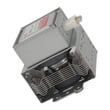
- Microwave magnetron 6324W1A001L (no heat)
- Microwave electronic control board EBR77659109 (dead unit, erratic operation)
- Microwave door latch housing and interlock switch assembly 3501W1A019S (won’t start, door errors)
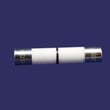
- Microwave fuse 3B74133Q (no power after surge or short)
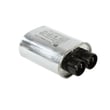
- Microwave high-voltage capacitor 0CZZW1H004B and microwave diode 6021W3B001V (no heat)
Quick checks before replacing parts
- Confirm the door closes fully and latches feel solid; a loose latch can prevent cooking.
- If the display counts down but nothing cooks, verify you started a cook function, not a timer.
- Stop arcing immediately; remove any metal, foil, or twist ties, and never run the microwave empty.
- If the unit is dead, check the house breaker and outlet first, then suspect an internal fuse.
- For venting complaints, inspect the damper and grille for blockage.
Symptom-to-part cheat sheet
| Symptom | Most likely area | Example part for 72187583610 |
|---|---|---|
| Runs, no heat | High-voltage system | Magnetron, diode, capacitor |
| Completely dead | Power protection/control | Fuse, control board |
| Won’t start when door shuts | Door interlocks | Latch housing and switch assembly |
| Sparks/arcing | Usage or cavity issue | Remove metal; follow manual guidance |
Why it matters
Microwaves contain high-voltage components and safety interlocks. Our manual stresses not to operate a damaged unit (especially door, hinges, latches, or seals) and to leave internal adjustments and repairs to qualified service personnel. Using the right cookware and avoiding metal prevents arcing damage and repeat failures.
Last updated: February 2026
Where is the fuse in my Kenmore microwave?
In Kenmore Elite model 72187583610, the internal microwave fuse is typically mounted behind the control panel area, near the door interlock switch assembly and where the power cord wiring enters the unit. Unplug the microwave before checking it; internal components can hold a dangerous charge.
What to do first (safe access basics)
- Unplug the microwave or switch off the breaker; confirm the display is off.
- Remove the vent grille to access the control panel area (grille appearance can vary by model).
- Support the control panel as you loosen mounting screws so you do not strain wiring.
- Do not touch high-voltage components (capacitor, diode, magnetron area).
- If you see heat damage, melted wiring, or a burnt smell, stop and use a qualified technician.
For model-specific panel removal and mounting details, follow the steps in the 72187583610 installation guide.
Where the fuse is usually located on over-the-range units
Most over-the-range microwave/hood combos place the line fuse in the control compartment because it protects the incoming 120V supply.
| Location you can access | What you may see | What it suggests |
|---|---|---|
| Behind the control panel | A small cylindrical fuse in a clip or holder | Main line fuse location |
| Near door latch area | Switches and brackets | Door interlock system (often related to blown fuses) |
| Near wiring entry point | Wire harness connections | Power feed path to the control |
Parts commonly involved when a fuse blows
A blown fuse is often a symptom, not the root cause. On this model, these related parts are common suspects:
- Microwave fuse 3B74133Q (one of the fuse options listed for this model)
- Microwave door latch housing and interlock switch assembly 3501W1A019S (misaligned or failing interlocks can blow a fuse)
- Microwave door interlock switch 6600W1K001R (a shorted switch can pop the fuse)
Why it matters
The fuse is a safety device that opens the circuit when there is an overload or short. Replacing the fuse without correcting a door interlock or wiring problem can cause the new fuse to blow immediately.
For a step-by-step overview of the process, use our how to replace a microwave fuse article, then confirm any model-specific disassembly notes in the 72187583610 owner's manual.
Last updated: February 2026


