 Installation guide
 Owner’s manual
 Error Codes

How to fix F70 error code Maytag dryer?
On a Maytag MED7100DW0 electric dryer, the F70 error is tied to temperature sensing; the dryer is not getting the correct signal from the thermistor circuit. We fix it by resetting power, checking airflow and wiring connections, then testing and replacing the thermistor if it is out of range.
Step-by-step checks (fastest path)
- Unplug the dryer or switch both breakers OFF.
- Clean the lint screen and confirm the vent is not crushed or kinked.
- Restore power and run a Timed Dry heated cycle to see if the code returns.
- If F70 returns, access the thermistor and inspect the harness for loose plugs, corrosion, or pinched wires.
- Test the thermistor with a multimeter (ohms); replace it if readings are clearly abnormal for room temperature.
Parts that commonly solve F70 on this model
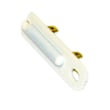
The most common repair is replacing the temperature sensor (thermistor).
| What to check | What it affects | Part to consider |
|---|---|---|
| Thermistor resistance and wiring | Temperature feedback to the control | Dryer thermistor WP8577274 |
| Restricted venting and lint buildup | Overheating and unstable temperature readings | (clean venting, no part) |
| High heat safety devices (if overheating occurred) | Heater shutoff behavior | Dryer high-limit thermostat WP8557403 |
Why airflow matters for an F70 code
Poor venting makes temperatures swing higher and faster than normal. That can push the dryer into fault behavior and can also damage temperature-sensing components over time.
Use these venting targets from the installation guide:
- Use 4-inch (102 mm) vent material
- Keep the vent run as short and straight as possible
- Confirm strong airflow at the outside exhaust hood
When to use the manual troubleshooting steps
If the code persists after thermistor and wiring checks, follow the diagnostic and troubleshooting guidance in the owner's manual. That process helps confirm whether the issue is in the sensor circuit versus the electronic control.
Why it matters
Accurate temperature sensing protects fabrics and prevents overheating. Fixing the thermistor circuit restores normal heat control and helps the dryer dry consistently.
Last updated: February 2026
How do I find the model number on my MED7100DW0?
Your Maytag electric dryer’s model number is printed on the appliance’s rating label. On MED7100DW0, the label is typically found around the door opening (on the cabinet frame) or on the inside of the dryer door; match the full model exactly for correct parts.
Where to look on the dryer
Check these common label locations first:
- Door opening on the front cabinet frame (most common)
- Inside the dryer door along the edge
- Behind the lower access panel (less common)
- Rear panel label (some installations)
What to write down (so parts match)
Record the information exactly as shown on the label.
| Label item | Example | Why it matters |
|---|---|---|
| Model number | MED7100DW0 | Ensures diagrams and parts fit |
| Serial number | (varies) | Helps identify production run |
| Electrical rating | (varies) | Confirms correct terminal block, cord, and wiring |
Why it matters
Maytag dryers can look similar across model families, but parts like the dryer drum belt WPW10112954, idler pulley, or heating circuit components can vary by model and production series.
Quick tip for ordering parts
Once you confirm the model number, use the parts list for MED7100DW0 to choose the exact replacement by name and part ID, then verify it against the diagrams in the MED7100DW0 owner's manual.
Last updated: March 2026
What is the average lifespan of MED7100DW0?
The average lifespan of a Maytag electric dryer like model MED7100DW0 is about 13 years. Regular vent cleaning, avoiding overloads, and replacing wear items early (belt, rollers, idler) helps the dryer heat and tumble efficiently for its full service life.
What affects dryer lifespan most
These factors have the biggest impact on how long MED7100DW0 lasts:
- Vent restriction (long runs, crushed duct, lint buildup)
- Overloading and frequent heavy loads
- Running with squealing or thumping (drum support wear)
- Overheating events that stress thermostats and fuses
- Moisture and corrosion around electrical connections
Common wear parts to expect over time
If you hear noise, get slow drying, or the drum stops turning, these are typical maintenance repairs:
| Symptom | Common cause | Example part for MED7100DW0 |
|---|---|---|
| Squeal or rumble | Worn drum rollers | Dryer drum support roller WPW10314173 |
| Drum not turning | Worn/broken belt | Dryer drum belt WPW10112954 |
| Thumping, poor tension | Worn idler pulley | Dryer idler pulley W10837240 |
Why it matters
A dryer can still run while airflow or drum support parts are failing, but performance drops fast: cycles get longer, temperatures rise, and safety devices (thermal cut-off, high-limit thermostat) can trip.
Best practices to reach the full lifespan
- Clean the lint screen every load
- Inspect and clean the vent path regularly
- Stop using the dryer if you smell burning or hear loud metal-on-metal noise
- Use the maintenance and operating guidance in the MED7100DW0 installation guide
Last updated: March 2026












