 Error Codes



How do I reset my Whirlpool wall oven?
To reset your Whirlpool wall oven model RB260PXBB1, press Cancel (or Cancel/Off) on the control panel. This stops the current cooking cycle and clears many temporary control glitches; if the display stays unresponsive, do a full power reset at the breaker.
Quick reset options (start here)
- Press Cancel once to stop cooking and clear most messages.
- If the oven is in Self-Clean, press Cancel and wait for the door to unlock (it can stay locked until it cools).
- If the keypad is still frozen, turn the oven OFF at the circuit breaker for 1 minute, then turn it back on.
- After power returns, set the clock and test Bake and Broil.
When a breaker reset is the better choice
Use a breaker reset when you see any of these:
- Display is blank or stuck
- Buttons do not respond
- Oven will not start a cycle after pressing Cancel
- You recently had a power outage or flickering lights
Power reset steps
- Locate the wall oven breaker (typically a 240V double-pole breaker).
- Switch it OFF for 60 seconds.
- Switch it ON.
What a reset does (and does not do)
| Action | What it affects | What it will not fix |
|---|---|---|
| Press Cancel | Stops a cycle, clears many control states | Failed heating element, broken door switch, wiring damage |
| Breaker reset | Reboots the control by removing power | Burned wiring, failed control board, open thermal fuse |
Why it matters
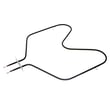
A reset is the fastest way to clear a stuck control state before replacing parts. If the oven still will not heat after resetting, the issue is often in the heating circuit, such as the bake element WP308180, the broil element, or a wiring connection.
Last updated: January 2026
Are wall ovens hardwired or plug-in?
Whirlpool wall ovens like model RB260PXBB1 are typically hardwired (direct-wired) into a junction box rather than plugged into a standard outlet. Most built-in electric wall ovens are installed on a dedicated circuit using the oven’s flexible conduit, not a cord-and-plug connection.
What you’ll usually see on an electric wall oven install
- A metal junction box in the cabinet or wall behind the oven cutout
- A flexible conduit coming from the oven (with individual conductors inside)
- Wire connections made with approved connectors and a cover plate
- A dedicated 240V circuit sized for the oven’s electrical load
Quick check: hardwired vs plug-in
| Feature | Hardwired wall oven (most common) | Plug-in wall oven (uncommon) |
|---|---|---|
| Connection | Conduit to junction box | Cord to receptacle |
| Typical location | Behind oven in cabinet | Accessible outlet nearby |
| Service shutoff | Breaker | Unplug plus breaker |
Why it matters
Hardwiring affects how you shut off power for service, how the oven fits in the cabinet cutout, and what electrical parts you may need if wiring is damaged (for example, a terminal connection issue at the junction point).
If you’re installing or troubleshooting wiring
- Turn off the double-pole breaker before touching any wiring
- Confirm the circuit voltage and wire size match the oven requirements
- Inspect the conduit and connections for heat damage or loose splices
- If you find brittle or overheated conductors, use high-temperature appliance-rated wire such as cooking appliance 14-gauge splicing wire, 200-degree c (red) 242831
- If the connection point is damaged or melted, the terminal block WP8203546 is a common repair part on many electric cooking appliances
Last updated: January 2026
Why is my Whirlpool oven not getting power?
If your Whirlpool RB260PXBB1 electric wall oven is completely dead (no display, no lights, no heat), the most common causes are a tripped breaker, a loose/burned power connection at the junction box, or a failed internal power component such as the terminal block or wiring.
Quick checks (start here)
- Reset the oven’s double-pole breaker fully OFF, then back ON.
- Confirm the oven is hardwired and the junction box cover is secure and not heat-damaged.
- Check for a blown house fuse (if your home uses fuses).
- If the oven has power but the cavity is dark, check the oven light and socket.
- If the oven powers on but will not heat, suspect a failed heating element.
What to test (power path)
For RB260PXBB1, power problems usually fall into one of these buckets:
| Symptom | Most likely area | Common next step |
|---|---|---|
| No display, no interior light | House breaker, supply wiring, junction box connections | Verify correct voltage at the junction box |
| Light works, no heat | Heating circuit | Test bake and broil elements for continuity |
| Intermittent power, burning smell | Connection point overheating | Inspect and replace damaged connectors/wiring |
Parts that commonly relate to “no power” or “no heat”
- Terminal block WP8203546 (power connection point that can overheat or loosen)
- Cooking appliance 14-gauge splicing wire, 200-degree c (red) 242831 (used to repair heat-damaged wiring)
- Light bulb 8009 and light socket W11594027 (if the oven works but the light does not)
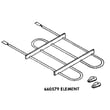
- Bake element WP308180 and range broil element WP660579 (if the oven has power but will not heat)
Why it matters
A wall oven that is not getting power is often a supply or connection issue. Catching a loose or overheated connection early helps prevent repeat breaker trips, melted wire nuts, and heat damage inside the electrical box.
Last updated: January 2026





