 Error Codes


How do I reset the error code on my Whirlpool oven?
On the Whirlpool RF365PXYN0 electric range, we reset most error codes by canceling the fault and rebooting power to the control. Press Cancel/Off once; if the code stays on or returns, turn the range’s breaker OFF for 1 minute, then turn it back ON.
Safe reset steps (recommended order)
- Press Cancel/Off and wait 30 seconds.
- If the display still shows the code, switch the circuit breaker OFF.
- Wait 60 seconds (this fully resets the electronic control).
- Turn the breaker ON and set the clock.
- Run a quick test: Bake at 350°F for 10 minutes.
- If the code returns, troubleshoot the circuit tied to that code using Whirlpool freestanding range error codes.
What it means if the code comes back
A repeating error code usually points to a problem the control is detecting again, such as:
- Oven temperature sensor circuit issue
- Stuck or failing keypad/control input
- Wiring connection problem (loose, overheated, or damaged)
- Heating circuit problem (bake or broil not responding)
- Control board fault
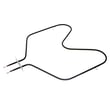
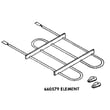
If the oven will not heat after the reset, the bake circuit is a common place to start; on this model, the bake element WP308180 is one of the key heating components.
Quick guide: reset vs. repair
| Situation | What to do next |
|---|---|
| Code clears and does not return | Keep using the range; it was a control glitch or brief power issue. |
| Code returns immediately at power-up | Focus on sensor, keypad, or control circuit diagnostics. |
| Code returns only when heating | Check heating circuits, wiring, and related components. |
Why it matters
Resetting clears temporary control glitches, but a repeating fault code helps you avoid wasted parts and points you to the exact system (sensor, heat, door lock, or control) that needs attention.
Last updated: January 2026
What does F3 E0 mean on a Whirlpool stove?
On the Whirlpool RF365PXYN0 electric range, the F3 E0 error code points to an oven temperature sensing problem, most often the oven temperature sensor circuit (sensor, wiring, or the electronic oven control). A quick first step is a 1-minute power reset at the breaker.
What to do first (safe, quick checks)
- Turn the range off, then switch the range circuit breaker off for 1 minute.
- Restore power and watch the display for about 1 minute.
- If the code returns, stop using the oven until you troubleshoot the sensor circuit.
- If the oven was just in a high-heat cycle, let it cool fully and recheck.
- If you smell burning or see arcing, keep power off and inspect wiring before restoring power.
What usually causes F3 E0
F3 E0 is triggered when the control sees an out-of-range signal from the oven temperature sensor circuit.
Common causes include:
- Loose or corroded sensor connector
- Damaged sensor harness (pinched, melted, or broken wire)
- Failed oven temperature sensor
- Failed electronic oven control (less common)
Troubleshooting path (what to check next)
- Power off at the breaker before removing panels.
- Inspect the sensor connector and harness for heat damage.
- If wiring looks good, test the oven temperature sensor resistance with a multimeter (typical sensors read around 1,000 to 1,100 ohms at room temperature).
- If the sensor tests good, suspect the control or a wiring issue between the sensor and control.
Parts that may be involved
These parts are commonly related to heat and electrical connections on this model:
| Symptom you see | Most likely area | Example part on this model |
|---|---|---|
| F3 E0 returns immediately after reset | Sensor circuit or control | Wiring connections, control circuit |
| Intermittent F3 E0, worse when hot | Harness/connector heat damage | Cooking appliance 14-gauge splicing wire, 200-degree c (red) 242831 |
| Oven not heating along with errors | Heating circuit issue to address separately | Bake element WP308180 |
Why it matters
The oven temperature sensor is the control’s “thermometer.” When the control cannot trust that signal, it may shut down heating or heat unpredictably, which affects baking results and can overheat components.
Last updated: January 2026
What is the average lifespan of RF365PXYN0?
A Whirlpool electric range like model RF365PXYN0 typically lasts 13 to 15 years with normal home use. Lifespan depends most on heating-element wear, electrical connections, and how quickly spills and overheating issues are addressed.
What affects lifespan most
- Heavy high-heat cooking and long bake times
- Boilovers that damage surface element receptacles and wiring
- Loose or overheated power-cord connections at the terminal block
- Slamming or overheating that stresses door glass and hinges
- Delayed replacement of worn heating parts (bake and surface elements)
Parts that commonly drive “end of life” repairs
If performance drops, these are frequent wear items on electric ranges and are often worth replacing to extend service life:
| Symptom | Common cause | Example part for RF365PXYN0 |
|---|---|---|
| Oven not heating evenly or not baking | Failed bake element | Bake element WP308180 |
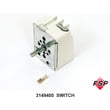
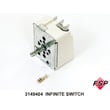
| One surface burner cuts in and out | Worn infinite switch | Infinite switch WP3149400 |
| Burner won’t heat | Burned receptacle/connection | Whirlpool range surface element receptacle 330031 |
| Range dead or power issues | Loose/burned terminal connection | Terminal block WP8203546 |
How to help your RF365PXYN0 reach the full lifespan
- Keep drip bowls and surface rings seated correctly to prevent overheating.
- Clean spills promptly so they do not bake onto elements and wiring areas.
- If a burner cycles erratically, replace the control switch before it overheats wiring.
- If you ever smell hot plastic or see discoloration at the cord connection, stop using the range and inspect the terminal block.
Why it matters
Most “range is worn out” complaints trace back to a few high-heat electrical parts. Replacing a failed element, switch, or receptacle often restores safe, normal cooking and can add years of usable life.
Last updated: March 2026






