Installation guide
 Owner’s manual
 Error Codes




How to read Frigidaire model numbers?
For the Frigidaire side-by-side refrigerator model FFSS2614QS4A, the model number is a coded identifier that typically tells the product type/series and a revision or engineering suffix. Exact character-by-character decoding can vary by Frigidaire product line, so we use the model tag plus the FFSS2614QS4A use & care manual to confirm features and compatible parts.
What the characters usually mean (Frigidaire refrigerators)
While Frigidaire does not publish one universal decoding key that applies to every product family, these patterns are common on many Frigidaire refrigerator model numbers:
- Prefix letters often indicate the product family/series (for example, side-by-side vs. other styles).
- Middle digits commonly relate to size/capacity class or design platform.
- Later letters can indicate finish or feature package (this varies by series).
- Ending characters (often a suffix like A, B, etc.) typically identify an engineering revision or production change.
Where to find the model number (and why it matters)
For FFSS2614QS4A, the most reliable way to use the model number is to match it exactly to the appliance’s model/serial tag and then use that exact model to select parts.
- Check the model/serial tag inside the fresh food compartment (location varies by design).
- Match the model number exactly, including the suffix (FFSS2614QS4A, not just FFSS2614QS).
- Use the model number to ensure parts like a water filter, ice maker, or door gasket fit correctly.
Quick examples using FFSS2614QS4A
| What you’re trying to do | What to match | Example for this model |
|---|---|---|
| Identify the exact refrigerator | Full model number | FFSS2614QS4A |
| Avoid ordering the wrong part | Include suffix/revision | “A” matters |
| Confirm features and operation | Use model documentation | FFSS2614QS4A use & care manual |
Why it matters
Even small model-number differences can point to different wiring, dispenser setups, or door configurations. Using the full model number helps us keep part selection accurate and prevents returns and repeat repairs.
Last updated: January 2026
How to reset a Frigidaire refrigerator?
For the Frigidaire FFSS2614QS4A, the most reliable “reset” is a power reset: unplug the refrigerator (or switch off the breaker) for about 5 minutes, then restore power and allow 8 to 12 hours for temperatures to stabilize. For control-related issues, you can also toggle the cooling system Off and back On from the control panel.
Reset options for FFSS2614QS4A
Use the method that matches what you are trying to fix:
- Power reset (best for glitches): unplug for ~5 minutes, then plug back in.
- Cooling system reset (control panel): press and hold the On/Off button on the temperature control panel for 3 seconds to turn cooling Off, then press and hold 3 seconds again to turn cooling back On.
- Filter status reset (after changing filter): press and hold FILTER RESET for 10 to 15 seconds until the indicator lights flash.
- Alarm acknowledgement: if “HI” shows and an alarm sounds, press any key to acknowledge and silence it.
For button locations and exact control layout, use the FFSS2614QS4A use & care manual.
Step-by-step: power reset
- Move any perishable food to a cooler if you expect a long outage.
- Unplug the refrigerator (or turn the circuit breaker Off).
- Wait 5 minutes.
- Restore power.
- Let the unit run with doors closed; allow 24 hours for full temperature stabilization after any setting changes.
What each “reset” actually does
| Reset type | What it affects | What it does not affect |
|---|---|---|
| Power reset | Control board and electronics | Does not fix mechanical failures |
| Cooling Off/On | Stops and restarts refrigeration | Does not remove power to lights and some electrical components |
| Filter reset | Filter indicator light/status | Does not improve water flow if the filter is clogged |
Why it matters
A reset can clear a temporary control-board glitch, restore normal display behavior, or turn the cooling system back on after it was accidentally disabled. If symptoms return quickly, troubleshooting the underlying cause (cooling, airflow, ice maker, or water system) is usually the next step.
Last updated: January 2026
Can I look up Frigidaire parts by model number?
Yes. For your Frigidaire side-by-side refrigerator model FFSS2614QS4A, using the full model number is the most reliable way to match compatible replacement parts (like a water filter, ice maker, or door gasket) to your exact configuration. For model-specific diagrams and part identification, use the FFSS2614QS4A user manual.
How to look up parts by model number (what we recommend)
- Use the complete model number exactly as shown on the refrigerator’s model tag: FFSS2614QS4A.
- Match the part to the correct system (ice maker, water system, doors, cooling).
- Confirm the part description matches what you’re replacing (for example, “water inlet valve assembly” vs. “water filter housing”).
- If your refrigerator has an ice and water dispenser, verify whether the issue is in the filter, valve, or ice maker before ordering.
- Keep your old part nearby so you can compare connectors, mounting points, and shape.
Common FFSS2614QS4A parts customers look up
Here are a few examples of model-matched parts that are commonly searched by model number:
| What you need | Example compatible part for FFSS2614QS4A | What it affects |
|---|---|---|
| Water filter | Refrigerator water filter WF3CB | Water taste, flow, ice quality |
| Ice maker assembly | Refrigerator ice maker 241798231 | No ice, small cubes, slow production |
| Water inlet valve | Frigidaire refrigerator water inlet valve assembly 242252702 | No water, no ice, slow fill |
Why it matters
Frigidaire model numbers can look similar, but small suffix differences can change the correct door parts, dispenser components, or water system parts. Using FFSS2614QS4A helps prevent ordering a part that does not fit or connect correctly.
Quick tip for faster, more accurate matching
If you are troubleshooting water or ice issues, we recommend checking the operating and filter replacement steps in the FFSS2614QS4A user manual first; it can help you narrow the problem to the filter, dispenser, or ice maker system.
Last updated: January 2026
What is the most common problem with Frigidaire refrigerators?
For the Frigidaire FFSS2614QS4A, the most common service issues we see are ice maker and water dispenser complaints (no ice, slow ice, dispenser not dispensing) and cooling problems (warm fresh-food section, poor overall cooling). These are often tied to airflow, water supply, or door sealing.
Most common symptoms (and what they usually point to)
- Ice maker not making ice or making small cubes: water supply issue, clogged filter, or ice maker problem
- Water dispenser slow or not dispensing: clogged filter, filter not seated, or inlet valve issue
- Fridge warm but freezer cold: restricted airflow or evaporator fan issue
- Frost buildup or temperature swings: defrost system problem
- Runs too long: dirty condenser area or door gasket leak
Quick checks we recommend first (FFSS2614QS4A)
Use the troubleshooting section in the FFSS2614QS4A use & care manual to match your symptom to a cause, then start with these basics:
- Confirm doors close fully and seals contact the cabinet on all sides
- Make sure air vents inside are not blocked by food
- Verify the household water supply valve is fully open (if connected)
- Check water pressure is in the typical operating range (many dispenser/ice issues start here)
- Replace the water filter if it is older than about 6 months
Parts that commonly solve these problems on this model
If basic checks do not help, these model-compatible parts are frequent fixes:
| Symptom | Common part to inspect/replace | Why it matters |
|---|---|---|
| No ice / intermittent ice | Refrigerator ice maker 241798231 | The ice maker module controls harvest and fill cycles |
| Slow water or no water | Frigidaire refrigerator water inlet valve assembly 242252702 | A weak/failed valve can restrict water to the dispenser and ice maker |
| Small cubes, jamming, bad taste | Refrigerator water filter WF3CB | A clogged filter reduces flow and can cause hollow/small cubes |
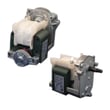
| Warm fridge, freezer OK | Refrigerator evaporator motor 242077705 | The evaporator fan moves cold air into the fresh-food section |
Why it matters
Ice/water and cooling problems can look “random,” but they usually come from a few root causes: restricted airflow, restricted water flow, or a poor door seal. Fixing the underlying cause helps protect food temperatures and prevents repeat failures.
Last updated: January 2026