 Owner’s manual
 Error Codes




Where to find part number on GE dryer?
On a GE dryer like model GFD85GSPN0RS, the model and serial tag (often used to look up the correct replacement part number) is typically located on the inside of the dryer door opening or on the door frame. Use that tag information when ordering parts so you get the exact match for your dryer.
What to look for on the label
The tag usually includes several identifiers; the most useful ones for parts lookup are:
- Model number (for this dryer: GFD85GSPN0RS)
- Serial number (helps confirm production run)
- Electrical ratings (volts, amps)
- Manufacturing information (varies by unit)
For diagrams and model-specific details, use the GFD85GSPN0RS owner's manual.
Quick steps to find it
- Open the dryer door.
- Check the door frame (front panel opening).
- Check the inside edge of the door.
- Write down the model and serial exactly as shown.
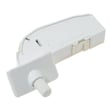
- Use the model number to select parts (for example, a door-related part like the door switch WE04X34281 must match the model).
Common label locations (GE dryers)
| Location | How to check | Most common? |
|---|---|---|
| Door frame | Look along the front opening near the latch area | Yes |
| Inside the door | Check the inner edge or panel area | Sometimes |
| Rear panel | Inspect the back of the cabinet | Less common |
Why it matters
GE often uses similar-looking parts across dryer series, but small differences (mounting, wiring connectors, revisions) can change which part fits. Using the model and serial from the tag helps ensure you order the correct GE dryer parts the first time.
Last updated: February 2026
What is the life expectancy of a GE dryer?
A GE dryer typically lasts about 10 to 13 years with normal household use. For your GE GFD85GSPN0RS dryer, consistent airflow maintenance (lint screen and venting) and avoiding overheating are the biggest factors that help it reach the high end of that range; see the GFD85GSPN0RS owner's manual for the model’s care schedule.
What most affects dryer lifespan
- Vent restriction (long ducts, crushed flex duct, clogged wall cap)
- Lint buildup in the lint screen housing and blower area
- Overloading (extra strain on the drum, belt, idler, and motor)
- High heat use on every load (more thermal stress on thermostats)
- Moisture sensor issues (overdrying can increase wear)
Maintenance that extends life (high impact)
The manual calls out that the exhaust duct should be inspected and cleaned at least once a year, and that you should never run the dryer without the lint filter in place.
- Clean the lint screen every load; wash it occasionally if fabric softener residue builds up
- Inspect and clean the full vent run yearly (dryer to outside)
- Keep the area around the dryer clean so the blower does not ingest dust
- Use the correct cycle and avoid overdrying when possible
- Level the dryer so the drum and supports wear evenly
Quick “wear item” guide (typical)
| Component | Common symptom when worn | Typical service life* |
|---|---|---|
| Idler/belt support | Squealing, thumping | 5 to 10 years |
| Thermostats/thermal safety | No heat, overheating shutdown | 7 to 12 years |
| Door switch/strike | Won’t start, door won’t latch | 7 to 15 years |
*Typical ranges vary by load size, venting, and heat settings.
Why it matters
A dryer that runs with a partially clogged exhaust takes longer to dry, runs hotter, and cycles components more often. That extra heat and run time can shorten the life of parts like thermostats, the drive system, and the motor.
Parts that commonly get replaced as the dryer ages
If you’re chasing noise, long dry times, or intermittent operation, these model-matched parts are common starting points:
- Dryer lint screen WE16X32537 (airflow and lint control)
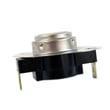
- Dryer blower thermostat WE04X29714 (temperature regulation)
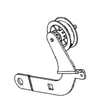
- Dryer idler assembly WE03X30657 (belt tension and noise control)
Last updated: February 2026
How to replace GE dryer sensor?
On the GE GFD85GSPN0RS dryer, a “sensor” question usually means the moisture sensor bars (inside the drum) or a thermostat-type sensor (in the heater or blower housing). We replace it by unplugging power, opening the cabinet to access the exact sensor, swapping the part, then reassembling and test-running a cycle using the steps in the GFD85GSPN0RS owner's manual.
Before you start (safety and prep)
- Unplug the dryer or switch off the breaker before removing any panels.
- If you have a gas model, follow the gas safety warnings in the manual; stop and contact a qualified servicer if you smell gas.
- Take a photo of every wire connection before you remove it.
- Label connectors so they go back on the same terminals.
- Use a vacuum to remove lint while the dryer is open.
Identify which “sensor” you need to replace
Most GE dryers use two common sensor types; the replacement steps and location differ.
| What you mean by “sensor” | Typical location | Common symptom |
|---|---|---|
| Moisture sensor bars | Inside the drum near the lint filter housing | Auto cycles end too soon or run too long |
| Thermostat/temperature sensor | On blower housing or heater duct | No heat, overheating, or temperature-related shutoff |
For this model page, thermostat-style parts we commonly see include the dryer blower thermostat WE04X29714 and the safety thermostat WE04X30582.
Basic replacement steps (most dryer sensors)
- Disconnect power (and shut off gas if applicable).
- Remove the top or front panel as outlined in the GFD85GSPN0RS owner's manual.
- Locate the sensor: follow the wire harness to the blower housing or duct, or look inside the drum area for moisture sensor bars.
- Remove mounting screws; transfer any bracket or insulator exactly as found.
- Move wires one at a time to the new sensor (or reconnect using your photo).
- Reassemble panels; run a timed dry test, then a sensor dry cycle.
Why it matters
A failed moisture sensor or thermostat can cause long dry times, overheating, or cycles that stop early. Replacing the correct sensor helps restore normal drying performance and protects key components like the drive motor and control board.
Last updated: February 2026
How to reset GE dryer heating element?
On the GE GFD85GSPN0RS dryer, there is no “reset” button on the heating element itself. The practical reset is a power reset: turn the dryer off, switch the dryer’s breaker off for about 1 minute, then turn it back on and test a heated cycle.
Safe reset steps (electric dryer)
- Press Power to turn the dryer off.
- Turn off both dryer breakers (many electric dryers use two) or remove the dryer fuse(s).
- Wait about 60 seconds.
- Turn the breaker(s) back on.
- Run Timed Dry with Temp set to High and start the cycle.
- If the control panel is “asleep,” press Power to wake it.
For cycle and temperature selections specific to this model, follow the GFD85GSPN0RS owner's manual.
If it still won’t heat after the reset
A “no heat” condition is usually caused by a power supply issue, airflow restriction, or a failed heat circuit component (not a tripped reset).
- Confirm the dryer has full 240V power (one tripped breaker can let the drum run but stop heat).
- Clean the lint screen and check for a blocked exhaust vent.
- If airflow is good, test common heat safety parts such as thermostats.
Parts that commonly affect heating on this model
| Symptom | Common check | Example part for GFD85GSPN0RS |
|---|---|---|
| Runs but no heat | Outlet/backup thermostat open | Dryer outlet backup thermostat WE04X10190 |
| Overheats or shuts heat off | Hi-limit device trips/opens | Hi limit the WE04X29727 |
| Heat cuts out for safety | Safety thermostat open | Safety thermostat WE04X30582 |
Why it matters
Resetting power clears a temporary control glitch and restores normal operation after a breaker trip. If the dryer still does not heat, focusing on power at the breaker, venting, and thermostats prevents repeat overheating and long dry times.
Last updated: February 2026





