 Installation guide
 Owner’s manual
 Error Codes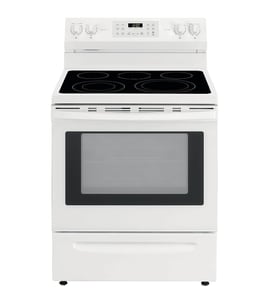

Does a Kenmore Elite have a reset button?
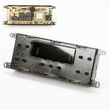
No. The Kenmore Elite range model 79075503206 does not use a single dedicated reset button; when the control needs a reset, we restore it by turning power off at the breaker (or unplugging if accessible) and then powering back on, which also requires resetting the clock. See the 79075503206 owner's manual for control and clock steps.
- Turn the range OFF.
- Switch the range circuit breaker OFF for 3 to 5 minutes.
- Turn the breaker ON.
- Set the clock on the electronic oven control (a power interruption clears it).
- Test Bake for a short preheat to confirm normal operation.
A power reset is best for a temporary control glitch, a blank display, or odd keypad behavior. It will not fix a failed heating part or sensor.
| Symptom | Reset likely helps? | What to check next |
|---|---|---|
| Display frozen or unresponsive | Yes | Power cycle, then verify clock settings |
| Oven not heating to temp | Sometimes | Temperature sensor, bake element, wiring |
| Oven light not working | No | Bulb, socket, door switch (if equipped) |
| Repeated tripping breaker | No | Terminal block, wiring, heating circuit |
If the problem returns quickly after a reset, we focus on the most common range failure points:
- Oven temperature issues: test/inspect the frigidaire range oven temperature sensor 316217002 and look for damaged wiring.
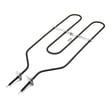
- No/weak bake heat: inspect the bake element for blisters, cracks, or burn spots.
- Power connection problems: inspect the cord connection and terminal block area for heat damage.
Resetting by cutting power clears the electronic oven control state and restores normal operation after a glitch. It also confirms whether you have a control issue or a component issue (sensor, element, wiring) that needs repair.
Last updated: February 2026
Where can I find my Kenmore Elite oven model number?
On Kenmore Elite range model 79075503206, the model and serial number are printed on the identification (serial) plate located on the front frame of the range when the oven door is open, or inside the drawer along the side of the frame. Use the 79075503206 owner's manual for the exact location notes.
Look in these spots first (in order):
- Open the oven door and check the front frame (the rim around the oven opening).
- Pull out the storage/warming drawer and check the drawer side frame.
- Check inside the drawer opening along the side frame.
- Record the model number, serial number, and any lot number/letter shown on the plate.
- Turn the oven light on and open the oven door for better visibility.
- Scan the front frame for a label that starts with Model No. 790.
- If you do not see it, slide the bottom drawer out and look on the side frame.
| Label item | What it’s used for |
|---|---|
| Model number (example: 79075503206) | Matching the correct parts and diagrams |
| Serial number | Identifying the production run for service |
| Lot number/letter (if shown) | Helps narrow down exact configuration |
We use the full model number to match the correct Kenmore parts (like a bake element, oven rack, or control panel) because small design changes can affect fit and wiring.
Last updated: February 2026
Why is my Kenmore Elite oven not working?
If your Kenmore Elite range model 79075503206 oven is not working, the most common causes are a power supply problem, an oven control fault (often shown as an F-code), or a failed heating component such as the bake element. Start with the basic power and control checks in the 79075503206 owner's manual.
- Confirm the range cord is fully seated in the outlet.
- Check the home breaker(s) for a tripped 240V range circuit; reset fully OFF then ON.
- If there was a power outage, turn the oven controls OFF; do not try to run the oven during a power failure.
- If the control is beeping and shows F1, F3, or F9, press CLEAR to stop the beeping and clear the display.
- Try setting BAKE again after clearing; if the fault returns, treat it as a control-related failure.
| Symptom | What it points to | What to do next |
|---|---|---|
| Entire range or oven dead | No power to appliance, wiring issue, outage | Verify breaker, outlet, cord connection; then check wiring per service access guidance |
| Beeping with F1/F3/F9 | Electronic control detected a fault | Press CLEAR; if it recurs, record the code and plan for service |
| Oven light out but oven may still heat | Bulb or socket issue | Replace bulb or inspect socket wiring |
| Oven runs but won’t heat properly | Heating circuit issue (element, sensor, control) | Inspect bake element; test components with a meter |
If the oven cavity light is out, start with the easy items:
- Range oven light bulb 316538904 (bulb replacement or loose bulb)
- Range oven light socket 316116400 (socket damage, heat wear, or poor connection)
If the oven powers on but temperature is erratic or it will not regulate heat, a failed sensor is a common next step:
If the oven will not heat at all (but the control seems normal), inspect the heating element for visible damage and test it for continuity:
An oven that is completely dead is usually a power or control issue, while an oven that powers up but will not heat is usually a heating circuit issue (bake element, temperature sensor, or wiring). Sorting the symptom first prevents buying the wrong Kenmore parts.
Last updated: February 2026






