Installation guide
 Owner’s manual
 Error Codes




How do I fix the F2 code on my GE stove?
On the GE JBS55DM2WW electric range, an F2 code typically indicates the oven control is sensing an over-temperature condition or a problem in the oven temperature-sensing circuit. The most common fixes are checking the temperature sensor circuit, wiring, and, if needed, the electronic oven control.
Quick safety steps
- Press Clear/Off to silence the alarm.
- If the oven is very hot, keep the door closed and let it cool.
- Turn off power at the breaker for 1 minute, then restore power.
- If F2 returns quickly, leave power off until you can troubleshoot.
Troubleshooting steps for model JBS55DM2WW
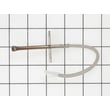
1) Check the oven temperature sensor and harness
On many GE electric ranges, the sensor is mounted inside the oven cavity (often on the rear wall). For JBS55DM2WW, the exact sensor part number cannot be confirmed from the model-specific parts list provided here, so we recommend testing the sensor and its wiring first before ordering a replacement.
- Unplug the range or shut off the breaker.
- Inspect the sensor connector for looseness, corrosion, or heat damage.
- Check the sensor resistance with a multimeter (compare to the spec in the manual if listed).
2) Inspect wiring from sensor to control
- Look for pinched wires where the range meets the back wall.
- Check for burned insulation near the oven liner.
- Reseat any harness plugs at the control.
3) If the sensor circuit tests good, suspect the control
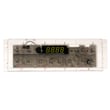
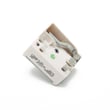
If the sensor and wiring test within spec but F2 persists, the control can misread temperature or drive heat incorrectly. A compatible replacement for this model is the oven control WB27X45466.
References we use for this model
Use the JBS55DM2WW installation guide for safe power shutoff, moving the range, and anti-tip precautions while accessing wiring.
Common causes and likely fixes
| Likely cause | What you may notice | Typical fix |
|---|---|---|
| Sensor circuit issue | F2 during preheat or shortly after starting bake | Test sensor and harness, repair connection |
| Damaged wiring | Intermittent F2, often after moving the range | Repair/secure wiring |
| Failed control | F2 continues with good sensor readings | Replace control board |
Why it matters
F2 is often tied to overheating detection. Correcting the cause helps prevent unsafe temperatures, protects wiring/connectors, and restores accurate baking performance.
Last updated: January 2026
How to disable control lock on GE wall oven?
For the GE JBS55DM2WW electric range, we cannot confirm a dedicated “Control Lock” feature from the model-specific information available for this unit. If your display shows a lock icon or the controls will not respond, the most reliable first step is a power reset and then checking the exact keypad sequence in the JBS55DM2WW owner’s manual.
What to try first (works for many GE ranges)
- Turn the range circuit breaker OFF for 1 minute.
- Turn the breaker ON and wait 30 seconds.
- Try pressing Clear/Off once.
- Try pressing and holding any key labeled Lock, Control Lock, or Lock Controls (if present) for 3 to 5 seconds.
- If the panel is wet or has cleaner residue, wipe it dry and retry.
If your model has no “Lock” key
Some GE ranges do not include a control lock function, even if other GE models do. In that case, “locked” behavior is usually caused by a control issue rather than a setting.
- If only one key will not work, the keypad may be failing.
- If most keys do not work, the electronic control may not be processing inputs.
- If the display is normal but the oven will not start, check for error codes and basic operation steps.
Quick checks: symptom vs likely cause
| What you notice | Most likely cause | Best next step |
|---|---|---|
| No response to most keys | Control not responding | Power reset; inspect for stuck keys |
| Random beeping or erratic keys | Moisture or failing keypad | Dry/clean panel; retry |
| Oven functions inconsistent | Control problem | Consider control diagnosis |
If you determine the control is not responding after a reset and cleaning, the model-matched electronic control is the oven control WB27X45466.
Why it matters
Using the correct unlock method (when equipped) prevents unnecessary part replacement. When a lock feature is not present, the same symptoms often point to a keypad or electronic control problem instead.
Last updated: January 2026
What is the average lifespan of JBS55DM2WW?
The average lifespan of a GE electric range like model JBS55DM2WW is 13 to 15 years with normal household use and basic maintenance. Keeping the electrical connection solid, the oven door sealed, and heating elements in good shape helps you reach that service life.
What affects lifespan most
- Heavy daily cooking and frequent self-clean cycles (high heat stresses wiring and controls)
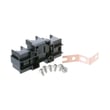
- Loose or overheated power connections at the terminal block
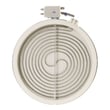
- Worn heating components (bake element, broil element, surface elements)
- Heat loss from a damaged oven door gasket
- Moisture, spills, and corrosion around switches and the control area
Quick maintenance checklist
- Keep the oven door sealing tightly; replace a torn gasket if you feel heat escaping.
- Avoid running self-clean back-to-back; let the range cool fully between cycles.
- Clean spills promptly to protect surface element controls and wiring.
- If you smell hot plastic or see discoloration at the cord connection, stop using the range and inspect the power hookup.
- Use the wiring and safety guidance in the installation guide for correct power-cord and grounding requirements.
Common “wear” parts vs. “life-limiting” parts
| Area | What typically wears first | What it can cause |
|---|---|---|
| Oven heating | Bake or broil element | Slow preheat, uneven baking, no heat |
| Cooktop heating | Radiant surface element | Burner not heating, cycling oddly |
| Door sealing | Door gasket | Heat loss, longer cook times |
| Electrical connection | Terminal block/cord connection | Intermittent power, overheating smell |
Why it matters
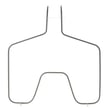
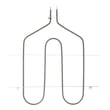
Knowing the 13 to 15 year average helps you decide whether to repair or replace. If your JBS55DM2WW is within that window, replacing common parts like the GE range bake element WB44T10010 or addressing a loose connection can restore reliable performance.
Last updated: March 2026