Owner’s manual








How to take the front off of a LG sensor dryer?
To remove the front panel on an LG DLGX9501K sensor dryer, we typically remove the top panel first, then release the control panel (if needed), and finally remove the front panel mounting screws and lift the panel off the lower tabs. Use the DLGX9501K owner's manual for the exact screw locations and wire routing.
Before you start (safety and prep)
- Unplug the dryer from the wall outlet.
- For a gas dryer, shut off the gas supply valve.
- Pull the dryer forward so you can access the rear and sides.
- Protect the floor and the front edge with cardboard or a towel.
- Have a container ready for screws so nothing gets lost.
Front panel removal steps (common LG layout)
- Remove the top panel: Take out the screws at the back edge of the top, slide the top back, then lift it off.
- Access the control panel area: Depending on the console design, remove the screws that secure the control panel and gently set it aside (do not strain the wiring).
- Open the door and remove front mounting screws: Look along the inside lip near the door opening and the upper corners for screws securing the front panel.
- Remove the lower front screws: Some LG designs use lower screws near the bottom corners.
- Lift and pull the front panel off: Tilt the panel forward, lift it up to unhook it from the lower retaining tabs, then pull it away.
- Disconnect wiring as needed: If your front panel has a door switch or drum light harness, disconnect the plug before fully removing the panel.
What you might see once the front is off
| What you notice | What it usually means | Common next step |
|---|---|---|
| Squealing or thumping | Worn drum support or belt path parts | Inspect dryer drum support roller 4581EL2002H and belt/idler components |
| Belt loose or broken | Belt wear or idler issue | Check belt routing and idler pulley alignment |
| Heavy lint buildup | Restricted airflow risk | Clean blower housing, lint duct, and venting |
Why it matters
Removing the front panel correctly prevents broken plastic tabs, pinched wire harnesses, and door alignment problems. It also gives safe access to wear items like the drum rollers, idler, and blower area for cleaning and inspection.
Last updated: February 2026
How to reset LG dryer error code?
To reset an error code on your LG DLGX9501K dryer, we recommend a simple power reset first: unplug the dryer (or switch the breaker off) for 1 to 3 minutes, then restore power and try a cycle. If the code returns, address the condition the code is reporting, then reset again.
Quick reset steps (works for most LG dryer error codes)
- Turn the dryer OFF.
- Unplug the power cord (or turn the circuit breaker OFF).
- Wait 1 to 3 minutes.
- Restore power.
- Press Power, then start a cycle.
For model-specific control panel steps and code definitions, use the DLGX9501K owner's manual.
Code-specific resets we use most often
Some codes clear only after the underlying issue is corrected.
- CL (child lock): Turn child lock off using the control lock button sequence shown in the manual.
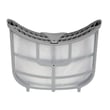
- Airflow restriction codes (often shown as D80/D90/D95 on many LG dryers): Clean the lint screen, check the vent for kinks or clogs, then power reset.
- Heating-related codes or shutdowns: Let the dryer cool, correct airflow issues, then reset.
Why the code keeps coming back
An error code is usually a symptom, not the root cause. These are the most common causes we see:
- Lint screen blocked or coated with residue
- Crushed, long, or clogged exhaust duct
- Blower area packed with lint (reduced airflow)
- Door not fully closing or a failing switch
- Overheating protection opening due to restricted airflow
Parts that commonly relate to “won’t heat” or overheating symptoms
If you’ve confirmed airflow is good and the code still returns, these parts are common suspects on gas dryers like the DLGX9501K:
| Symptom | Common part to check | Example part for this model |
|---|---|---|
| Dryer overheats or shuts down | High-limit thermostat | Dryer high-limit thermostat AGM30045804 |
| No heat or intermittent ignition | Burner igniter | LG dryer burner igniter 5318EL3001A |
| Dryer runs but heat cycles oddly | Blower thermostat | Dryer blower thermostat 6931EL3002M |
Why it matters
Resetting clears the control’s “memory” of a fault, but fixing airflow and heating problems prevents repeat shutdowns, long dry times, and overheating that can damage components.
Last updated: February 2026
What is the code F01 on a LG dryer?
On an LG dryer such as model DLGX9501K, an F01 code points to a control problem that prevents the drive motor from running correctly, most often involving the main control board or the motor circuit. Start with a power reset and basic checks, then move to wiring and component testing.
Quick checks first (fastest fixes)
- Unplug the dryer (or switch off the breaker) for 5 minutes, then restore power and try a cycle.
- Make sure the door fully closes and the latch engages.
- Confirm the dryer is on a dedicated circuit and the outlet connection is tight.
- If the drum is hard to turn by hand, check for a mechanical bind (belt, roller, idler).
- If the code returns immediately, focus on motor circuit and control diagnostics.
What usually causes F01
| Likely cause | What you may notice | What to check next |
|---|---|---|
| Main control board fault | Code appears quickly; dryer will not start or stops | Inspect connectors at the control; look for loose plugs |
| Motor circuit issue (wiring/connector) | Intermittent starts; stops mid-cycle | Check harness connections to motor and control |
| Motor can’t start due to drag | Humming, slow start, squealing, thumping | Inspect belt, rollers, idler, blower wheel |
Parts that commonly relate to “motor won’t run” symptoms
If the drum does not turn freely or you hear squealing/thumping, these wear items are common suspects:
- Dryer drum belt 4400EL2001D (broken or slipping belt)
- Dryer drum support roller 4581EL2002H (flat spots can overload the motor)
- Dryer idler pulley 4560EL3001A (seized pulley can stop the belt)
- Dryer blower wheel 5835EL1002A (lint buildup or damage can bind the blower)
Why it matters
When the motor cannot start or the control senses abnormal motor feedback, the dryer may shut down to prevent overheating or further damage. Fixing the underlying drag, wiring, or control issue restores normal starting and protects major components.
Model-specific help
Use the wiring diagram, error code list, and diagnostic steps in the DLGX9501K owner’s manual.
Last updated: February 2026