 Owner’s manual











Can I fix the LG dryer D80 error myself?
Yes, in most cases you can fix the LG DLEX4200W D80 warning yourself because it points to a restricted exhaust vent (about 80% blocked), not a failed dryer part. Stop using the dryer until the vent system is cleaned or repaired, then run several cycles for the Flow Sense indicator to reset (see the DLEX4200W owner's manual).
What D80 means on this LG dryer
D80 is tied to LG Flow Sense and indicates the exhaust system is heavily restricted. Common causes are lint buildup, crushed flex duct, too many elbows, or a blocked exterior hood.
Quick checks you can do right away
- Clean the lint filter and make sure it seats fully
- Pull the dryer out and straighten the vent hose (no kinks or crushing)
- Check the outside vent hood while the dryer runs; airflow should feel strong
- Remove lint from the vent hood flap and screen (if present)
- If the duct run is long or has many turns, plan to shorten or reroute it
Step-by-step DIY fix (safe, effective order)
- Unplug the dryer (and shut off gas if you have a gas model).
- Disconnect the vent from the back of the dryer.
- Inspect and clean the flex duct; replace it if it is crushed, torn, or packed with lint.
- Clean the wall duct and exterior hood using a vent brush or have the duct professionally cleaned.
- Reinstall with the shortest, straightest run possible.
- Run 3 to 5 normal drying cycles; Flow Sense may need multiple consecutive cycles to recognize improvement.
When cleaning is enough vs. when you should change the duct layout
| Situation | What we recommend |
|---|---|
| Short run, 1 to 2 elbows, visible lint blockage | Clean duct and hood thoroughly |
| Long run, many elbows, weak airflow even after cleaning | Shorten or reroute the duct run |
| D80 persists after 5 cycles post-cleaning | Schedule service to check airflow and sensors |
Why it matters
A severely restricted exhaust makes dry times longer and can overheat the dryer. Clearing the vent restores airflow so the heater and thermostats can regulate temperature normally.
For code definitions and Flow Sense test guidance, we also use the LG dryer error codes reference.
Last updated: February 2026
How to remove front of LG dryer to clean?
To remove the front on your LG DLEX4200W dryer for cleaning, we unplug the dryer first, then take off the top panel and front panel so we can vacuum lint from the cabinet, blower area, and drum support points. Use the DLEX4200W owner's manual for the exact screw locations and panel-release sequence.
Before you start (safety and prep)
- Unplug the dryer (or switch off the breaker) before opening any panels.
- Let the dryer cool completely if it was recently running.
- Wear gloves; sheet metal edges inside the cabinet can be sharp.
- Have a container ready for screws so none get lost.
- Take a quick photo of wire connectors before you unplug anything.
Basic front-panel removal steps (typical LG layout)
- Remove the top panel: take out the rear screws, slide the top back, then lift it off.
- Remove the control housing screws (if your version uses them) and gently position the console so it is not hanging by wires.
- Open the door and remove the front-panel fasteners around the door opening (locations vary by revision).
- Support the front panel, then lift it slightly to unhook it from the lower clips.
- Disconnect the door switch harness and set the front panel aside.
What to clean while the front is off
- Lint buildup around the door opening and cabinet base
- Blower housing inlet area (reachable from the front on many LG designs)
- Drum support roller area (listen for flat spots or squeaks)
- Lint screen duct path and nearby seams
| Cleaning task | What to use | How often |
|---|---|---|
| Cabinet lint removal | Vacuum with crevice tool | Every 6 to 12 months |
| Lint filter cleaning | Rinse and dry fully (as needed) | Every load (lint), deep clean monthly |
| Vent airflow check | Visual check at outside hood | Monthly |
Why it matters
Lint inside the cabinet and restricted venting can cause long dry times and overheating. Regular cleaning helps the heater and thermostats cycle normally and keeps drying performance consistent.
Parts that commonly relate to noise or drag (optional checks)
If you find heavy lint plus squealing or thumping, we often inspect wear items such as the LG dryer drum belt 4400EL2001F and drum support rollers.
Last updated: February 2026
What is the life of an LG dryer?
An LG dryer like model DLEX4200W typically lasts 10 to 15 years with normal household use. Keeping airflow strong (clean lint filter, clear venting) and fixing wear items early helps the dryer heat correctly and reduces strain on the motor and drum system.
What affects dryer lifespan the most
- Airflow and venting: restricted exhaust makes drying slower and runs components hotter.
- Lint filter habits: clean the filter before every load; the display reminder helps.
- Load size: chronic overloading stresses the drum, belt, rollers, and motor.
- Heat management: overheating can shorten the life of thermostats and sensors.
- Wear parts condition: a slipping belt or noisy rollers can lead to bigger failures.
Maintenance checklist (quick and practical)
- Clean the lint filter every load; wash and dry it periodically if residue builds up.
- Inspect and clean the vent duct regularly; keep the outside hood clear.
- Level the dryer so the drum rides evenly on the support rollers.
- Stop using the dryer if you hear squealing, thumping, or grinding; address it early.
- Follow cycle and care guidance in the DLEX4200W owner’s manual.
Common wear parts that can shorten life if ignored
| Symptom | Likely wear area | Example part for DLEX4200W |
|---|---|---|
| Drum not turning, burning rubber smell | Belt or idler | LG dryer drum belt 4400EL2001F |
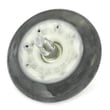
| Thumping or rumbling | Drum support rollers | Dryer drum support roller assembly 4581EL2002H |
| Overheating, shuts off mid-cycle | High-limit thermostat or airflow issue | (Check venting first) |
Why it matters
A dryer that is taking longer to dry often runs longer and hotter, which increases energy use and accelerates wear on the heater system, thermostats, and drum drive components.
Last updated: February 2026
What is the most common problem with LG dryers?
For LG dryers like model DLEX4200W, the most common customer-reported issue is no heat or weak heat, which usually traces back to airflow restrictions (lint buildup or a clogged vent) or a heating-system control/safety problem. Start with lint filter and venting checks, then move to heat-sensing and thermostat components.
Quick checks we recommend first
- Clean the lint filter before every load and make sure it seats fully (it should click into place); see the DLEX4200W owner's manual.
- Check the exhaust duct and outside hood for lint blockage; keep the run short with minimal elbows.
- If the drum tumbles but there is no heat, verify the home power supply; some electrical issues let an electric dryer run without heat.
- Avoid overloading; large loads dry slowly even when the dryer is working correctly.
- If you see an error code, check it before scheduling service.
Common “no heat” causes and what they look like
| Symptom | Most likely category | What to do next |
|---|---|---|
| Runs but no heat | Airflow restriction or power supply issue | Clean venting; verify breaker/fuses and cord connection |
| Long dry times | Lint filter/duct restriction, load size | Clean filter and duct; reduce load size |
| Stops early on sensor cycles | Moisture sensing issue or very small load | Try Time Dry; clean sensor bars; consider sensor parts |
| Error codes like tE1/tE2 or HS | Sensor failure | Turn off dryer and arrange service per manual |
Parts that commonly relate to heating and drying performance
If troubleshooting points to a failed component (after airflow and power checks), these model-matched parts are often involved:
- Dryer thermistor AGM30045804 (temperature sensing)
- Dryer high-limit thermostat 6931EL3003D (overheat protection)
- Dryer blower wheel 5835EL1002A (air movement through the dryer)
- Dryer moisture sensor 6500EL3001A (sensor dry performance)
Why it matters
A restricted vent or failed temperature control can cause no heat, long dry times, and overheating. Fixing airflow first protects the heater assembly and thermostats, improves efficiency, and helps prevent repeat failures.
Last updated: February 2026










