 Owner’s manual
What is the life expectancy of a Hoover vacuum?
A Hoover upright vacuum like model UH70820 typically lasts about 8 years with normal household use and routine maintenance. Keeping airflow clear (filters, hose, and brush roll area) and replacing wear items like belts on time is what most directly extends service life.
Most upright vacuums fall into a predictable range; how you maintain the brush roll, belt, and filters usually matters more than the brand name.
- Average household lifespan: about 8 years
- Heavy use (daily, large homes, lots of pet hair): often 5 to 7 years
- Light use (small areas, weekly cleaning): often 8 to 10 years
- Overheating events (clogs, dirty filters) shorten motor life quickly
- Worn belts/brush roll reduce cleaning performance and increase strain
Use these habits to keep your UH70820 running longer and cleaning better.
- Empty the dirt container or change the bag before it is packed full
- Clean or replace filters on the schedule in the owner's manual
- Clear hair and string from the brush roll regularly
- Check the hose and air path for clogs when suction drops
- Replace the belt if the brush roll slows, squeals, or stops
These symptoms often show up when a vacuum is nearing the point where major repair is needed.
| Symptom | Most common cause | Typical fix |
|---|---|---|
| Weak suction | Clog or dirty filter | Clear blockage; service filters |
| Brush roll not spinning | Belt worn/broken | Replace belt; inspect brush roll |
| Shuts off during use | Overheating from restricted airflow | Clean filters; remove clogs |
| Burning smell | Belt slipping or jammed brush roll | Clear brush roll; replace belt |
A vacuum can “run” for years while cleaning poorly. Staying ahead of airflow restrictions and brush roll wear keeps cleaning performance high and helps prevent overheating that shortens motor life.
For step-by-step DIY help on common wear items, use our vacuum repair-guides landing page.
Last updated: February 2026
What are the disadvantages of an upright vacuum?
Upright vacuums like the Hoover UH70820 trade convenience for power: they can feel heavier to push and carry, are less flexible for tight spaces, and can be less gentle on hard floors if the brushroll keeps spinning. They also need more clearance for storage than many canister or stick vacuums.
- Heavier and bulkier: Uprights are typically harder to carry up stairs and store in small closets.
- Less reach and flexibility: Cleaning under low furniture, tight corners, and above-floor areas often requires using the hose and tools.
- Hard-floor limitations: If the brushroll continues to rotate, it can scatter debris on hard floors and can scuff delicate surfaces if you tip the vacuum.
- More pushing effort on thick carpet: You may need to adjust the carpet height setting to reduce resistance.
- Cord management (corded models): The cord can limit range and requires wrapping for storage.
The UH70820 is designed with a carpet height adjustment; for bare floors, the dial is set to “Hard Floor”, and for deep pile carpet you use higher settings to make it easier to push while maintaining cleaning performance. For exact control locations and settings, use the owner's manual.
| Feature | Upright vacuum | Canister vacuum |
|---|---|---|
| Carrying on stairs | Harder (heavier unit) | Easier (separate canister) |
| Under-furniture reach | Limited | Better |
| Carpet agitation | Strong | Varies by power head |
| Storage footprint | Larger | Often smaller, more flexible |
Knowing these tradeoffs helps you prevent common issues like hard-floor scatter, carpet damage during tool use, and overheating from restricted airflow. For example, the UH70820 brushroll can continue rotating even with the handle upright, so careful handling protects rugs, furniture, and flooring.
- Set the height dial correctly; use “Hard Floor” on bare floors.
- If it is hard to push, move to the next higher carpet setting.
- Keep airflow open: empty the dirt cup before it reaches the max line and keep filters clear.
- Use extra care on stairs; keep the vacuum stable and avoid leaving it standing on steps.
- Avoid tipping the vacuum onto furniture or fringed rugs during tool use.
Last updated: February 2026
What is the number one rated upright vacuum cleaner?
There is no single “number one rated” upright vacuum cleaner for every home; the best choice depends on your flooring mix, pet hair, allergies, and how much maintenance you want to do. For your Hoover UH70820, our owner's manual helps you get top performance by using the right carpet height setting and keeping airflow paths and filters clear.
Use these factors to compare upright vacuums (including the Hoover UH70820) in a way that matches real-world cleaning:
- Flooring type: carpet pile height vs. hard floors; look for easy height adjustment
- Brushroll performance: strong agitation for carpet; easy access for hair removal
- Filtration: HEPA-style filtration helps with fine dust and allergy concerns
- Clog resistance: easy-to-check hose, nozzle inlet, and dirt cup inlet
- Maintenance cost and effort: filters, belts, and brushroll cleaning frequency
Many “best” lists score vacuums differently. Here’s a quick way to interpret ratings.
| Rating focus | What it tells you | What to check at home |
|---|---|---|
| Deep carpet cleaning | Picks up embedded debris | Correct height setting; brushroll clear of strings/hair |
| Hard floor pickup | Captures fine dust without scattering | Hard floor setting; suction path clear |
| Pet hair | Removes hair from carpet and upholstery | Tool performance; brushroll cleaning access |
| Reliability | Fewer breakdowns over time | Regular filter cleaning; avoid overheating/clogs |
The UH70820 can clean extremely well when it is set up and maintained correctly.
- Set carpet height to LOW for most carpets; use higher settings for very deep pile if it’s hard to push
- For bare floors, turn the dial to the Hard Floor setting
- If it shuts off, let it cool about 30 minutes after clearing clogs; the thermal protector can trip when airflow is restricted
- Empty the dirt cup before it reaches the max line to keep suction strong
- Check common restriction points: nozzle inlet, hose, hose connector, dirt cup inlet, and filters
“Best rated” uprights usually win because they maintain airflow and brushroll action under real use. On the UH70820, correct height adjustment plus routine dirt cup and filter care prevents weak suction, overheating shutoffs, and poor pickup.
Last updated: February 2026
What are common Hoover vacuum problems?
Common problems on the Hoover UH70820 upright vacuum include low suction or no pickup, the vacuum not running, a red system-check indicator, dust leaking, a brushroll that will not spin, and a burning smell. Most issues trace back to a full dirt cup, dirty filters, a clog, or a worn belt; see the owner's manual for the model-specific checklist.
- Vacuum will not run: check home power (breaker/fuse), then inspect for a blockage or overheating.
- Low suction or not picking up: empty the dirt cup, clean filters, check for clogs in hose and air path.
- System check indicator turns red: airflow is restricted (full cup, dirty filter, clog).
- Brushroll not spinning: belt is broken, stretched, twisted, or the brushroll is jammed.
- Hard to push: carpet height setting is too low for the surface.
- Dust escaping: dirt cup not seated, filter missing/dirty, or a seal is out of place.
- Airflow restriction (most common)
- Empty the dirt cup.
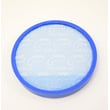
- Clean the rinsable filter and the HEPA media filter (if equipped).
- Check the hose and nozzle for clogs.
- Belt and brushroll issues
- Rotate the brushroll by hand to confirm it spins freely.
- Make sure the belt is not twisted.
- Replace the belt if it is worn, stretched, or broken.
- Incorrect height setting
- Raise the carpet height setting if the vacuum is difficult to push.
| Symptom | Most likely cause | Best first step |
|---|---|---|
| Low suction / no pickup | Full cup, dirty filter, clog | Empty cup; clean filters; clear clog |
| Brushroll not spinning | Belt problem or jam | Check belt; clear debris; verify brushroll spins |
| Red indicator | Restricted airflow | Clean filters; check hose/nozzle |
| Burning smell | Belt slipping or blockage | Unplug; clear jam; inspect belt |
Running the UH70820 with restricted airflow or a slipping belt can overheat the motor and damage the brushroll system. Fixing suction and brushroll problems early keeps cleaning performance strong and prevents bigger repairs.
Last updated: February 2026


