Owner’s manual
 Error Codes


Does the RS25J500DSG have adjustable shelves?
Yes. The Samsung RS25J500DSG side-by-side refrigerator uses adjustable shelving so you can reposition shelves to fit taller items and improve airflow. For the exact shelf positions, removal steps, and any shelf-specific limits, follow the RS25J500DSG owner's manual.
Adjustable shelves typically slide out and lift up or tilt to unhook from the rear supports, then reinstall at a different height.
Common adjustments you can make:
- Move a shelf up or down to fit pitchers, gallon jugs, or tall leftovers
- Reposition shelves to improve cold-air circulation
- Remove a shelf temporarily for cleaning or for oversized items
- Rebalance storage so heavier items sit lower and more stable
To avoid cracked glass or broken shelf supports, we recommend:
- Remove food and bins from the shelf first
- Lift evenly with both hands (do not twist)
- Check that the shelf is fully seated on both sides after reinstalling
- Keep heavier items toward the back and over supports
- Wipe moisture so the shelf does not slip during handling
| Goal | Recommended setup | Why it helps |
|---|---|---|
| Fit tall bottles | Raise the shelf above, lower the shelf below | Creates vertical clearance without blocking vents |
| Improve cooling consistency | Leave space around air vents | Prevents warm spots and frosting |
| Reduce spills | Keep frequently used items at eye level | Less shifting and fewer tip-overs |
Correct shelf placement helps the RS25J500DSG maintain steady refrigerator temperature, reduces blocked vents, and makes it easier to organize items without overloading door bins or drawers.
Last updated: February 2026
What does the AA mean on a Samsung refrigerator?
On Samsung refrigerator model numbers, “AA” is a version (suffix) code that identifies a specific production/market variant of the same base model. For your Samsung RS25J500DSG, “/AA” typically helps Samsung track configuration and manufacturing details; it usually does not change everyday features you use.
You’ll most often see it after a slash, such as RS25J500DSG/AA-00. We use the full suffix when matching parts and documentation.
- Helps identify the exact revision/variant for parts lookup
- Can reflect internal changes (supplier, wiring harness revision, control board revision)
- Often tied to region/market packaging and compliance
- Usually does not indicate a different size or capacity
- Matters most when ordering electronic or dispenser-related parts
For common wear items, the base model is often enough. For electrical and ice/water components, the suffix can be important.
| Part type | Suffix “AA” importance | Examples for RS25J500DSG |
|---|---|---|
| Mechanical plastics | Low | bins, covers, rollers |
| Ice and water system | Medium | ice maker, inlet valve |
| Electronics and sensors | High | control boards, sensors |
If you’re troubleshooting ice production or dispenser behavior, start with the RS25J500DSG manual and then confirm the full model code from the rating label inside the fresh food compartment.
Using the complete model code (including “/AA-00”) helps ensure you get the correct Samsung refrigerator parts the first time, especially for items like the refrigerator electronic control board DA92-00625D or ice maker components.
Last updated: February 2026
Is there a reset button on Samsung refrigerator?
Most Samsung refrigerators (including model RS25J500DSG) do not have one universal “reset button”; resets are usually done from the control panel or by power-cycling. For common control glitches, we reset by holding specific buttons for several seconds or unplugging the refrigerator briefly; the exact steps vary by feature.
Try these in order (stop when the issue is resolved):
- Control panel reset: Press and hold Power Cool and Power Freeze together for 5 to 10 seconds.
- Hard reset (power cycle): Unplug the refrigerator (or switch off the breaker) for 5 minutes, then restore power.
- Filter indicator reset: After replacing the water filter, press and hold Filter Reset (or Ice Type/Water on some panels) for about 3 seconds.
- Ice maker reset (if equipped): Some Samsung ice makers have a small test/reset button on the ice maker module (location varies by design).
For model-specific button names and locations, use the RS25J500DSG owner's manual.
| Reset type | What it helps | What it will not fix |
|---|---|---|
| Control panel reset | Unresponsive display, odd beeps, temp setting glitches | Cooling failures, fan noise, water leaks |
| Hard reset | After power flicker, minor electronics lockups | Bad compressor, sealed system issues |
| Filter reset | Filter light stays on after filter change | Low water flow caused by a clogged filter or valve |
These checks point to a part or airflow issue rather than a “reset” issue:
- Refrigerator or freezer is warm (check vents are not blocked by food)
- Loud fan noise or no airflow (evaporator area)
- No ice or slow ice production
- Water dispenser has weak flow
- Frost buildup on the back wall inside the freezer
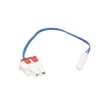
If symptoms match airflow or cooling problems, common related parts for this model include the refrigerator temperature sensor DA32-10109W and the refrigerator evaporator fan motor assembly DA97-08061A.
Using the right reset saves time: a control reset fixes interface glitches, while cooling, ice, and water issues usually require cleaning, clearing ice buildup, or replacing a failed component.
Last updated: February 2026
What do blinking numbers on my Samsung fridge mean?
Blinking numbers on the display of your Samsung RS25J500DSG refrigerator usually mean the unit wants attention because temperatures are not yet at the set point (often after a power outage, first startup, or a long door opening). In some cases, blinking can also indicate a detected condition that needs troubleshooting.
- Temperature is too warm: The fridge or freezer is recovering and cooling back down.
- Door was left open: Many Samsung side-by-side models alert when a door is ajar.
- Recent power interruption: The display may blink until temperatures stabilize.
- Error or fault code behavior: Some Samsung displays blink to flag a sensor, fan, or defrost-related issue.
- Confirm both doors fully close and the gaskets seal all the way around.
- Make sure vents inside the compartments are not blocked by food packages.
- Set temperatures to normal targets (commonly 37°F fresh food and 0°F freezer) and allow 24 hours to stabilize.
- If the display is blinking after a power event, unplug the refrigerator for 2 minutes, then plug it back in.
- If blinking continues and cooling is poor, check for airflow noises; a failed fan can cause warm temps.
Use the code list and match what you see on the panel. This is the fastest way to pinpoint whether the issue is a door switch, temperature sensor, evaporator fan, defrost system, or control.
| What you notice | Most likely cause | What to do next |
|---|---|---|
| Blinking temp only, cooling improves | Normal cool-down | Wait up to 24 hours |
| Blinking temp, food soft/warm | Airflow or cooling problem | Check vents, listen for fans |
| Blinking with an error indication | Fault detected | Use an error code guide |
A blinking display is often a simple “too warm” alert, but if it keeps blinking while temperatures stay high, it helps us catch problems early (like a failed sensor or fan) before food spoils.
Last updated: February 2026
What is the most common problem with Samsung refrigerators?
The most common problems we see on Samsung refrigerators like model RS25J500DSG are cooling complaints (warm fridge or freezer), ice maker issues, and water leaks. In many cases, the root cause is restricted airflow from frost buildup, a fan problem, or a defrost-related failure; start with the checks in the RS25J500DSG owner's manual.
- Fridge warm, freezer cold (or vice versa): airflow restriction, evaporator fan issue, iced-over evaporator
- No ice or slow ice: water supply restriction, ice maker fault, freezer temp too warm
- Water under crisper or on floor: clogged/iced drain, drain tube issue
- Loud humming or grinding: condenser fan or evaporator fan problems
- Temps swing up and down: temperature sensor or control issue
- Confirm doors seal fully and vents are not blocked by food packages.
- Set temps to typical targets: 0°F freezer and 37°F fresh food.
- Listen for fans: you should typically hear airflow when the compressor is running.
- Look for frost buildup on the rear freezer panel (a strong clue of defrost trouble).
- If you have an error code, use the Samsung rs25h model side by side refrigerator error codes guide to narrow the circuit involved.
| Problem you notice | Common cause | Part that often resolves it |
|---|---|---|
| Water pooling inside | Drain system restriction | Refrigerator drain tube cap da97-04049d |
| Warm temps, weak airflow | Evaporator fan not running | Refrigerator evaporator fan motor assembly DA97-08061A |
| Not cooling well, hot cabinet sides | Condenser fan not moving air | Refrigerator condenser fan motor assembly DA97-15765C |
| Frost buildup, warming | Defrost heat not melting frost | Refrigerator defrost heater DA47-00311A |
| Temps inaccurate | Sensor out of range | Refrigerator temperature sensor DA32-10109W |
Cooling, ice maker, and leak symptoms are often connected. A small airflow or defrost problem can snowball into warm compartments, noisy operation, and water on the floor. Catching the early signs helps protect food and prevents secondary damage.
Last updated: February 2026