 Owner’s manual
 Error Codes




How do I tell what model Kenmore stove I have?
Your Kenmore stove’s model number is printed on the appliance ID label; on Kenmore range model 9119354190, you will use that model number to match the correct parts list and the correct owner's manual. On most Kenmore freestanding electric ranges, the label is easiest to spot around the oven door frame or storage drawer area.
Where to look for the model number label
Check these common locations on a Kenmore 30-inch freestanding range:
- Along the oven door frame (open the oven door and look around the front frame)
- Inside the storage drawer opening (pull the bottom drawer out and look on the frame)
- On the back panel of the range (upper or lower area)
- Under the cooktop (only if your cooktop lifts up on hinges)
What the model number looks like
The model number is usually labeled clearly and may appear near the serial number.
- Look for wording like Model, Model No., or MOD
- Kenmore model numbers are typically a string of numbers (example: 9119354190)
- Write it down exactly as shown; one missing digit can pull up the wrong bake element, control switch, or door hinge
Quick checklist
Use this checklist before ordering parts:
- Confirm the model number matches the label exactly
- Record the serial number (helpful for version changes)
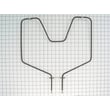
- Use the model number to select parts like the g.e. range bake element WB44K5012 only after confirming fit
Why it matters
Kenmore ranges often have multiple versions that look similar. Using the exact model number helps ensure the wiring, mounting points, and electrical ratings match, especially for high-heat parts like bake and broil elements.
| If you need to do this task | What to record | Why |
|---|---|---|
| Look up parts diagrams | Model number | Ensures the correct parts list loads |
| Match electrical parts | Model and serial | Helps avoid wrong terminals or wattage |
| Use operating instructions | Model number | Gets the right control and feature info |
Last updated: February 2026
How do you reset a Kenmore electric stove?
To reset your Kenmore electric range model 9119354190, turn the oven controls to OFF, then shut off power at the breaker (or unplug the range) for about 1 minute. Restore power; the display typically flashes 12:00, and you will need to reset the clock and any cooking settings using the steps in the owner's manual.
Quick reset steps (power reset)
- Turn the OVEN CONTROL KNOB to OFF.
- Switch the range circuit breaker OFF (or unplug the cord).
- Wait 30 to 60 seconds.
- Turn the breaker ON (or plug back in).
- If the display flashes 12:00, set the clock.
- Test Bake and Broil to confirm normal heating.
If the display is flashing 12:00
A flashing 12:00 indicates the range lost power. Reset the clock first; then re-enter any timed bake, delay, or self-clean settings.
| What you see | What it means | What to do |
|---|---|---|
| Display flashes 12:00 | Power was interrupted | Set the clock, then reselect cooking settings |
| No display at all | No power to the range | Check breaker, cord, and outlet |
If you see an F-code (function error)
If the display beeps and shows an F followed by a number:
- Press CLEAR/OFF.
- Let the oven cool for 1 hour.
- If the code returns, do a full power reset (steps above).
- If it continues after the reset, schedule service; note the exact F-code.
Why it matters
A power reset clears many temporary control glitches after a power interruption and forces the electronic control to restart. It also helps you confirm whether the issue is a simple control lockup or a heating or wiring problem.
Last updated: February 2026
Where is Kenmore's model number?
On your Kenmore electric range model 9119354190, the model number is printed on the appliance identification label (rating plate). On freestanding ranges like this, the label is typically found around the oven door frame or behind the lower storage drawer; use the 9119354190 owner's manual as your reference while you check.
Most common label locations on a freestanding electric range
- Oven door frame: open the oven door and check the front frame around the opening
- Storage drawer area: pull the bottom drawer out and look on the side rails or frame
- Lower front frame: near the leveling legs behind the toe area
- Back of the range: on the rear panel near the power cord entry
Quick, safe way to find it
- Turn all surface elements and the oven off; let the range cool
- Pull the storage drawer straight out and look for a sticker on the left or right frame
- If it is not there, open the oven door and scan the front frame around the opening
- Use a flashlight; the print can be small or lightly stamped
What to record (so parts match correctly)
| What to write down | Where you’ll use it | Example |
|---|---|---|
| Model number | Matching diagrams and parts | 9119354190 |
| Serial number | Identifying the production run | Letters and numbers |
Why it matters
Kenmore ranges can look identical but use different bake elements, door hinges, or wiring parts. Using the exact model number and serial number ensures we match the correct parts list and troubleshooting info for your specific range.
Last updated: February 2026
Why is my Kenmore electric oven not heating up properly?
If your Kenmore 9119354190 electric range oven is not heating correctly, the most common causes are a failed bake element, a control setting issue, or heat loss from frequent door opening. Start with basic checks, then test the heating circuit and replace the failed part.
Quick checks we recommend first
- Confirm the oven is actually set to BAKE and a temperature is selected (not just the clock/timer).
- Let the oven fully preheat; wait for the preheat indicator before loading food.
- Avoid opening the door repeatedly; heat loss can cause underbaking.
- Remove any foil that blocks airflow; do not line the oven bottom under the element.
- Check your home power: an electric range needs full power; a tripped breaker can leave the oven weak or dead.
Parts that commonly cause weak or no heat
A bake problem is usually tied to the lower heating circuit.
- Bake element: look for blisters, cracks, or a visible break; test for continuity and replace if open.
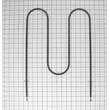
- Broil element: some ovens use the broil element to help preheat; if it is out, preheat can be slow.
- Terminal block / power connection: a loose or burned connection can reduce voltage to the oven.
Helpful parts for this model include:
What to test (basic troubleshooting)
Turn off power at the breaker before accessing wiring.
| Symptom | Most likely cause | What to do next |
|---|---|---|
| Oven will not heat at all, cooktop works | Bake element open, wiring issue, control issue | Check element connection, test bake element continuity |
| Oven heats but temperature is off | Calibration needed, heat loss, blocked vent/foil | Follow temperature adjustment steps in the manual |
| Preheat takes much longer than normal | Weak element, broil assist not working | Inspect/test bake and broil elements |
Why it matters
An oven that cannot maintain temperature leads to uneven baking, longer cook times, and poor results. Fixing the heating circuit (often the bake element) restores stable temperature control and normal preheat performance.
Manual guidance for this model
For preheating tips, foil warnings, and temperature adjustment steps specific to this range, use the owner's manual.
Last updated: February 2026




