 Installation guide
 Owner’s manual





How to reset a Kenmore Elite dishwasher 66513863K602?
To reset your Kenmore Elite dishwasher model 66513863K602, we clear the current cycle by pressing CANCEL/DRAIN and letting the unit complete the drain (about 2 minutes). This resets the cycle selection and gets the dishwasher ready to start a new wash.
- Close the door fully so the dishwasher can drain.
- Press CANCEL/DRAIN once.
- Wait for the drain to finish (about 2 minutes).
- Select your new cycle and any options.
- Press START/RESUME to begin.
If you are trying to stop a drain that is already running, press CANCEL/DRAIN again.
This model uses a control lock that disables the buttons.
- Press and hold HEATED DRY for 4 seconds to toggle Lock On.
- If Lock On is lit, turn it off, then press START/RESUME to continue a cycle.
- The door can open while locked, but the cycle will not resume until unlocked.
Reference: 66513863K602 owner's manual
| What you want to do | What to press | What happens |
|---|---|---|
| Clear a cycle and “reset” | CANCEL/DRAIN | Drains for about 2 minutes, clears selections |
| Stop an active drain | CANCEL/DRAIN again | Drain stops |
| Unlock/lock controls | Hold HEATED DRY 4 sec | Lock On toggles |
A proper reset prevents starting a new cycle with leftover water, wrong options, or a locked control panel. It also helps avoid poor cleaning results caused by an interrupted cycle.
Last updated: January 2026
What are the common problems with Kenmore dishwashers?
Common problems on Kenmore dishwashers like model 66513863K602 include not starting, not draining, poor cleaning, leaks, and long or interrupted cycles. Most issues trace back to power/door-latch conditions, water supply being off, or a clog or failure in the drain or wash system; use the 66513863K602 owner's manual troubleshooting steps first.
- Won’t start or stops mid-cycle: tripped breaker, blown house fuse, door not fully latched, cycle not set correctly, or power interruption (often shows as a flashing Start/Resume light).
- No water in the tub early in the cycle: water shutoff valve closed, supply issue, or a fill problem.
- Not draining: clogged drain path, kinked hose, or a failing drain pump.
- Poor cleaning: blocked spray arms, overloaded racks, filter buildup, or detergent and water-temperature issues.
- Leaks: door seal wear, loose hose connections, or installation issues.
- Confirm the door closes tightly and latches.
- Verify power: reset the breaker or replace the house fuse if needed.
- Make sure the water shutoff valve is turned on.
- Start a short cycle and, after about 2 minutes, open the door and confirm water is in the bottom of the tub.
- If the motor overloaded, allow a few minutes for it to reset automatically.
| Symptom | Common part involved | Example part for this model |
|---|---|---|
| Dishwasher won’t drain | Drain pump or drain hose | Dishwasher drain pump WPW10348269, dishwasher drain hose 8269144A |
| Dead/no response | Fuse or electronic control | Fuse W10258275, dishwasher electronic control WPW10084141 |
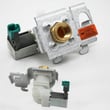
| Not filling | Water inlet valve | Dishwasher water inlet valve WPW10158389 |
Catching a simple cause (door not latched, breaker tripped, water off) prevents unnecessary part replacement. When a symptom repeats, matching it to the right system (fill, wash, drain, or control) helps you repair the Kenmore Elite dishwasher correctly the first time.
Last updated: January 2026
How to manually drain a Kenmore dishwasher?
To manually drain your Kenmore Elite dishwasher model 66513863K602, press CANCEL/DRAIN with the door closed; the dishwasher runs a 2-minute drain (if needed) and then the Cancel/Drain light turns off. You can press CANCEL/DRAIN again to stop the drain.
- Close the dishwasher door fully (it must be closed to drain).
- Press CANCEL/DRAIN once.
- Wait about 2 minutes for the drain sequence to finish.
- If you need to stop draining, press CANCEL/DRAIN again.
- Before starting a new wash cycle, drain first to clear out standing water.
If the 2-minute drain runs but water remains in the tub, focus on the drain path and drain components:
- Check the sink drain or garbage disposer connection for a blockage.
- Make sure the drain hose is not kinked or crushed behind the dishwasher.
- Confirm the drain hose routing is correct; it should be looped up and secured under the counter.
- Verify the drain connection is made before the drain trap and at least 20 inches above the floor.
- If you suspect a failed pump, the drain pump is a common fix on many Kenmore 665-series designs.
| What you see | Most likely issue | What to do next |
|---|---|---|
| No drain sound at all | Control, wiring, or pump not running | Check power, then test/replace the drain pump |
| Hums but drains slowly | Partial clog or restricted hose | Clear hose, disposer inlet, and sink plumbing |
| Drains, then water returns | Backflow or improper hose routing | Correct high loop and connection height |
Draining clears dirty water so the next cycle can fill and wash correctly. A restricted drain hose or weak drain pump can leave standing water that causes odors, poor cleaning, and repeated canceling.
For control-panel specifics and indicator behavior on this model, use the 66513863K602 owner's manual.
Last updated: January 2026
What is the service code f4e1 on a Kenmore Elite dishwasher?
On Kenmore Elite dishwasher model 66513863K602, service code F4E1 is a wash-system fault that shows up when the dishwasher is not moving water through the spray arms as expected. The most common path to a permanent fix is restoring normal circulation, then clearing the stored code using the steps in the 66513863K602 owner's manual.
F4E1 is tied to wash performance, so we focus on the circulation side of the dishwasher:
- Restricted filters or debris in the sump
- Spray arms blocked or not turning freely
- Circulation pump or wash motor not running correctly
- Wiring/connection issue to the pump motor
- Control not powering the wash motor consistently
Disconnect power at the breaker before accessing internal components.
- Clean the filters and check the sump for glass, labels, or food debris
- Spin the spray arms by hand; clear clogged spray holes
- Start a cycle and listen after fill; you should hear a strong, steady wash sound
- Confirm the unit fills normally and drains normally (separate from wash circulation)
- If it fills and drains but does not wash, concentrate on the circulation pump/motor circuit
If your symptoms match a circulation failure, these model-matched parts are common repair targets:
| What you observe | Likely area | Model-matched part |
|---|---|---|
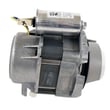
| Hums or is silent during wash; little or no spraying | Circulation pump/motor | Pump motor WPW10780877 |
| Wash motor runs intermittently; odd cycle behavior | Electronic control | Dishwasher electronic control WPW10084141 |
Many Kenmore 665-series dishwashers clear stored faults by entering diagnostics using a 3-key sequence (1-2-3 repeated three times). Use the exact key sequence and timing listed for your console in the 66513863K602 owner's manual.
F4E1 is a wash-circulation problem; if water is not being pumped through the spray arms with force, dishes stay dirty and the dishwasher may stop mid-cycle to protect the wash system.
Last updated: January 2026








