Installation guide
 Owner’s manual
 Error Codes




How to disable control lock on GE wall oven?
To disable Control Lock (control lockout) on your GE ZET938SM1SS wall oven, press and hold the 9 and 0 pads at the same time for 3 seconds until the display changes from “LOC ON” to “LOC OFF.” Steps are in the owner's manual.
Steps to unlock the controls
- Press 9 and 0 together.
- Keep holding for 3 seconds.
- Watch for “LOC OFF” on the display.
- If you have a double-oven setup, use the upper oven controls.
- Test by pressing a normal pad (for example, BAKE) to confirm the keypad responds.
What you will see and hear
When Control Lock is active, the oven typically:
- Beeps when you press touch pads
- Shows “LOC ON” in the display
- Prevents most touch pads from working
| Display message | Meaning | What to do |
|---|---|---|
| LOC ON | Control lockout is enabled | Hold 9 + 0 for 3 seconds |
| LOC OFF | Control lockout is disabled | Use oven normally |
Why it matters
Control Lock helps prevent accidental keypad presses during cleaning or when kids are nearby. Unlocking restores normal operation so you can set BAKE, BROIL, COOK TIME, and other functions.
Last updated: February 2026
How to order GE appliance parts?
For your GE ZET938SM1SS electric wall oven, the most reliable way to order parts is to match the exact model number and then select the replacement part from the parts list for that model. Use the owner's manual to confirm the correct part description before you place your order.
What we recommend before you order
- Confirm the full model number is ZET938SM1SS (use the rating label on the oven frame).
- Identify the symptom (no heat, temperature off, door not sealing, light out).
- Look up the part by name and ID, not by appearance alone.
- Compare your old part to the listing (connectors, mounting points, length).
- If your oven is under warranty, check your warranty paperwork for coverage details.
Common parts people order for this model
These are frequently replaced items for heating, temperature accuracy, and basic operation:
| Symptom | Likely part to check | Part ID |
|---|---|---|
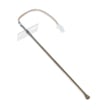
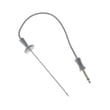
| Oven temperature seems inaccurate | Temperature sensor | WB23T10015 |
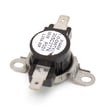
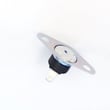
| Oven overheats or shuts down on high heat | Safety thermostat | WB24T10060 |
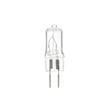
| Oven light is out | Light bulb | WB08T10023 |
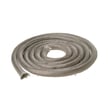
| Door leaks heat or won’t seal well | Door gasket | WB04T10050 |
If your issue matches one of these, ordering the exact part ID helps prevent returns.
Ordering tips that prevent wrong-part problems
- Order by the exact part ID when possible (example: wall oven temperature sensor WB23T10015).
- For control or heating issues, confirm the diagnosis first; control boards and thermostats are often non-returnable once installed.
- If you are replacing a temperature-related part, follow the wiring and access steps in the manual.
Why it matters
Wall ovens like the GE ZET938SM1SS use sensors, thermostats, and electronic controls to regulate heat. Ordering the correct part for your exact model keeps bake temperatures accurate, prevents nuisance shutdowns, and helps the oven operate safely.
Last updated: February 2026
What does F9 mean on a GE self-cleaning oven?
On a GE ZET938SM1SS electric wall oven, an F9 error points to a problem in the door lock circuit (the system that locks the door during self-clean). Clear the code, let the oven cool, and if it returns, focus troubleshooting on the latch and related wiring.
What to do first (safe reset steps)
- Press CLEAR/OFF to stop the cycle and silence the alarm.
- Let the oven cool for 1 hour (the lock will not release until it cools below the locking temperature).
- Restore operation and try a normal bake.
- If the code returns, disconnect power for 30 seconds, then restore power.
- If F9 repeats after the power reset, the door lock circuit needs service-level diagnosis.
Common causes of an F9 door lock circuit error
- Door not fully closed when self-clean was started
- Sticking or failed door latch/lock motor mechanism
- Loose wiring connection at the latch or control
- Failed electronic control (clock/ERC) such as the wall oven control board WB27T10917
Quick checks you can do before replacing parts
- Confirm the door closes evenly and the hinges are not binding.
- Start self-clean only after removing heavy soil (excess smoke and heat can stress the lock system).
- Watch for LOCK or LOCKED indicators that do not behave normally (stays on too long, flashes, or never engages).
What the display behavior usually means
| Display symptom | What it typically indicates | What to try |
|---|---|---|
| LOCK flashes | Self-clean selected but door not closed | Close door firmly, restart cycle |
| LOCKED light stays on | Oven still above lock-release temperature | Press CLEAR/OFF, wait for cool-down |
| F code returns after reset | Persistent fault in lock circuit | Inspect latch wiring, consider control/latch repair |
Why it matters
During self-clean, the oven must lock for safety. If the lock circuit cannot confirm locked or unlocked status, the control triggers an error (like F9) to prevent unsafe operation and overheating.
For model-specific operating steps and self-clean timing (3 to 5 hours), follow the owner's manual.
Last updated: February 2026
How do I reset a ZET938SM1SS oven?
To reset your GE ZET938SM1SS wall oven, turn the oven off, then disconnect power at the breaker for about 30 seconds and restore power. If you’re resetting after an “F” error code, press CLEAR/OFF, let the oven cool for 1 hour, then try using it again (see the owner's manual).
Quick reset options (use the one that matches your situation)
- Basic power reset: Turn off the circuit breaker for the oven for 30 seconds, then turn it back on.
- After an “F” error code: Press CLEAR/OFF, allow the oven to cool 1 hour, then put it back into operation.
- After a power outage (flashing clock): Press CLOCK, enter the time, then press START.
- If controls are locked (LOC ON): Press 9 and 0 together for 3 seconds to toggle to LOC OFF.
Step-by-step: basic power reset
- Set the oven to CLEAR/OFF.
- Switch the oven’s circuit breaker OFF.
- Wait 30 seconds.
- Switch the breaker ON.
- Reset the clock if it’s flashing, then test BAKE.
If the oven still will not heat after resetting
A reset restores the control, but it will not fix a failed component. Check these common causes:
- Tripped breaker or blown fuse (display blank)
- Control lockout enabled (LOC ON)
- Temperature sensing problem (often triggers error codes)
- Overheat protection issue after heavy use or self-clean
- Control board problem if the display acts erratically
Common parts related to “won’t heat” symptoms
| Symptom | What to check | Example part for this model |
|---|---|---|
| Oven heats wrong or throws temp-related errors | Temperature sensor | Wall oven temperature sensor WB23T10015 |
| Oven shuts down from overheating | Safety thermostat | Wall oven safety thermostat WB24T10060 |
| Random resets, dead keypad, odd display | Electronic control | Wall oven control board WB27T10917 |
Why it matters
Resetting clears temporary control glitches after a power interruption, overheating event, or error-code lockout. If the same error returns after a reset and cool-down, the issue is usually a sensor, thermostat, wiring, or control problem rather than the settings.
Last updated: February 2026
What are the different parts of an oven?
A GE wall oven like model ZET938SM1SS is made up of heating parts (broil element and convection heater), airflow parts (convection fan and vent), safety parts (door latch and thermostat), and user parts (racks, light, and controls). These parts work together to heat evenly and operate safely.
Core oven parts you will see and use
- Oven racks and rack supports: hold cookware at different heights; many racks include stop-locks.
- Control panel (clock and timer): selects bake, broil, convection, and other modes.
- Oven light and light switch: helps you check food without opening the door.
- Oven door assembly: includes glass panels, hinges, and the door gasket.
- Oven vent and vent grille: routes hot air out of the cavity.
Heating, airflow, and safety parts (what makes it cook correctly)
- Broil element: top heating element used for broiling and browning.
- Convection fan and heating element: circulates hot air for more even baking and roasting.
- Temperature sensor: tells the control how hot the oven is so it can regulate heat.
- Safety thermostat (thermal limiter): helps prevent overheating.
- Door latch (self-clean latch on many models): locks the door during self-clean on equipped ovens.
Common replacement parts for ZET938SM1SS (examples)
| Part type | What it affects | Example part on this model page |
|---|---|---|
| Temperature sensor | Inaccurate temps, long preheat, error codes | Wall oven temperature sensor WB23T10015 |
| Safety thermostat | Oven shuts off, won’t heat after overheating | Wall oven safety thermostat WB24T10060 |
| Door gasket | Heat leaks, uneven baking, hot exterior | Range oven door gasket WB04T10050 |
| Control board | Dead display, beeping, won’t start | Wall oven control board WB27T10917 |
Why it matters
Knowing which part does what helps you troubleshoot faster. For example, uneven baking often points to airflow or temperature-sensing issues, while heat leaking around the door points to the gasket or door alignment.
Where to confirm what your oven has
Feature sets vary by configuration, so we recommend matching what you see on your oven to the diagrams and feature list in the owner's manual.
Last updated: February 2026