 Owner’s manual
 Error Codes




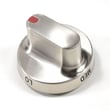

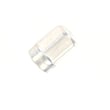
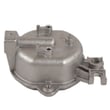
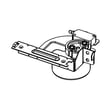
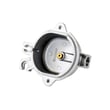
Where can I find my Samsung oven part number?
Your Samsung FX510BGS gas freestanding range does not have one single “oven part number”; each replacement part has its own part number. Start by finding the model/serial label on the range, then use that model to look up the exact part number you need in the parts list and diagrams.
Where to look on the range
On many Samsung freestanding ranges, the model/serial label is easiest to spot in one of these places:
- Inside the storage drawer area (pull the bottom drawer out and look along the frame)
- Along the oven door frame (open the oven door and check the front frame)
- On the back panel of the range
For model-specific label locations and illustrations, check the owner's manual.
How to get the correct part number (fast)
Once you have the model/serial information, match the part by location and function:
- Identify the system: surface burners, oven burner, door, or controls
- Use the exploded-view diagram to confirm the exact part callout
- Match the description to the symptom (for example, no spark vs. weak spark)
- Verify the part number before ordering
Example part numbers you might see for this model
These are examples of part numbers used on the FX510BGS parts list (your needed part depends on the symptom):
| What you are fixing | Example part name | Example part number |
|---|---|---|
| Oven not igniting | Range oven burner igniter | DG94-00520A |
| Surface burner not sparking | Range spark module | DG96-00297A |
| Burner won’t light consistently | Range surface burner igniter | DG94-00541A |
Why it matters
Samsung ranges often use multiple similar-looking parts that are not interchangeable. Using the model/serial label plus the diagram prevents ordering the wrong igniter, burner base, or control component.
Last updated: February 2026
How to clean Samsung gas range knobs?
To clean the knobs on your Samsung FX510BGS gas freestanding range, turn all knobs to OFF, pull them straight off the valve stems, then wash in warm, soapy water. Rinse and dry completely before reinstalling so the knobs seat correctly and turn smoothly.
Step-by-step: safe knob cleaning
- Make sure every surface burner is OFF and the cooktop is cool.
- Pull each knob straight toward you to remove it (do not twist while pulling).
- Wash knobs in warm water with a small amount of dish soap.
- Use a soft cloth or soft toothbrush for grooves and markings.
- Rinse thoroughly and dry fully.
- Push knobs back on firmly; confirm each one points to OFF.
What to avoid (prevents damage and sticking)
- Do not soak knobs for long periods.
- Do not use abrasive pads or powdered cleaners.
- Do not use strong solvents (they can dull the finish and remove markings).
- Do not reinstall knobs while damp (moisture can cause sticking or corrosion).
Quick troubleshooting after cleaning
If a knob feels tight, wobbly, or does not line up after reinstalling:
| Symptom | Most common cause | What we recommend |
|---|---|---|
| Knob is hard to turn | Moisture or residue inside knob | Remove, dry again, wipe inside with a dry cloth |
| Knob sits crooked | Not fully seated on stem | Push straight on until fully seated |
| Knob turns but burner does not respond | Knob not aligned to stem flat | Remove and reinstall, matching the stem shape |
Why it matters
Clean, dry knobs help you control flame accurately and reduce the chance of a knob sticking or slipping, which can lead to uneven cooking or accidental burner operation.
For model-specific care notes and control details, follow the cleaning guidance in the FX510BGS owner's manual.
Last updated: February 2026
How to reset Samsung oven gas?
To reset the oven on your Samsung FX510BGS gas freestanding range, start with a control-panel reset (cancel the current cycle), then do a power reset by turning the range off at the breaker for about 1 minute and restoring power. This clears most temporary glitches and many error-code conditions.
Reset options (use this order)
- Cancel/clear reset: Press OFF or CLEAR/OFF once to stop a bake or broil cycle.
- Control lock reset: If the keypad is unresponsive, press and hold LOCK (or the lock-marked key) for about 3 seconds to toggle Control Lock.
- Power reset (most effective): Turn OFF the range circuit breaker for 60 seconds, then turn it back ON.
- Clock re-sync: After power returns, set the clock again if it flashes.
When a reset helps (and when it will not)
A reset is best for a frozen display, beeping, or a one-time fault. If the problem returns right away, focus on the system that is failing.
| Symptom after reset | Most likely area | What to check next |
|---|---|---|
| Oven will not heat | Ignition or gas flow | Listen for igniter glow/click; verify gas supply is on |
| Surface burners keep clicking | Ignition circuit | Check for moisture around burner caps and igniters |
| Display dead | Power supply | Check breaker, outlet, and cord connection |
Quick checks before you reset
- Confirm the range has power (display on, interior light works).
- Make sure the gas shutoff valve is fully open.
- Remove and reseat burner caps so they sit flat.
- Dry any spills around igniters; moisture can cause constant clicking.
- If the oven is in a self-clean or lock state, wait for it to cool, then unlock.
Parts that commonly relate to “won’t heat” or “won’t ignite”
If resets do not restore normal operation, these model-related parts are common suspects:
- Samsung range oven burner igniter DG94-00520A (oven ignition)
- Range spark module DG96-00297A (spark for surface burners)
- Wall oven gas valve DG94-00449A (gas flow control)
Why it matters
Resetting clears the control’s temporary memory and reboots the electronic oven control. If a safety condition is present (no ignition, gas valve issue, or repeated fault), the control may re-trigger the error until the underlying cause is fixed.
For button locations and model-specific control features, follow the steps in the owner's manual.
Last updated: February 2026
What does C A2 mean on Samsung oven?
On a Samsung range like model FX510BGS, the C-A2 code points to a cooling fan (cooling motor) problem, typically when the oven senses the fan is running abnormally or airflow is not what the control expects. Use the checks below to restore normal cooling and clear the code; see the owner's manual for model-specific display behavior.
What to do first (safe, quick checks)
- Press Clear/Off (or cancel the cooking mode) and let the range cool for 30 to 60 minutes.
- Make sure the rear of the range has airflow; do not block the vent area.
- Verify the oven door is fully closed and nothing is pinching the door.
- Turn power off at the breaker for 2 minutes, then restore power and test Bake.
- If the code returns immediately, stop using the oven until the cooling system is checked.
Common causes of a C-A2 code
| Likely cause | What you may notice | Typical fix |
|---|---|---|
| Cooling fan not spinning freely | Loud humming, rattling, or no fan sound | Clear obstruction; replace fan if failed |
| Grease or debris restricting airflow | Code after long bake, cabinet feels hotter than normal | Clean vents and surrounding area |
| Wiring connection issue to fan or sensor | Intermittent code, fan works sometimes | Inspect and secure connections |
| Control not sensing fan feedback correctly | Code even when fan runs | Diagnose fan circuit; control repair if needed |
Why it matters
The cooling fan protects the oven control area from overheating. When the range detects abnormal cooling, it can limit operation to prevent heat damage to the control board and wiring.
When parts and service come into play
If the code persists after airflow and power-reset checks, the repair usually involves diagnosing the cooling fan circuit, wiring harness, or the electronic control. For control-related symptoms (random beeping, display issues, repeated fault codes), the Samsung range oven control board DE92-02588D is a common related part on this model.
Last updated: February 2026
What is error 83 on Samsung oven?
Error 83 (often shown as E83) on a Samsung oven is a control-related fault that commonly points to a problem with temperature sensing (sensor circuit or wiring) or a communication issue involving the oven control. On the Samsung FX510BGS gas freestanding range, we treat it as a “stop and check” code before continued use.
What to do first (safe, quick checks)
- Power reset: Turn the range off at the breaker for 1 minute, then restore power and see if E83 returns.
- Cancel cooking: If the oven is heating when the code appears, press Cancel/Off and let the oven cool.
- Check for obvious heat damage: Look for melted insulation or a burnt smell near the back of the range.
- Confirm the oven is actually lighting: If the bake burner never ignites, the control can misread temperature rise.
- Review model-specific guidance in the FX510BGS owner's manual.
Likely causes and the parts that usually relate
E83 is most often tied to the temperature-sensing circuit or the control’s ability to read it. On a gas range, ignition problems can also create “temperature not rising as expected” symptoms.
| Symptom you notice | Most likely area | Common related part on this model |
|---|---|---|
| Code appears soon after starting Bake | Sensor circuit or control reading | Samsung range oven control board DE92-02588D |
| Oven won’t heat or heats very slowly | Ignition or gas delivery to bake burner | Samsung range oven burner igniter DG94-00520A |
| Oven heats inconsistently, then errors | Burner/ignition or control feedback | Samsung range bake burner DG62-00066A |
Why it matters
When the control cannot reliably read oven temperature, baking performance becomes unpredictable and the oven may shut down mid-cycle. Addressing the underlying sensor/control or ignition issue helps restore safe, consistent heating.
When to stop and schedule service
- The code returns immediately after a reset
- You smell gas, see soot, or hear repeated clicking without ignition
- The oven overheats, won’t shut off, or trips the breaker
Last updated: February 2026





