 Installation guide
 Owner’s manual
 Error Codes





Where is the model number on a Jenn Air wall oven?
On a Jenn-Air wall oven like model JJW8430DDS, the model number is on the appliance’s rating label (the same label that lists the serial number). You will use that model and serial information when ordering parts or scheduling service; see the JJW8430DDS owner's manual.
Common places to check on a Jenn-Air wall oven
We see the rating label in one of these spots most often:
- Along the oven frame behind the door (open the door and look around the front frame)
- On the left or right side trim area just inside the door opening
- On the lower edge of the control panel area (visible with the door open)
- On the oven frame near the door hinge area
- On the side of the oven cavity opening (not on the removable door itself)
How to find it quickly
Use this simple approach so you do not miss it:
- Turn the oven light on and use a flashlight
- Open the door fully and scan the frame from top to bottom
- Check both left and right sides of the frame
- Look for a label that includes Model Number and Serial Number
- Write the numbers down exactly as shown (letters and numbers)
What you should see on the label
The rating label typically includes these fields:
| Label item | What it’s used for |
|---|---|
| Model number | Matching the correct parts list and diagrams |
| Serial number | Identifying production series and service details |
| Date of purchase (your record) | Warranty and ownership records |
Why it matters
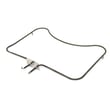
Jenn-Air wall oven parts can vary by production run. Using the exact model number (and often the serial number) helps us match the correct components, such as the bake element WPW10310258 or oven door seal WP71001841, and avoid ordering a part that does not fit.
Last updated: January 2026
What is the F2 code on a Jenn Air wall oven?
On the Jenn-Air JJW8430DDS electric wall oven, an F2 code indicates the oven temperature is too hot (an over-temperature condition). This is commonly tied to a failing oven temperature sensor circuit or a control that is driving heat too long; follow the diagnostic and safety steps in the JJW8430DDS owner's manual.
What to do right away
- Press Cancel/Off to stop the heating cycle.
- Keep the door closed until the oven cools down.
- If the oven is still heating when it should be off, turn off power at the breaker.
- After cooling, restore power and try a short Bake test.
- If F2 returns, plan to troubleshoot the sensor circuit and heating control.
Common causes of an F2 (oven too hot)
In most electric wall ovens like the JJW8430DDS, F2 is triggered when the control senses temperature rising beyond the expected range.
- Oven temperature sensor out of range (open, shorted, or drifting)
- Loose or damaged wiring between sensor and control
- Stuck relay on the electronic control (keeps sending power to the bake or broil element)
- Poor airflow or heavy soil causing heat to build up (less common, but can contribute)
Quick troubleshooting guide (what we check first)
| What you observe | Most likely direction | Next step |
|---|---|---|
| F2 appears soon after starting Bake | Sensor circuit issue | Inspect sensor wiring and connector seating |
| Oven keeps heating after Cancel/Off | Control relay stuck | Shut off breaker; service the control circuit |
| F2 happens during high-heat modes | Heat regulation problem | Verify sensor circuit; check element control behavior |
Parts that are often involved
These parts can be related depending on the symptom:
- If the oven is overheating because the control cannot regulate temperature, the safety limit may open: wall oven safety thermostat 74008265.
- If the oven door switch is misreporting door status during certain modes, it can contribute to abnormal operation: oven door switch WP74008263.
Why it matters
An F2 over-temperature condition can lead to uneven cooking, repeated shutdowns, and heat damage to wiring or controls. Addressing it quickly helps protect the electronic control, bake element, and broiler element from prolonged overheating.
Last updated: January 2026
Why does my Jenn Air oven keep turning off?
On the Jenn-Air JJW8430DDS electric wall oven, the most common reason it “turns off” is the built-in 12-hour automatic shut-off safety feature. If the oven is shutting off sooner than that, overheating, a cooling-fan/airflow issue, or a failing safety control can also interrupt operation.
First, rule out normal shut-off features
- 12-hour automatic shut-off: The oven turns off after 12 hours if it was left on. This is normal and can be changed using Sabbath Mode settings in the JJW8430DDS owner's manual.
- Cancel pad was pressed: Pressing CANCEL ends the cooking cycle.
- Display icons changing: During preheat, the preheat indicator can turn off even though the oven is still heating.
12-hour shut-off vs. a real problem
| What you notice | Most likely cause | What to do |
|---|---|---|
| Oven stops after many hours | 12-hour automatic shut-off | Review Sabbath Mode/auto shut-off settings |
| Oven stops during broil/clean or heavy baking | Cooling fan running, heat management | Check venting and fan operation |
| Oven stops randomly, won’t restart until it cools | Overheat protection opening | Check airflow, then test safety components |
Common causes when it shuts off early
- Blocked or restricted oven vent (heat builds up near the control area)
- Cooling fan not moving enough air (fan should run during some baking, broiling, and cleaning; it may also run after the oven is turned off)
- Loose or overheated power connection at the terminal block
- Failing temperature safety device such as the wall oven safety thermostat 74008265
What we recommend (safe checks)
- Make sure the oven vent below the control panel is not blocked by foil, trim, or cabinetry.
- If the oven shuts off, wait for it to cool and see if it restarts consistently after cooling (a strong sign of overheating).
- If shut-offs happen during high-heat modes (broil or self-clean), stop using those modes until the cause is corrected.
- If you suspect a power connection issue, have the supply wiring and terminal connections inspected by a qualified technician.
Why it matters
Repeated shut-offs are often the oven protecting itself from excess heat or an unsafe condition. Correcting airflow and addressing failing safety controls helps prevent inconsistent baking results and protects the control area from heat damage.
Last updated: January 2026





