 Installation guide
 Owner’s manual
 Error Codes








What does PF mean on Kenmore 79048033800 oven?
PF on a Kenmore Elite wall oven model 79048033800 means the control detected a power failure or power interruption. Clear it by pressing Cancel/Stop to return to normal operation; if PF keeps coming back, focus on the home power supply and the oven’s power connections.
How to clear PF and get cooking again
- Press Cancel/Stop once; wait a few seconds and confirm the display returns to the clock.
- If the display stays stuck, turn the breaker off for 1 minute, then turn it back on.
- Reset the clock and re-enter any cooking settings.
- If PF appears during cooking, discard food if safe temperatures were not maintained.
What usually causes a PF code
A PF message is almost always caused by a brief loss of voltage to the electronic oven control.
Common causes include:
- A tripped or weak double-pole breaker (wall ovens typically use 240V)
- A momentary neighborhood outage or power flicker
- A loose connection at the oven’s terminal block
- Heat-related connection issues that show up only when the oven is hot
Quick checks (safe, practical)
| Check | What you’re looking for | What to do next |
|---|---|---|
| Breaker | One side tripped or feels “soft” | Fully switch OFF then ON both poles |
| Display behavior | PF repeats at random times | Watch for other symptoms (fan, lights, heating) |
| Power connection | Signs of overheating or looseness | Inspect wiring and connections with power OFF |
If you suspect a wiring connection issue, use the wiring and access guidance in the installation guide. For a parts match and diagrams, use the model-specific information in the owner's manual.
Parts that can be involved when power connections are the problem
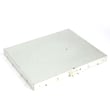
If PF repeats and you find heat damage or looseness at the power connection point, the terminal block is a common repair item for this type of issue.
Why it matters
Repeated PF events can interrupt baking, affect temperature stability, and point to a connection that can overheat. Addressing the power source and connection points helps protect the electronic control and keeps the oven operating reliably.
Last updated: February 2026
Where can I find my Kenmore 79048033800 oven model number?
For Kenmore Elite wall oven model 79048033800, the model number is printed on the serial plate located along the interior side trim of the oven. You can see it when you open the oven door; record both the model and serial number before ordering parts.
Where to look on the oven
Check these spots in this order:
- Open the oven door and look along the interior side trim (left or right side)
- Look for a serial plate label with the model and serial number
- Write down the model number, serial number, and any lot number/letter shown
For the exact label location illustration and wording, use the installation guide.
Why the model number matters for parts
Kenmore wall ovens often share similar-looking components across model series, but parts like the bake element, temperature sensor, and wiring harness can vary by revision. Using the full model number helps us match the correct replacement part for your exact configuration.
Common parts that depend on the correct model match
- Oven temperature sensor
- Bake or broil element
- Oven light bulb and light socket
- Cooling fan assembly
- Wire harness and terminal block
Quick checklist before you order
Use this checklist to avoid ordering the wrong part:
- Confirm the model reads 79048033800 (all digits)
- Copy the serial number exactly as shown
- Note any lot number/letter on the same plate
- Compare your part visually to the diagram and description in the parts list
| What to record | Where you’ll use it |
|---|---|
| Model number (79048033800) | Selecting the correct parts diagram |
| Serial number | Verifying production run compatibility |
| Lot number/letter (if shown) | Matching revisions and substitutions |
Related tip: keep the record handy
We recommend saving the model and serial information with your paperwork and referencing the owner's manual for feature and care details tied to your oven series.
Last updated: February 2026
Why is my Kenmore 79048033800 oven not heating up?
If your Kenmore Elite wall oven model 79048033800 is not heating, the most common causes are a power supply issue, incorrect control settings, or a failed heating component (bake element, broil element, or temperature sensor). Start with the quick electrical and control checks in the owner's manual.
Quick checks first (no disassembly)
- Confirm the display is on and the clock is set; after a power interruption the display can flash and the oven will not program until the clock is set.
- Verify you are in Bake (not Timer or Delay) and the temperature is set above room temperature.
- Check your home breaker; wall ovens typically use a 240V circuit and a partially tripped breaker can leave the oven with lights but no heat.
- If the control shows an error such as F11, press STOP/CLEAR, reprogram, and see if the fault returns.
Parts that commonly cause “no heat”
When the oven powers on but will not heat, these parts are the usual suspects.
| Symptom | Most likely part | What you’ll notice |
|---|---|---|
| No bake heat (or very weak bake) | Bake element | Blistering, cracks, or no glow during bake |
| No broil heat | Broil element | No red glow at top during broil |
| Temps are far off, heating is erratic | Temperature sensor | Overcooks or undercooks, long preheat |
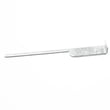
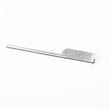
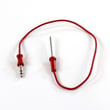
Model-matched parts on this page include the oven element 318601604 (commonly used for bake) and the frigidaire range oven temperature sensor 316217002.
Safe troubleshooting steps (basic)
- Turn off power at the breaker before removing panels or testing parts.
- Inspect the bake and broil elements for visible damage.
- If you have a multimeter, test the element(s) and sensor for continuity/resistance per the owner's manual.
- If wiring looks overheated or loose at the power connection, inspect the terminal connections; the terminal block 5304409888 is a common repair item when connections arc or loosen.
Why it matters
A wall oven that will not heat is often a simple electrical or component failure. Checking power and settings first prevents unnecessary part replacement, and testing the heating circuit helps you pinpoint whether the issue is the element, sensor, wiring, or control.
Last updated: February 2026






