Installation guide
 Owner’s manual


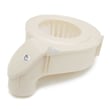
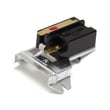

What is error 32 on Electrolux dryer?
On the Electrolux EWMGD70JIW0 dryer, an “E32” error points to a sensing problem that can stop normal drying. We focus first on the sensor circuit (connections and wiring), then the sensor itself, and only then the control if the error returns.
What to check first (fast, no-parts steps)
- Reset power: unplug the dryer (or switch off the breaker) for 2 minutes, then restore power.
- Run the built-in setup check: perform the INSTALL CYCLE described in the EWMGD70JIW0 installation guide.
- Confirm the dryer is installed correctly; installation errors can trigger service messages during the install cycle.
- Inspect visible harness connections you can access safely (loose plugs, pinched wires).
- If the code appears mid-cycle, cancel the cycle, let the drum stop completely, then restart.
Likely causes and the usual fix order
In most Electrolux dryers, an E32-type fault is handled in this sequence:
| Fix order | What we address | What it does |
|---|---|---|
| 1 | Wiring/connectors | Restores correct sensor signal to the control |
| 2 | Sensor (pressure/moisture sensing circuit) | Corrects a bad or drifting sensor reading |
| 3 | Main control board | Replaces the decision-maker if it misreads inputs |
If you see additional codes along with E32, use the Electrolux iq-touch dryer error codes reference to interpret the full set of symptoms.
When a part is involved
If the dryer is also overheating, shutting down, or drying erratically, temperature sensing can be part of the same “bad reading” story. On this model, a common temperature-sensing component is the kenmore dryer thermistor 134711300.
- Replace a sensor only after confirming the wiring is secure and undamaged.
- After any repair, rerun the install cycle and a timed dry test.
- If the error persists after sensor and wiring checks, the control board becomes the next practical step.
Why it matters
Sensor errors can cause long dry times, overheating protection trips, or repeated cycle stops. Fixing the root cause protects the motor, heating system, and your laundry results.
Last updated: February 2026
Why is my Electrolux dryer not working?
If your Electrolux EWMGD70JIW0 dryer is not working (won’t start or stops), the most common causes are a power supply problem, a tripped breaker or blown fuse, or the motor overheating and tripping a safety limiter. Start with the quick checks below before scheduling service.
Quick checks we recommend first
- Make sure the power cord is fully seated in the wall outlet.
- Reset the circuit breaker or replace the house fuse; many dryers use a dedicated circuit.
- If the drum turns but there’s no heat, check for a blown fuse in a 2-fuse setup (common on electric dryers).
- If the dryer stopped mid-cycle, let it cool down; an overheated motor can trip a safety device.
- Run the unit’s setup check: the dryer may display an installation-related message after an INSTALL CYCLE.
What the display messages can mean
Your dryer’s INSTALL CYCLE can flag setup issues such as improper power cord wiring (electric) or no gas connection/closed gas valve (gas). The exact steps and messages are listed in the EWMGD70JIW0 installation guide.
| Symptom | What it usually points to | What to do next |
|---|---|---|
| No lights, no response | No power at outlet, loose plug | Verify outlet power; reseat plug; reset breaker |
| Starts then stops | Overheating, airflow restriction, motor protection | Let it cool; clean lint path; check venting |
| Runs but won’t heat | Gas valve closed (gas) or one fuse blown (electric) | Open gas supply valve; check fuses/breaker |
Parts that commonly affect “not working” complaints
If the dryer runs but performance is poor (long dry times, overheating, shutdowns), airflow restrictions are often involved. A damaged or clogged lint screen can contribute; for this model, check the dryer lint screen 134793600.
Why it matters
Power and airflow problems can mimic major failures. Confirming the basics first prevents unnecessary part replacement and helps protect the motor and controls from repeated overheating.
For model-specific safety steps (disconnecting power before service, grounding requirements, and service guidance), follow the EWMGD70JIW0 owner’s manual.
Last updated: February 2026
How to reset error code on Electrolux dryer?
On the Electrolux dryer model EWMGD70JIW0, you can clear many error conditions by using the built-in RESET function in the user interface; it restores cycle settings, factory preferences, or all defaults depending on what you choose. Follow the button prompts shown on the display (see the EWMGD70JIW0 owner's manual).
How to do a reset from the control panel
- Wake the dryer up (press any button if the display is asleep).
- Navigate to RESET on the display.
- Choose one option:
- Restore only cycle settings
- Reset only factory preferences (users, language, brightness, volume)
- Restore all factory defaults (cycle settings + preferences)
- Press the button under EXIT to return to normal operation, or press CANCEL to turn the dryer off.
Important timing rules
- If you do not make a selection within 30 seconds, the dryer returns to normal operation with no changes.
- If you reset all settings, the dryer may display INSTALL CYCLE as if it is being used for the first time.
If the code comes back right away
Some messages are tied to installation or supply issues and will reappear until corrected. Check these common causes (see the EWMGD70JIW0 installation guide):
- Power supply cord or house wiring issue (electric models)
- Gas supply not connected or gas shutoff valve closed (gas models)
- Dryer not installed per setup requirements (venting, leveling, connections)
- Control settings were reset and the dryer is prompting INSTALL CYCLE
Quick guide: which reset to use
| What you want to fix | Reset choice to use | What it changes |
|---|---|---|
| Strange cycle behavior or options changed | Restore cycle settings | Cycle settings only |
| Display language, brightness, volume, users | Reset factory preferences | Preferences only |
| You want a full “start over” | Restore all factory defaults | Settings + preferences |
Why it matters
Resetting the correct way helps you avoid unnecessary part replacement and gets the dryer back to normal operation faster, especially after a power interruption or accidental preference changes. For code meanings and next steps, use Electrolux iq-touch dryer error codes.
Last updated: February 2026
Does Electrolux make dryers?
Yes. Electrolux manufactures clothes dryers, including front-load gas and electric models like the Electrolux EWMGD70JIW0; you can confirm model identification, features, and support details in the EWMGD70JIW0 use and care guide.
What that means for parts and service
Because Electrolux is the manufacturer, you should match parts and procedures to the exact model number on your dryer’s rating label.
- Use the full model number EWMGD70JIW0 when ordering parts.
- Follow Electrolux safety and operating instructions for cycles, loading, and care.
- Use the correct installation requirements for gas or electric configurations.
- Keep your purchase date and serial number recorded for service reference.
- Use only dryer-rated replacement parts (belt, rollers, thermistor, control board) that match your model.
Quick check: where to verify your exact model
| What to check | Where to find it | Why it matters |
|---|---|---|
| Model number (EWMGD70JIW0) | Rating label on the dryer | Ensures correct parts and procedures |
| Serial number | Rating label on the dryer | Helps with service history and support |
| Fuel type (gas vs electric) | Rating label and installation setup | Determines installation and heating components |
Helpful next steps if you are troubleshooting
If your Electrolux dryer is not operating correctly, start with the basics, then move to model-specific diagnostics.
- Clean the lint screen and confirm strong airflow at the exhaust.
- Verify the dryer is level and not overloaded.
- If the drum will not turn, inspect wear items like the belt and rollers.
- If the dryer runs but does not heat (gas models), ignition components and gas valve coils are common checks.
- If an error code appears, use the model’s error-code guidance.
For code-based troubleshooting, we recommend using Electrolux iq-touch dryer error codes when your control displays an error.
Why it matters
Knowing Electrolux makes the dryer helps you use the correct documentation, installation requirements, and replacement parts for EWMGD70JIW0, which prevents repeat failures and reduces the chance of ordering the wrong component.
Last updated: February 2026