Installation guide
 Owner’s manual
 Error Codes







Why is my GE gas stove not igniting?
If your GE JGB660EEJ2ES gas range is not igniting, the most common causes are a dirty or mis-seated burner cap, moisture or debris around the igniter electrode, or a gas supply issue (including the regulator shutoff). Start with cleaning and correct burner assembly, then confirm gas flow.
- Make sure the burner knob is turned to LITE and you hear clicking.
- Confirm the burner cap is seated flat and centered (a crooked cap prevents ignition).
- Clean and dry the burner head ports and the igniter tip; food spills can block the spark.
- Verify the main gas supply valve is fully open.
- Avoid using a downdraft or “air curtain” hood that blows air down on the cooktop; it can interfere with burner operation.
| Symptom | Most likely cause | What we do next |
|---|---|---|
| No clicking on any burner | Spark system issue | Check power, then inspect the spark module and wiring |
| Clicking but no flame | Gas not reaching burner | Confirm gas valve is open; check burner ports and cap seating |
| Flame is weak, yellow, or uneven | Clogged ports or air-to-gas ratio issue | Clean burner; if on LP conversion, have installer verify setup |
| Surface burners work but oven will not | Regulator lever shut off to oven | Flip the regulator lever to resume gas flow (see manual guidance) |
If cleaning and correct assembly do not restore ignition, these model-compatible parts are common suspects:
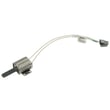
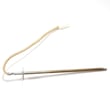
- Range spark module WB13X26360 (controls spark to the electrodes)
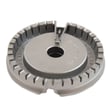
- Range surface burner cap WB28K10222 (a damaged cap can disrupt gas flow and ignition)
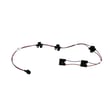
- Range surface burner valve WB21X20260 (if a valve is sticking or not opening)
A burner that will not ignite is often a simple cleaning or assembly fix, but repeated clicking, delayed ignition, or abnormal flames can signal a gas flow or ignition-system problem that affects safe combustion and cooking performance.
For model-specific operating and troubleshooting steps, follow the JGB660EEJ2ES owner’s manual.
Last updated: January 2026
How to reset GE gas oven?
To reset the electronic controls on your GE JGB660EEJ2ES gas range, turn the range’s circuit breaker OFF (or remove the fuse) for about 1 minute, then restore power. This clears many control glitches and can stop “F” error codes from returning.
- Turn the oven OFF using the Cancel/Off pad.
- Switch the range circuit breaker to OFF (or remove the fuse).
- Wait 60 seconds.
- Restore power (breaker ON or reinstall fuse).
- Set the clock, then test Bake or Broil.
For control and display features (Control Lockout, Sabbath Mode, clock settings), follow the steps in the JGB660EEJ2ES owner’s manual.
The manual’s recommended sequence is:
- Press Cancel/Off.
- Let the oven cool for 1 hour.
- Try the oven again.
- If the code returns, disconnect power for at least 30 seconds, then reconnect.
If the oven still will not operate after a proper reset, the issue is typically in the control circuit (keypad/control board, wiring, or a sensor-related fault). On this model, a common control component is the range oven control board WB27X44729.
- Tripped breaker or blown fuse: restore power at the home panel.
- Control Lockout: if “LOC ON” appears, turn off the lock feature.
- Sabbath Mode: verify the oven is not in Sabbath Mode.
- Clock turned off: re-enable the clock display if needed.
| Situation | Reset helps? | What to do next |
|---|---|---|
| Display frozen, buttons unresponsive | Yes | Power reset, then set clock |
| “F” code appears once after surge/outage | Often | Reset, then monitor |
| “F” code repeats during cooking | Sometimes | Reset, then check wiring/control |
| No power at all | No | Check breaker, outlet, cord |
A power reset restores the control to a known good state after a power outage or surge, and it is the first step the manual recommends before moving on to deeper troubleshooting or parts testing.
Last updated: January 2026
What are common problems with GE ranges?
Common problems on a GE gas range like model JGB660EEJ2ES include surface burners that will not ignite, an oven that will not heat or heats unevenly, and control or lighting issues. Most fixes come down to cleaning burner parts, restoring gas flow, or replacing a failed igniter, spark module, or control.
- Surface burner clicks but won’t light: dirty burner ports, mis-seated burner cap, wet igniter area, or a weak spark module
- Surface burner flame is uneven or too low: clogged ports, incorrect cap placement, or an orifice/tube issue
- Oven won’t bake or takes too long to preheat: weak oven igniter, restricted burner, or control problem
- Broil not working: failed broil igniter or burner issue
- Oven light not working: burned-out bulb or failed socket
- Knob turns but burner won’t adjust: worn knob or valve issue
- Confirm safety basics: If you smell gas, follow the gas safety steps in the JGB660EEJ2ES owner’s manual.
- Check cap and grate seating: Make sure the burner cap sits flat and centered.
- Clean burner ports: Use a soft brush and clear ports (avoid enlarging holes).
- Dry the igniter area: After cleaning, let parts fully dry before lighting.
- Verify power: Spark ignition needs electricity; check the outlet and breaker.
| Symptom | Common fix | Example part for JGB660EEJ2ES |
|---|---|---|
| Oven won’t heat | Replace weak igniter | Range oven burner igniter WB13X40206 |
| Burners won’t spark | Replace spark module | Range spark module WB13X26360 |
| Oven light out | Replace bulb or socket | 40a15bulb 40A15, range light socket WB08T10026 |
Ignition and heating problems can look similar, but the root cause is often different (gas flow, spark, or a weak igniter). Starting with cleaning and simple checks prevents unnecessary part replacement and gets your GE range cooking safely and evenly again.
Last updated: January 2026
How to clean an igniter on a GE gas stove?
On the GE JGB660EEJ2ES gas range, we clean the igniter area by turning the range off, letting everything cool, then gently removing food spill and residue around the burner igniter electrode so it can spark reliably without being chipped or cracked.
- Turn all burner knobs to OFF.
- Let the cooktop fully cool.
- Remove grates and burner parts carefully; keep track of each cap and head location.
- Never clean around a burner while another burner is on (all burners can spark when one is set to LITE).
- Avoid hitting the igniter electrode with anything hard; it can break.
For model-specific care and cleaning guidance, follow the JGB660EEJ2ES owner’s manual.
- Lift off the grates, then remove the burner cap and burner head.
- If there is a spill on or around the electrode, wipe it up carefully with a damp cloth or sponge.
- Use a soft brush (nylon) or a non-abrasive pad to loosen cooked-on residue near the igniter tip.
- Make sure the burner head ports and the round hole in the burner head are clear; a wooden toothpick or twist-tie can help clear a clogged opening.
- Dry everything thoroughly, then reinstall the burner head and cap so the cap sits flat and centered.
| Item | Good choice? | Why |
|---|---|---|
| Damp cloth + dish soap | Yes | Removes spill residue without damaging the electrode |
| Nylon brush / non-abrasive pad | Yes | Scrubs gently around the igniter area |
| Steel wool / aggressive wire brush | No | Can chip the electrode or scratch burner parts |
| Soaking burner parts | Yes (parts only) | Helps loosen debris; dry fully before reinstalling |
- Confirm the burner cap is seated correctly on the burner head.
- Check for moisture; wet burner parts often cause clicking with no flame.
- Look for cracks in the ceramic igniter electrode.
- If the oven is the issue (bake or broil not lighting), the igniter may be failing; a common replacement is the range oven burner igniter WB13X40206.
A clean, dry igniter area helps the spark jump consistently to light gas quickly. Spills, misaligned caps, or moisture can cause delayed ignition, repeated clicking, or uneven flames.
Last updated: January 2026