 Installation guide
 Owner’s manual
 Error Codes




How do you reset a Bosch oven?
To reset your Bosch HGI8054UC gas range oven, we turn the oven off at the home breaker (or unplug it if accessible), wait about 30 minutes, then restore power. This clears many temporary control glitches and lets the oven restart normally.
- Turn the oven off.
- Switch the range circuit breaker OFF (or unplug the range if you can safely reach the plug).
- Wait 30 minutes.
- Switch the breaker ON (or plug the range back in).
- Set the clock if needed, then test Bake for a few minutes.
A reset fixes control lockups, but it will not fix a failed heating ignition or a gas ignition problem. On this Bosch gas range, the most common heat-related issues are ignition parts and related wiring.
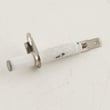
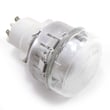
- If the oven does not ignite (no heat, no burner flame), check the range oven burner igniter 00755058.
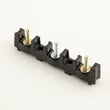
- If you see sparking issues or multiple burners clicking, the range spark module 12004873 is a common suspect.
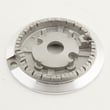
- If the problem is only on a surface burner, the range surface burner igniter 00631633 is often involved.
We use these quick checks to narrow the cause:
- Gas supply: confirm the gas shutoff valve is fully open.
- Ignition behavior: listen for clicking and watch for a glow at the oven igniter.
- Error code or beeps: write down the exact code or pattern.
- Power: confirm the breaker is not tripping again after reset.
- Wiring: look for loose or heat-damaged connectors (with power off).
| Symptom | What it usually points to | What we do next |
|---|---|---|
| Oven will not ignite, no flame | Weak/failed igniter | Inspect and replace igniter if not glowing properly |
| Constant clicking, odd sparking | Spark module or switch/harness issue | Inspect ignition switches and module |
| Surface burner will not spark | Surface igniter or dirty burner parts | Clean burner, then test igniter |
Resetting restores normal operation after a power glitch, but repeated failures usually mean an ignition or control component is starting to fail. Catching it early helps prevent no-heat situations during cooking.
For parts ordering, we match parts to your exact model and diagrams; you can also search by model number on Sears PartsDirect. For model-specific operating details and settings, use the HGI8054UC owner's manual.
Last updated: February 2026
What are the common problems with Bosch ranges?
Common problems we see on Bosch gas ranges like model HGI8054UC are ignition failures (surface burners or oven burner), weak or uneven oven heating, and intermittent control or spark issues. Many of these symptoms trace back to igniters, the spark module, wiring connections, or gas regulation; check your HGI8054UC owner's manual for model-specific operating and care details.
- Surface burner clicks but won’t light: dirty burner ports, misaligned cap, failed igniter, or a spark module issue
- Oven won’t heat or takes too long to preheat: weak oven igniter or gas flow issue
- Constant clicking even after flame is on: moisture/soil around igniter, bad switch, or spark module problem
- Uneven baking or temperature swings: convection airflow issue, door sealing issues, or calibration/usage factors
- Burner flame is too high, too low, or yellow: burner contamination, incorrect gas setup, or regulator/conversion issue
- Confirm the burner cap is seated flat and centered.
- Clean burner ports and the area around the igniter tip; let everything dry fully.
- Try a different burner to see if the problem follows one position or affects all burners.
- For oven issues, verify the bake setting and allow a full preheat cycle.
- If you recently moved or converted fuel type, confirm the correct conversion setup.
| Symptom | Likely part area | Example part on this model |
|---|---|---|
| Oven won’t ignite/heat | Oven ignition | Range oven burner igniter 00755058 |
| One burner won’t spark | Surface ignition | Range surface burner igniter 00631633 |
| Multiple burners act up, random sparking | Spark system | Range spark module 12004873 |
| Flame quality issues after LP conversion | Fuel conversion | Range lp conversion kit 12003869 |
Ignition and flame-quality problems are more than an inconvenience; they affect cooking performance and can cause delayed ignition, soot, or overheating of components. Fixing the root cause early helps protect the control system, wiring, and burner hardware.
Match the part to the exact symptom and confirm fit by model number HGI8054UC before ordering from the parts list for this model, or search by model on Sears PartsDirect.
Last updated: February 2026
What does E011 mean on an oven?
On a Bosch HGI8054UC gas range, E011 is treated as a control-panel input fault; it points to the oven control sensing a stuck key, moisture on the keypad, or an unstable electronic input. Use the reset and keypad checks in the HGI8054UC owner's manual to clear the code and confirm normal operation.
- Press Cancel/Off once; wait 30 to 60 seconds.
- Wipe the control panel with a barely damp cloth, then dry it completely.
- Reset power at the breaker for 1 minute; restore power.
- Try a simple function (set clock or start a short bake) to confirm keys respond normally.
- If the code returns immediately with beeping or unresponsive keys, stop using the oven until the controls behave normally.
E011 is almost always related to the user interface and control electronics, not the gas supply.
- Stuck or shorted keypad input
- Moisture, cleaner residue, or grease bridging contacts
- Loose or damaged wiring between the user interface and control
- Failing electronic control or display board
| Symptom you see | Most likely area | Best next check |
|---|---|---|
| Constant beeping, random key presses | Keypad/user interface | Clean and dry panel; power reset |
| Code returns after reset, keys seem normal | Wiring/control | Inspect harness connections for looseness or pinching |
| Oven heats normally but code appears | Keypad sensitivity | Avoid spraying cleaners directly; keep panel dry |
If cleaning, drying, and a power reset do not stop E011, the repair usually involves the control interface or control electronics. For this model’s parts list, a common control-related component is the wall oven display control board 12029207.
A keypad or control fault can cause unintended inputs or disable baking and broiling. Fixing the underlying control issue restores predictable temperature control and safe operation.
You can order replacement parts for Bosch HGI8054UC from the parts list for this model, or search by model number on Sears PartsDirect.
Last updated: February 2026




