 Installation guide
 Owner’s manual
 Error Codes







How to reset Kenmore 79047903604 Elite oven?
To reset your Kenmore Elite wall oven model 79047903604, clear the control’s stored recipes; this also restores factory-default control settings (time format, beeps, temperature display units, and any temperature adjustments). Use the exact key sequence shown in the owner's manual.
- Press and hold the pad used to erase stored recipes until you hear the first single beep (about 6 seconds).
- After the beep, press START once.
- Erases any stored recipes
- Resets 12/24-hour time-of-day display
- Resets continuous bake or 12-hour energy savings mode
- Resets silent control operation (beeps on/off)
- Resets Fahrenheit/Celsius temperature display
- Clears any oven temperature calibration/offset
The control can resume operation when power returns. We recommend:
- Turn the oven OFF if power fails
- When power returns, reset the clock
- Re-select your desired cooking mode (Bake, Broil, Convection)
| Situation | What to do | Result |
|---|---|---|
| Want a true control reset | Use the stored-recipe clear sequence | Restores factory-default control settings |
| Power flicker/outage | Reset clock and reselect cooking mode | Normal operation resumes |
| Door won’t open because it’s locked | Use the oven lockout key sequence in the manual | Unlocks the door and restores operation |
A “reset” can mean different things on wall ovens. Clearing stored recipes is the reset that also restores key control preferences, which helps when the display, beeps, or temperature settings are acting unexpectedly.
Last updated: February 2026
How to unlock Kenmore 79047903604 Elite Stove?
To unlock your Kenmore Elite wall oven model 79047903604, use the Oven Lockout control: press and hold the Oven Lockout pad for 3 seconds until the lock indicators clear, then wait for the door to fully unlock (typically about 15 seconds). See the steps in the owner's manual.
- Press and hold the Oven Lockout pad for 3 seconds.
- Listen for a beep.
- Watch the display; the lock indicators (such as LOC and DOOR LOCKED) begin to change.
- Wait until DOOR LOCKED stops flashing and disappears.
- Open the door only after it has completely unlocked.
During or after Self-Clean, the oven stays locked until it cools.
- Let the oven cool; the door typically unlocks after about 1 hour of cooling.
- Confirm DOOR LOCKED is no longer shown before pulling on the handle.
- If you stopped a clean cycle early, allow extra cooling time before the lock releases.
These checks help you avoid forcing the door and damaging the latch or hinges.
- Make sure you are pressing the correct Oven Lockout pad (upper vs. lower oven, if applicable).
- Hold the pad a full 3 seconds (a quick tap usually will not work).
- Wait the full 15 seconds for the motorized latch to move.
- Verify the oven is not still hot from baking or broiling.
- If the control is unresponsive, reset power at the breaker for 1 minute, then retry the unlock steps.
| Situation | What you do | What to expect |
|---|---|---|
| Lockout is ON | Hold Oven Lockout 3 seconds | Beep; lock indicators begin clearing |
| Door is unlocking | Wait | DOOR LOCKED may flash until fully unlocked |
| After Self-Clean | Let oven cool | Door unlocks after cooling; DOOR LOCKED disappears |
The lockout feature prevents the oven from turning on and uses a motor-driven latch to secure the door. Waiting for the latch to fully travel helps prevent broken door glass, bent hinges, or a damaged lock mechanism.
Last updated: February 2026
What are the parts of an electric oven?
An electric oven like the Kenmore Elite 79047903604 is built around heating, airflow, sensing, and control components. The core parts include the bake and broil elements, oven temperature sensor, electronic oven controls, oven venting, racks, door glass, and (on some models) a cooling or convection fan; see the owner's manual for your exact feature set.
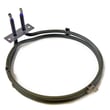
- Bake element: primary heat source for baking and roasting (bottom of the oven cavity on many models).
- Broil element: high-heat element for broiling (typically at the top of the oven cavity).
- Oven temperature sensor: tells the control board the oven temperature so it can regulate heat.
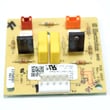
- Electronic oven control (EOC) and relay/control boards: manage bake, broil, convection, timing, and safety logic.
- Oven vent and blower/cooling fan: vents heat and helps keep internal components cooler; some blowers run after shutoff.
- Door assembly (glass, hinges, handle): seals heat in and provides a viewing window.
| Symptom | Likely part area | Example part on this model |
|---|---|---|
| Oven not heating or heats unevenly | Heating circuit | Frigidaire range bake element 318254902 |
| Oven temperature seems inaccurate | Temperature sensing | Frigidaire range oven temperature sensor 316217002 |
| No interior light | Lighting | Lamp 318241008 |
| Convection issues (if equipped) | Fan/motor/control | Motor 5304467898 |
These components work together to keep temperatures stable and cooking results consistent. For example, a weak bake element or a drifting temperature sensor can cause long preheat times, underbaking, or overbrowning.
- Shut off power at the breaker before removing panels or touching wiring.
- Do not line the oven bottom with foil; it can create overheating and shock or fire risk.
- Let the oven cool fully before checking elements, racks, or door glass.
- If the blower keeps running after you turn the oven off, that is normal on some models.
Last updated: February 2026
Where can I find my Kenmore 79047903604 Elite oven model number?
For Kenmore Elite wall oven model 79047903604, the model and serial number are printed on the serial plate located along the interior side trim of the lower oven, and you can see it when you open the oven door. For the exact label location diagram, check the owner's manual.
- Turn the oven light on so the trim area is easier to see.
- Open the lower oven door fully.
- Look along the left and right interior side trim near the front opening.
- Find the label that lists Model, Serial, and sometimes a lot number/letter.
- Write the numbers down or take a clear photo for parts lookup.
Having the full information from the serial plate helps us match the correct wall oven parts and diagrams for your exact build.
| Label item | What it’s used for |
|---|---|
| Model number | Identifies the exact oven version (for example, 79047903604) |
| Serial number | Helps match production run details |
| Lot number/letter (if shown) | Helps narrow down variations within the same model |
Kenmore Elite wall ovens can have small wiring, control, or trim differences within the same model family. Using the serial plate information helps ensure you order the right parts the first time (for example, an oven temperature sensor or bake element).
Last updated: February 2026





