Installation guide
 Owner’s manual
 Error Codes


What is the capacity of the Whirlpool model wtw4800bq1?
The Whirlpool WTW4800BQ1 washer’s capacity is not identified in the model-specific WTW4800BQ1 use & care guide. For this model family, the commonly listed capacity is 3.6 cu. ft., but we recommend confirming by matching the exact model and serial tag on your washer.
How to confirm capacity for your exact WTW4800BQ1
Capacity can vary by closely related model numbers (even when the control panel looks the same). Use these checks:
- Verify the full model number is WTW4800BQ1 (not WTW4800BQ0, WTW4800BQ2, etc.)
- Check the model/serial label location (typically under the lid or on the cabinet rim)
- Compare your cycle options and control layout to the guide for consistency
- If you’re comparing to another washer, confirm whether they’re measuring “tub volume” vs “rated capacity”
Why you might see different numbers online
Retail listings and spec sheets sometimes group multiple variants together. That can lead to different capacity values being shown for similar Whirlpool top-load washers.
| What you’re looking at | What it usually means | Best for |
|---|---|---|
| “Capacity (cu. ft.)” | Rated load size for the model | Comparing washer sizes |
| “Tub volume” | Physical space inside the basket | Understanding bulky-item fit |
| “DOE/energy listing” | Regulatory listing data | Efficiency comparisons |
Why it matters
Capacity affects how much laundry you can wash per load and how well items can move during agitation. Overloading can reduce cleaning performance and increase tangling, vibration, and wear.
Last updated: January 2026
How do I force my whirlpool washer to reset?
For the Whirlpool WTW4800BQ1 washer, the most reliable “reset” is a power reset: unplug the washer (or switch the breaker off) for 1 minute, then restore power and start a cycle. If you need to stop a stuck cycle, press and hold START/PAUSE for 3 seconds to cancel.
Quick reset steps (WTW4800BQ1)
- Press START/PAUSE once to pause the cycle.
- Press and hold START/PAUSE for 3 seconds to cancel the cycle.
- Unplug the washer (or turn the breaker off) for 1 minute.
- Plug back in (or turn breaker on).
- Select a cycle and press START/PAUSE to restart.
For control and cycle behavior details specific to this model, use the WTW4800BQ1 use and care guide.
If the lid is locked and won’t open
This model uses a lid lock; the lid will only unlock after washer movement stops. If the washer is spinning, it can take several minutes.
- Press START/PAUSE once.
- Wait for the basket to stop completely.
- Watch the Lid Locked light; when it turns off, open the lid.
- If the lid stays locked, do the 1-minute power reset above.
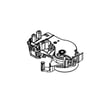
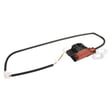
If the lid lock is physically damaged or the lock light keeps flashing, the lid lock assembly may need attention. The compatible replacement for this model is the washer lid lock assembly W10404050.
When a reset is not enough
A reset clears many temporary control glitches, but it will not fix a mechanical or electrical failure.
| Symptom | What to try next |
|---|---|
| Washer won’t start | Confirm power, close lid fully, then cancel and power reset |
| Won’t drain/spin | Run Drain & Spin; check for drain restrictions |
| Lid Locked light flashing | Pause and wait; then power reset; inspect lid lock |
For fault-code style troubleshooting, we also recommend checking Whirlpool belt drive top load washer error codes.
Why it matters
Resetting the control can clear a stalled cycle and restore normal operation without replacing parts. If the same issue returns, it helps narrow the problem to the lid lock, drain system, or electronic control.
Last updated: January 2026
What is the most common problem with whirlpool washers?
Across Whirlpool washers (including the Whirlpool WTW4800BQ1), the most common service issues are “won’t drain” or “won’t spin,” which often trace back to a lid lock problem, a drain restriction, or a worn drive system. Use the troubleshooting steps in the WTW4800BQ1 use & care manual to narrow it down safely.
What we see most often (and what it usually points to)
- Washer won’t drain or leaves clothes wet: drain hose issue, clog, or a failing drain pump
- Washer won’t spin: unbalanced load, lid lock not engaging, or drive/belt problems
- Lid won’t lock or Lid Locked light acts up: lid lock/strike alignment or a failing lid lock
- Loud banging or walking: leveling/feet not set, suspension wear, or overloaded tub
- Water leaking: loose fill hoses, drain hose connection, or tub-to-pump hose leak
Model-specific parts that commonly solve these symptoms
If your WTW4800BQ1 is not draining or spinning, these are the most relevant parts from the model’s parts list:
| Symptom | What to check first | Common related part |
|---|---|---|
| Won’t drain / slow drain | Drain hose height/kinks, clogs | Washer drain pump WPW10661045 |
| Lid won’t lock / won’t start | Lid strike alignment, lid closes fully | Washer lid lock assembly W10404050 |
| Shaking/banging in spin | Leveling, load size, suspension | Washer damper W10780045 |
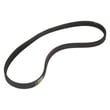
| Poor agitation/spin performance | Belt condition/tension | Washer drive belt WPW10006384 |
Quick checks before replacing parts
- Confirm the lid is fully closed; the washer will not run with the lid open.
- Run Drain & Spin to see if the unit can pump out water.
- Check the drain hose installation: avoid pushing the hose too far into the standpipe.
- Reduce load size and redistribute items evenly around the basket wall.
- Verify hot/cold faucets are fully on and inlet hoses are not kinked.
Why it matters
Drain and spin problems can look like a “bad washer,” but they are often caused by a simple restriction, an out-of-balance load, or a lid lock that is not sensing closed. Correct diagnosis helps you avoid replacing the wrong part.
Last updated: January 2026