 Installation guide
 Owner’s manual
 Error Codes





Can I look up Frigidaire parts by model number?
Yes. Looking up parts by model number is the most reliable way to get compatible replacement parts for your Frigidaire electric range, including model FFES3025PSA. Use the exact model and serial information from the range’s serial plate, then match parts by description and ID.
Where to find the model number on FFES3025PSA
On this Frigidaire range, the serial plate is located on the oven front frame behind the oven door. We recommend copying the model number, serial number, and any lot number/letter exactly as shown in the FFES3025PSA owner’s manual.
- Open the oven door and look along the front frame.
- Write down the full model number: FFES3025PSA.
- Record the serial number and any lot number/letter.
- Keep the information with your purchase records for faster ordering later.
How to use the model number to choose the right part
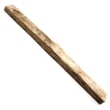
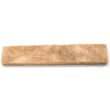
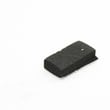
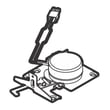
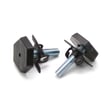
Once you search by model number, confirm the part by its name and part ID (not just a photo). For example, common FFES3025PSA parts include:
- Range oven temperature sensor 5304504897 (helps the control maintain accurate oven temperature)
- Range bake element, 2,750-watt 139027501 (primary heating element for baking)
- Terminal block 5304409888 (power cord connection point)
- Range broil element 5304521498 (top element for broiling)
Quick part matching checklist
- Match the model number first (FFES3025PSA).
- Match the part ID and part name.
- Compare your symptom to the part’s function (heat issue, control issue, power issue).
- Use the wiring and access steps in the FFES3025PSA installation guide when the repair involves electrical connections.
Why it matters
Ranges often have multiple versions that look similar but use different elements, switches, or wiring. Searching by model number reduces returns and helps ensure the replacement part fits and works correctly.
| What you have | What to use for lookup | Why it helps |
|---|---|---|
| Model number | FFES3025PSA | Filters to compatible parts |
| Serial/lot info | From serial plate | Helps confirm correct variation |
| Symptom | “Oven not heating,” “burner not working” | Points to likely parts |
Last updated: February 2026
How do I tell what model my Frigidaire stove is?
Your Frigidaire stove’s model number is on the serial plate on the oven front frame, behind the oven door. On the FFES3025PSA electric range, open the oven door and look along the front frame for the model and serial information.
Where to look on the range
Check these common ID-plate locations first:
- Oven front frame behind the oven door (most common for FFES3025PSA)
- Lower front frame area near the door hinge side
- Storage drawer area (if your range has a drawer, pull it out and look at the frame)
- Broiler drawer frame (on models with a broiler drawer)
How to read the model tag correctly
Model and serial tags can be hard to read, so we recommend:
- Use a flashlight and read it straight on (glare can hide characters)
- Write down the full model number and serial number
- Watch for look-alike characters (0 vs O, 1 vs I)
- Include any lot number or letter shown on the serial plate when ordering parts
What you’ll use the model number for
Having the exact model number helps us match the right Frigidaire range parts, diagrams, and troubleshooting steps.
| You need | Why it matters | Example |
|---|---|---|
| Model number | Identifies the exact range design and compatible parts | FFES3025PSA |
| Serial number | Helps narrow production details and revisions | (varies) |
| Lot number/letter (if listed) | Improves parts matching accuracy | (varies) |
Why it matters
Small design changes can happen within the same product family, so using the full model number from the serial plate prevents ordering the wrong bake element, surface element, or control parts.
For diagrams and model-specific details, use the FFES3025PSA owner’s manual.
Last updated: February 2026
How to reset a Frigidaire electric range?
To reset your Frigidaire electric range model FFES3025PSA, we recommend doing a full power reset: turn the range off at the breaker (or unplug it) for 5 to 10 minutes, then restore power and set the clock. This clears many control glitches after a power interruption.
Reset steps (safe, reliable method)
- Turn OFF the range circuit breaker (preferred) or unplug the power cord.
- Wait 5 to 10 minutes.
- Turn the breaker ON (or plug back in).
- Set the clock and test Bake and a surface element.
- If the display shows an error code, use the FFES3025PSA owner’s manual troubleshooting section.
If the control still acts up
A reset will not fix a failed component. These checks help narrow it down:
- If the oven temperature is inaccurate or the oven shuts off early, check the range oven temperature sensor 5304504897.
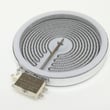
- If the display is normal but a burner will not heat, the issue is often a surface element or an infinite switch.
- If the range is completely dead, check the house breaker first, then inspect the power cord connection and terminal block.
Quick symptom guide
| What you see | Most likely cause | Best next step |
|---|---|---|
| Random beeping, odd display, won’t accept keypad input | Control glitch or keypad issue | Power reset; then check error codes |
| Oven heats poorly or swings hot/cold | Temperature sensing problem | Test sensor; verify wiring |
| No power at all | Supply issue or connection problem | Check breaker; inspect terminal block |
Why it matters
Electronic oven controls can latch into a fault state after a surge or brief outage. A full power reset forces the control to reboot and often restores normal operation without replacing parts.
Last updated: February 2026




