 Installation guide
 Owner’s manual
 Error Codes





What does F3 mean on a GE stove?
On a GE oven, an F3 error code means the oven control is sensing an over-temperature condition, most often caused by a failed or out-of-range oven temperature sensor. On your GE JT3000SF3SS electric wall oven, the first fix is typically checking and replacing the sensor.
What to do first (safe, quick checks)
- Press Clear/Off to stop the cycle and let the oven cool completely.
- Turn power off at the breaker for 1 minute, then restore power (this resets the control).
- If F3 returns during preheat or baking, plan to test the sensor circuit.
- If the oven was running Self Clean, let it cool fully before restarting any cycle.
- Review the error code and troubleshooting steps in the JT3000SF3SS owner's manual.
Most common repair: oven temperature sensor
A weak or failed sensor can report the wrong temperature to the control, which can trigger F3.
- Replace the sensor if it tests out of spec or the wiring is damaged
- Inspect the sensor connector for heat damage or loose pins
- Check the harness for pinched or burned wires near the rear oven wall
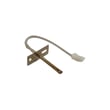
If you need the model-matched part, use the wall oven temperature sensor WB21X10165.
What else can cause an F3 code?
| Possible cause | What you may notice | Typical fix |
|---|---|---|
| Temperature sensor out of range | F3 during preheat, uneven temps | Replace sensor |
| Wiring/connector issue | Intermittent F3, works sometimes | Repair connection/harness |
| Control problem | F3 persists after sensor replacement | Diagnose control and related circuits |
Why it matters
An over-temperature fault can lead to poor baking results and can overheat internal components like the control area and cooling system. Fixing the sensor circuit early helps protect the oven control and keeps temperatures accurate.
Last updated: January 2026
What is the difference between GE and GE Profile wall ovens?
GE and GE Profile wall ovens are built for different feature levels: GE models focus on core cooking functions and straightforward controls, while GE Profile models typically add more premium features such as advanced cooking modes, enhanced controls, and more automation. For your GE JT3000SF3SS wall oven, the exact feature set is listed in the JT3000SF3SS owner’s manual.
Typical differences you’ll see
- Controls and interface: GE is usually simpler; GE Profile often adds more advanced displays and settings.
- Cooking features: GE Profile commonly includes more specialized modes and convenience features.
- Sensors and automation: GE Profile models more often include extra sensing and control features.
- Design and finish options: GE Profile frequently emphasizes a more premium look and trim.
- Price and positioning: GE is the value-focused line; GE Profile is the step-up line.
Quick comparison
| Category | GE wall ovens | GE Profile wall ovens |
|---|---|---|
| Feature level | Essential, practical | More advanced, premium |
| Controls | Straightforward | More settings and automation |
| Best for | Reliable everyday baking | More precision and convenience |
How to compare two specific models accurately
Use this checklist so you are comparing apples to apples:
- Confirm cutout size (27-inch vs 30-inch) and whether it is single or double wall oven.
- Compare cleaning type (manual clean vs self-clean) and cycle options.
- Check included racks and rack positions.
- Review available cooking modes (bake, broil, convection options if equipped).
- Verify electrical requirements and installation notes in the JT3000SF3SS installation guide.
Why it matters
Choosing between GE and GE Profile usually comes down to how much automation and specialty cooking you want. If you bake occasionally and want simple operation, GE is often the better fit. If you cook frequently and want more modes and convenience features, GE Profile is typically the better match.
Last updated: January 2026
How long do GE wall ovens last?
Most GE wall ovens last about 12 years. With normal home use and basic care (keeping the door seal tight, avoiding heavy slams, and addressing heating issues early), it’s common to reach 15 years of service from a GE wall oven like model JT3000SF3SS.
Typical lifespan and what affects it
- Usage frequency: daily baking and broiling shortens life compared to occasional use.
- Heat stress: frequent high-temp cooking and self-clean cycles accelerate wear.
- Ventilation and cooling: a healthy cooling system helps protect controls and wiring.
- Door seal condition: heat leaks make components work harder.
- Electrical stability: power surges can damage electronic controls.
| What you do | Typical outcome | Why |
|---|---|---|
| Light to moderate use, routine cleaning | ~12 years | Normal component wear rate |
| Moderate use plus quick repairs when symptoms start | ~15 years | Prevents secondary damage |
| Heavy use, frequent self-clean, ignored symptoms | Under 12 years | Higher heat and longer run times |
Maintenance that helps you reach the high end of the range
Use the care and cleaning guidance in the JT3000SF3SS owner’s manual. Focus on these practical habits:
- Keep racks and the oven interior clean so heat circulates properly.
- Avoid running repeated self-clean cycles back-to-back.
- Let the oven cool with the door closed; avoid propping it open.
- If you notice uneven baking or temperature swings, test the temperature sensor.
- Replace worn sealing parts promptly to prevent heat loss.
Parts that commonly impact longevity
When performance drops, these parts are often involved:
- Wall oven temperature sensor WB21X10165 (helps regulate oven temperature)
- Wall oven door seal WB35X32825 (prevents heat leakage)
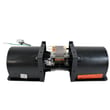
- Wall oven cooling fan assembly WB26X31060 (protects internal components from overheating)
Why it matters
A wall oven that is struggling to hold temperature or vent heat properly runs longer and hotter, which increases wear on the control system, wiring, and heating components. Fixing small issues early is the most reliable way to extend service life.
Last updated: January 2026
How to disable control lock on GE wall oven?
On your GE JT3000SF3SS electric wall oven, press and hold Lock Controls for 3 seconds to turn Control Lock off (or on). This unlocks the touch controls; Cancel/Off still works even when the controls are locked. For the exact pad location on your control panel, use the JT3000SF3SS owner's manual.
Steps to turn off Control Lock
- Find the Lock Controls pad on the control panel.
- Press and hold Lock Controls for a full 3 seconds.
- Release the pad when the lock indicator changes (or the controls respond again).
- Test a simple function such as Oven light to confirm the panel is unlocked.
If Control Lock will not turn off
- Press the center of the pad firmly; light touches may not register.
- Hold the pad continuously; lifting your finger resets the timer.
- If the oven is in Self-Clean, wait for the oven to cool; the door lock can stay engaged until temperature drops.
- Reset power at the breaker for 1 minute, then restore power.
- If an F code repeats, follow the troubleshooting chart in the JT3000SF3SS owner's manual.
Locked vs unlocked behavior
| Item | Controls locked | Controls unlocked |
|---|---|---|
| Bake/Broil/Start pads | Do not respond | Respond normally |
| Cancel/Off | Works | Works |
| Oven light pad | Works | Works |
Why it matters
Control Lock prevents accidental key presses during cleaning or cooking. If it is on, the oven can look like it has a control problem even though power is present.
Last updated: January 2026





