Owner’s manual
 Error Codes




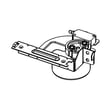

How to reset Samsung oven gas?
To reset a Samsung NX58H9500WS gas slide-in range oven, we recommend a hard reset: turn the range off, cut power at the breaker (or unplug it) for about 1 to 5 minutes, then restore power and set Bake again. This clears many control glitches and some error conditions.
- Hard reset (most common): breaker OFF (or unplug) 1 to 5 minutes, then power back ON.
- Control lock reset: if the panel is unresponsive but the range has power, turn off Control Lock using the keypad sequence shown in the NX58H9500WS owner’s manual.
- After a power surge: do the hard reset, then re-set the clock and try a simple Bake cycle.
- If the oven will not heat after reset: focus on ignition and temperature sensing parts.
- Turn all surface burner knobs to OFF.
- If you smell gas, do not reset; ventilate the area and stop.
- Let the oven cool before touching internal parts.
A reset helps when the control is “stuck”, but it will not fix a failed heating or ignition component.
| Symptom after reset | Most likely area | What to check next |
|---|---|---|
| Oven will not ignite, no heat | Ignition system | Look for a weak or non-glowing igniter; inspect wiring connections |
| Oven heats inconsistently | Temperature sensing | Check the sensor connection; consider replacing the sensor |
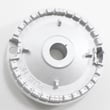
| Clicking or ignition issues on cooktop | Spark system | Check burner caps alignment and spark module behavior |
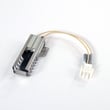
- Samsung range bake igniter DG94-01012A (bake ignition)
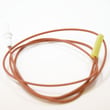
- Samsung range oven temperature sensor DG32-00002B (temperature feedback to control)
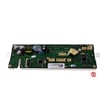
- Range spark module DG96-00297A (spark control for surface ignition)
Resetting restores the electronic control to a known good state. If the oven still will not preheat or hold temperature afterward, the issue is usually a component (igniter, sensor, wiring, or control) rather than a software glitch.
Last updated: February 2026
What are common problems with the NX58H9500WS?
Common problems we see with the Samsung NX58H9500WS gas slide-in range include the oven not heating or heating slowly, inaccurate oven temperatures, convection fan issues, and surface burners that click but do not ignite. Many of these symptoms trace back to the igniter, temperature sensor, or spark system; use the NX58H9500WS owner's manual to match symptoms to checks and settings.
- Oven will not heat or takes too long to preheat: weak or failing bake igniter, restricted bake burner, or gas supply issue
- Oven temperature is off (too hot or too cool): faulty temperature sensor or calibration/settings issue
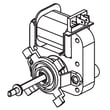
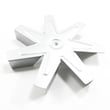
- Convection bake is noisy or not circulating air: worn convection fan motor
- Surface burner keeps clicking or will not light: dirty burner ports, wet igniter area, failed spark module, or bad surface igniter
- Oven light or functions act odd when the door moves: door switch problem
- Confirm power: the display and igniters need household power; check the outlet and breaker.
- Check gas supply: verify the shutoff valve is fully open.
- Clean and dry the cooktop burners: remove caps and heads, clear ports, and dry thoroughly.
- Listen and look during bake: a healthy igniter typically glows strongly before ignition; weak ignition often means the igniter is not drawing enough current.
| Symptom | Likely part to inspect | Example part for this model |
|---|---|---|
| No bake heat / slow preheat | Bake igniter | Samsung range bake igniter DG94-01012A |
| Inaccurate oven temp | Oven temperature sensor | Samsung range oven temperature sensor DG32-00002B |
| Noisy or dead convection | Convection fan motor | Samsung range convection fan motor DG31-00014F |
| Constant clicking / no surface ignition | Spark system | Range spark module DG96-00297A |
On a gas range, a weak igniter can still glow but fail to open the gas valve reliably, causing long preheat times and uneven baking. Catching that early helps prevent repeated ignition attempts and inconsistent cooking results.
Last updated: February 2026
How do I find the model number on my NX58H9500WS?
Your Samsung gas slide-in range model number is on the appliance’s rating label; on ranges like the NX58H9500WS, it’s most often found around the oven door frame area when you open the door, or on a frame edge behind the storage or warming drawer. Use the full model number to match parts and manuals.
Check these common label locations (in order):
- Open the oven door; look along the left or right door frame, front frame, or lower front trim
- Pull out the storage or warming drawer; check the frame edges behind the drawer opening
- Check the side trim near the front of the range (visible with the oven door open)
- If the range is slightly pulled forward, check the back panel for an additional label
Record the model number exactly as printed, including any suffixes.
- Model number (example: NX58H9500WS)
- Version code or revision (often shown after a slash or additional characters)
- Serial number (helps identify production run)
- Gas type noted on the label (natural gas or LP), if listed
| Label item | Why it matters | Example |
|---|---|---|
| Model number | Ensures diagrams and parts fit | NX58H9500WS |
| Version code | Prevents ordering the wrong variation | AA-00 |
| Serial number | Helps confirm configuration | Varies |
Samsung ranges can have multiple versions that look identical but use different igniters, control boards, or burner parts. Using the complete model identification helps us match the correct diagrams and replacement parts the first time.
For model-specific label details and diagrams, use the NX58H9500WS owner's manual.
Last updated: March 2026