 Owner’s manual
 Error Codes





How to find Kenmore Range model number?
For Kenmore electric range model 91195589990, the model and serial number label is located on the front frame behind the storage drawer. Pull the storage drawer out and look on the frame facing you for the sticker with both numbers; confirm the exact location in the 91195589990 owner's manual.
On this Kenmore radiant free-standing range, we use the storage drawer area because it keeps the label protected but still easy to access.
- Turn the range off and let it cool completely.
- Pull the storage drawer straight out until it stops.
- Lift the front slightly (if needed) and continue sliding the drawer out.
- Look on the front frame behind the drawer opening for the model and serial label.
- Write down both numbers exactly as shown (including dots or dashes).
Having the full ID helps us match the correct parts list and diagrams.
| What to write down | Example format | Why it matters |
|---|---|---|
| Model number | 911.9558XXXX | Identifies the exact range design |
| Serial number | Letters and numbers | Helps confirm production details |
| Date of purchase (if known) | Month/Year | Useful for service history |
Use these common backup locations for Kenmore ranges.
- Door jamb area (open the oven door and check the frame)
- Back panel near the power cord entry
- Side panel edge near the storage drawer opening
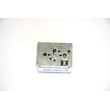
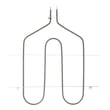
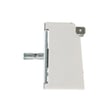
Kenmore ranges often share similar styling across multiple model series, but parts like the bake element, oven temperature sensor, and surface element control switch can vary by model. Using the exact model number prevents ordering the wrong replacement part.
Last updated: January 2026
How do I reset my Kenmore electric range?
To reset your Kenmore electric range model 91195589990, disconnect power to the range for at least 30 seconds, then restore power and retry the function. This reset clears many control glitches and is also the recommended first step after an F-code appears (function error). See the 91195589990 owner's manual for the exact control steps.
- Turn the oven control to OFF.
- Shut off power at the circuit breaker (or unplug the range if accessible).
- Wait 30 seconds.
- Restore power.
- Set the clock if the display shows PF or flashes.
- Retry Bake or Broil.
If you see a code, use it to guide the next step.
| Display | What it usually indicates | What to do next |
|---|---|---|
| PF | Power failure or power was interrupted | Press CLOCK, then set the time of day |
| F + number | Function error detected by the control | Power reset for 30 seconds; if it returns, service is needed |
The manual’s reset procedure is slightly different during self-clean.
- Turn the oven control to OFF.
- Let the oven cool for 1 hour.
- Check that the door latch is moved fully to the right.
- Restore power and retry self-clean.
A proper power reset clears temporary electronic faults and restores normal operation after a power interruption (PF) or a control error (F-code). It also helps you avoid replacing parts like the oven temperature sensor or control components when the issue is only a momentary glitch.
Last updated: January 2026
What is the code F1 on a Kenmore stove?
On the Kenmore 91195589990 electric range, an F1 code is treated as an oven control function error (the display flashes an “F” plus a number and the range beeps). We recommend resetting power, then retrying bake or broil; if the code returns, service is typically needed. See the 91195589990 owner's manual.
- Turn the oven control knob to OFF.
- Disconnect power to the range for at least 30 seconds (unplug or switch the breaker off).
- Restore power and try a simple oven function (Bake at a moderate temperature).
- If the code appears during self-clean, stop the cycle and let the oven cool.
- If the code repeats and the range keeps beeping, schedule service.
F1 is commonly triggered when the control senses a problem it cannot correct, such as:
- A stuck or failing electronic oven control (clock/control board)
- A shorted or drifting oven temperature sensor circuit
- Damaged wiring or a loose connector between the sensor and control
If you suspect a sensor issue on this model, the wall oven temperature sensor WB23X5340 is a common related part.
| Check | What you are looking for | What it suggests |
|---|---|---|
| Reset power | Code clears and stays cleared | Temporary control glitch or power event |
| Try Bake and Broil | F1 returns quickly | Control or sensor circuit problem |
| Inspect harness (power off) | Burnt, loose, or pinched wires | Wiring/connection issue |
When the control detects an F-code like F1, it can disable heating for safety and accuracy. Addressing it quickly helps prevent unreliable oven temperatures, interrupted cooking, and repeated beeping.
Last updated: January 2026
Who makes Kenmore 91195589990?
GE (General Electric) makes Kenmore electric range model 91195589990 for Sears. This model uses GE-style components and part numbering, which is why you will see GE part IDs used for common repairs; confirm your exact configuration in the 91195589990 owner's manual.
Kenmore is a brand name; the actual manufacturer is identified by the model series and the OEM parts used on the range.
- The 911 model series is associated with GE-built Kenmore ranges.
- Many replacement parts for this model use GE part IDs (WB… format).
- Parts descriptions for this model commonly reference G.E. range components.
- The model and serial tag on the range confirms the exact unit you have.
These are common GE-format parts you may see when repairing or troubleshooting heating issues.
| Part type | Example part (ID) | What it affects |
|---|---|---|
| Bake element | G.e. range bake element WB44T10014 | Oven baking heat |
| Oven temperature sensor | Wall oven temperature sensor WB23X5340 | Temperature accuracy, error codes |
| Broil element | Range broil element WB44T10009 | Broiling heat |
Knowing GE is the OEM helps you match the correct wiring diagrams, troubleshoot symptoms like uneven baking or temperature swings, and order the right bake element, sensor, or control switch for Kenmore 91195589990.
Last updated: January 2026




