 Installation guide
 Owner’s manual
 Error Codes








What does F3 mean on a Kenmore oven?
On Kenmore model 79047839400, an F3 error points to a problem in the oven temperature sensing circuit (most often the oven temperature sensor probe or its wiring). Clearing the code may stop the beeping temporarily, but the code usually returns until the sensor circuit issue is fixed; see the 79047839400 owner's manual.
What to do first (safe, quick checks)
- Press STOP/CLEAR to silence the beeping and clear the display.
- Let the oven cool completely if it was heating.
- Turn power off at the breaker for 1 minute, then restore power.
- Try Bake and watch for the code returning as the oven preheats.
- If the code returns quickly, focus on the sensor circuit (sensor, connector, wiring, control).
Common causes of an F3 code
In this oven style, F3 is typically triggered when the control reads an out-of-range temperature signal.
| Likely cause | What you may notice | What usually fixes it |
|---|---|---|
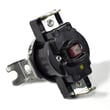
| Failed temperature sensor probe | Oven heats incorrectly or stops heating; code appears during preheat | Replace the sensor: frigidaire range oven temperature sensor 316217002 |
| Loose/burned wiring or connector at sensor or control | Intermittent F3; may happen after self-clean | Reseat connector; repair damaged wiring/terminals |
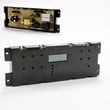
| Electronic control problem | F3 persists even with good sensor/wiring | Diagnose control; may require replacing the control board |
How to confirm it is the sensor circuit
- Inspect the sensor harness connection (look for corrosion, heat damage, or a loose plug).
- If you use a multimeter, test the sensor resistance at room temperature; a reading far from typical sensor values indicates a bad probe.
- If the sensor tests good, check continuity through the harness back to the control.
Why it matters
The temperature sensor is the feedback device that tells the control how hot the oven is. When the signal is wrong, the oven can overheat, underheat, or shut down for safety, which is why the control triggers an F-code and beeps.
Last updated: February 2026
Why is the digital display not working on my Kenmore oven?
If the digital display on your Kenmore 79047839400 wall oven is blank or not responding, the most common causes are a power supply problem (tripped breaker, loose connection), a control fault that needs to be cleared, or a failed control component such as the electronic control board or control panel.
Quick checks to do first
- Reset power: turn the oven breaker OFF for 1 minute, then ON (wall ovens often use a 240V double breaker).
- Set the clock: after a power interruption, the display can flash and the oven may not program until the clock is set.
- Clear a fault: press STOP/CLEAR to stop beeping and clear an F-code if one is showing.
- Check for a stuck key: if the keypad is acting “pressed” continuously, the display may lock up or beep.
- Confirm the door is closed (some modes will not run with the door open).
What the symptoms usually mean
| What you see | Most likely cause | What to do next |
|---|---|---|
| Display is completely blank | No power to oven, loose wiring, failed control board | Check breaker and junction box wiring; then test/replace control board if power is correct |
| Display flashes after outage | Clock not set | Set clock using steps in the owner's manual |
| Beeping with an F-code | Control detected a fault condition | Press STOP/CLEAR; if it returns, troubleshoot sensor, wiring, or control |
| Some segments missing or dim | Failing display/control panel or control board | Inspect connections; replace the failed control component |
Parts that commonly fix a dead or erratic display
These are common “display-related” repair paths on model 79047839400:
- Replace the electronic control board: frigidaire wall oven control board 316418556
- If the oven is also overheating or throwing temperature-related faults, check the sensor: frigidaire range oven temperature sensor 316217002
- If the issue started after electrical work, inspect the power connection point: terminal block 5304409888
Why it matters
A non-working display is often more than a convenience issue; it can indicate the oven is not getting stable power or the control is detecting a fault. Fixing the root cause helps restore safe, predictable heating and prevents repeat shutdowns.
Last updated: February 2026
How do I unlock a Kenmore 79047839400 oven door?
To unlock the door on your Kenmore 79047839400, cancel the Oven Lockout by pressing and holding the oven lockout pad for 3 seconds. If the lock is moving, wait about 15 seconds for the motor-driven latch to finish before you pull on the handle.
Unlock steps (Oven Lockout)
- Press and hold the Oven Lockout pad for 3 seconds.
- Watch the Door Locked indicator; do not open the door while it is flashing.
- Wait about 15 seconds for the latch motor to complete the unlock.
- When the lock releases, open the door normally.
- If the display shows "Loc", the lockout is still active; repeat the 3-second cancel.
If the door locked during Self-Clean
During Self-Clean, the latch locks automatically and stays locked until the cycle ends (or is canceled) and the oven cools.
| What’s happening | What you’ll notice | What to do |
|---|---|---|
| Latch is moving | Door Locked light flashing | Wait about 15 seconds; do not pull the door |
| Oven still hot after Self-Clean | Door Locked light stays on | Let the oven cool (about 1 hour is typical) |
| Cool and unlocked | Door Locked light off | Open the door normally |
Why it matters
The latch on this model is motor-driven and timed. Waiting for the indicator to stop flashing and for the oven to cool prevents damage to the latch, hinges, and door seal.
For the exact pad label and indicator behavior on your control panel, follow the lockout instructions in the 79047839400 owner's manual.
Last updated: February 2026





