Owner’s manual
 Error Codes
How to remove bottom grille on GE refrigerator?
On the GE GFE28GYNFFS bottom-mount refrigerator, the bottom grille (base grille or toe grille) typically comes off by removing any retaining screws (if present) and then pulling the grille straight out to release the locking tabs. Reinstall by aligning it and sliding it back into place.
Before you start
- Unplug the refrigerator or switch off power at the breaker if you will be working near wiring.
- Protect the floor with cardboard or a towel to prevent scratches.
- Use a flashlight to spot screws and plastic locking tabs.
- Keep screws in a cup so they do not get lost.
Step-by-step: remove the bottom grille
- Open both fresh food doors for better access.
- Look along the top edge of the grille for screws.
- If you see screws, remove them with a Phillips screwdriver.
- Grip the grille near the left and right ends.
- Pull the grille straight toward you to release the tabs.
- If it feels stuck, pull evenly from both ends; do not twist hard because tabs can crack.
- Set the grille aside.
Reinstall the grille
- Line up the grille with the slots along the bottom front of the cabinet.
- Slide or press it into place until it sits flush.
- Reinstall any screws you removed.
What you will usually see (quick reference)
| What’s holding it on | What to do | Tool |
|---|---|---|
| Phillips screws | Remove screws first | Phillips screwdriver |
| Snap-in tabs/clips | Pull straight out evenly | Hands (flat-blade screwdriver optional) |
Why it matters
We remove the bottom grille to access and clean the condenser area, check for debris, or reach components near the lower front. A grille that is not seated correctly can rattle and may restrict airflow.
For model-specific illustrations and any fastener locations, use the GFE28GYNFFS owner’s manual.
Last updated: February 2026
What does upside down f and f mean on GE refrigerator?
On the GE GFE28GYNFFS refrigerator, an upside-down “F” shown with an “F” typically indicates a fast-cooling mode is turned on (TurboFreeze for the freezer). It is a feature status indicator, not a failure code, and it turns off automatically or when you cancel the mode.
What the symbols usually mean
On many GE bottom-freezer and French door models, the display uses letters to show special cooling modes:
- TurboFreeze: speeds freezer cooling; often shows as an upside-down “F” with an “F”
- TurboCool: speeds fresh food cooling; may show as an upside-down “F” with a “C”
- Door alarm: separate indicator; alerts if a door is left open
- Temperature setpoints: normal numbers for fridge and freezer settings
For your model’s control layout and button names, use the GFE28GYNFFS owner’s manual.
How to turn it off (common GE method)
Try these steps in order:
- Press the Freezer temperature button to wake the display.
- Press and hold the Freezer button for about 3 to 5 seconds to toggle TurboFreeze off.
- If you see the symbol tied to the fresh food section, press and hold the Fridge button 3 to 5 seconds to toggle TurboCool off.
- Wait a few minutes; the display may update after the control times out.
Quick reference
| Display symbol | Meaning | What to do |
|---|---|---|
| Upside-down “F” + “F” | TurboFreeze active | Toggle off with Freezer button or let it time out |
| Upside-down “F” + “C” | TurboCool active | Toggle off with Fridge button or let it time out |
| “Error” indicator or code | Possible fault condition | Check the GE refrigerator error codes guide and the manual |
Why it matters
TurboFreeze and TurboCool are useful after loading groceries or after a door has been open; they can run the compressor and fans more aggressively. Knowing it is a mode indicator helps you avoid unnecessary service calls when cooling behavior or display icons look unusual.
Last updated: February 2026
Why are GE XWFe water filters so expensive?
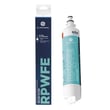
GE XWFE water filters cost more mainly because some GE refrigerators use built-in RFID technology to verify the filter and track filter status, and because the filters are built to meet strict NSF safety and quality standards for drinking water filtration. For GE model GFE28GYNFFS, follow the replacement and filter guidance in the GFE28GYNFFS owner's manual.
What you are paying for
- RFID authentication (on select models): Helps the refrigerator recognize a compatible filter and monitor filter status.
- NSF-standard filtration performance: Designed to reduce chlorine taste and odor and help meet industry safety and quality requirements.
- Fit and sealing consistency: OEM filters are built to match the housing and seals, which helps prevent leaks and flow issues.
- Ongoing compliance and certification costs: Testing and certification add cost compared to basic, non-certified filters.
Cost vs. value: quick comparison
| Option | Typical upfront cost | Typical tradeoffs | Best for |
|---|---|---|---|
| GE XWFE (OEM) | Higher | Fewer compatibility surprises; consistent performance | Most households using the dispenser/ice maker daily |
| Non-OEM “compatible” filter | Lower | May not meet the same performance/reliability targets; may not be recognized on RFID models | Budget-focused users willing to troubleshoot |
| No filter / bypass (if supported) | Lowest | No filtration; taste/odor and sediment can increase | Homes with already-filtered water (whole-house or under-sink) |
How often to replace (and why it affects cost)
GE recommends replacing the cartridge every 6 months, or sooner if flow drops. Many models also replace by capacity, commonly around 170 gallons dispensed. Replacing on schedule keeps water flow strong and helps protect the dispenser and ice maker from restriction.
Why it matters
A restricted or poor-quality filter can reduce water flow to the dispenser and ice maker, cause slow filling, and increase the chance of leaks at the filter head. Using the correct filter and replacing it on time helps your GE refrigerator maintain consistent water and ice performance.
Related DIY help
- How to replace the water filter in a GE refrigerator
- How to prevent water dispenser and ice maker problems
Last updated: February 2026
What is the capacity of the GFE28GYNFFS?
The GE GFE28GYNFFS bottom-mount refrigerator has a total capacity of 27.7 cu. ft., with about 9.17 cu. ft. in the freezer. For the most accurate model-specific specs and feature details, we recommend confirming in the GFE28GYNFFS owner's manual.
Capacity breakdown (what those numbers mean)
Capacity is the usable interior volume across compartments. On the GFE28GYNFFS, that total is typically split between the fresh food section and the bottom freezer.
- Total capacity: 27.7 cu. ft.
- Freezer capacity: 9.17 cu. ft.
- Fresh food capacity (estimated): about 18.5 cu. ft. (total minus freezer)
- Real-world usable space varies with shelves, bins, ice storage, and air channels
| Compartment | Capacity (cu. ft.) | Notes |
|---|---|---|
| Fresh food (refrigerator) | ~18.5 | Calculated estimate from total minus freezer |
| Freezer (bottom) | 9.17 | Dedicated freezer volume |
| Total | 27.7 | Combined refrigerator + freezer |
Why it matters
Knowing capacity helps you compare refrigerators fairly and plan storage. A 27.7 cu. ft. French door style typically fits larger grocery loads, while the freezer capacity number is especially useful if you store bulk frozen foods.
Related GE features that can affect usable space
Even with the same rated capacity, these common GE design elements can change how much you can practically store:
- Ice maker and ice bin size
- Adjustable shelving and door bins
- Crisper drawer layout
- Air tower vents (avoid blocking them for best cooling)
- Water filter housing location
Last updated: February 2026
What is the most common problem with a GE refrigerator?
The most common GE refrigerator problem is not cooling properly (fresh food warm, freezer warming, or temps swinging). On the GE GFE28GYNFFS bottom-mount refrigerator, start with airflow and temperature settings, then check for frost buildup, dirty condenser coils, or a failing evaporator fan.
Quick checks we recommend first
- Confirm the controls are set to typical targets: 37°F fresh food and 0°F freezer.
- Make sure vents inside the refrigerator are not blocked by food packages.
- Verify both doors close fully and the gaskets seal all the way around.
- Listen for the evaporator fan (inside the freezer area) running when the unit is cooling.
- Check for heavy frost on the rear freezer panel (a defrost issue can stop airflow).
- Clean condenser coils (dust buildup reduces cooling efficiency).
Other very common GE refrigerator issues
Even when cooling is the top complaint, these are frequent on French door and bottom-mount designs:
| Symptom | Common cause | What to do next |
|---|---|---|
| Ice maker not making ice | Water supply issue, filter restriction, inlet valve problem | Confirm water supply, then follow how to replace the water filter in a GE refrigerator |
| Dispenser not dispensing | Air in line, frozen reservoir/line, dispenser mechanism issue | Purge air and check for freezing; use how to purge air from a refrigerator water dispenser video |
| Door alarm beeping | Door not fully shut, misaligned doors, gasket leak | Reseat bins, check gasket; use how to reset the door alarm on a GE refrigerator |
| Water leaking/puddles | Clogged defrost drain, loose water line, filter housing leak | Inspect drain and connections; use how to get rid of refrigerator puddles |
Why it matters
Cooling problems can spoil food quickly and also force the compressor to run longer than normal. Catching airflow restrictions, frost buildup, or a weak fan early often prevents bigger sealed-system repairs.
Model-specific tip from the manual
For water and ice performance, GE recommends replacing the water filter about every 6 months, or sooner if flow slows. For operating details and care steps specific to this unit, use the GFE28GYNFFS owner's manual.
Last updated: February 2026