Installation guide
 Owner’s manual
 Error Codes



How to remove drip tray from Kenmore refrigerator?
On the Kenmore Pro refrigerator model 2534433360A, the dispenser drip tray sits at the base of the dispenser bay and is designed to be removable for easy cleaning. In most cases, you simply lift the tray up and pull it straight out from the dispenser area (no tools needed). See the 2534433360A owner's manual for the dispenser bay layout.
Steps to remove the drip tray
- Remove any cup or ice that is sitting in the tray.
- Grip the tray at the front edge with both hands.
- Lift the front edge slightly to clear the retaining lip.
- Pull the tray straight out toward you.
- Wash with warm water and mild dish soap; dry fully before reinstalling.
If the tray feels stuck
A drip tray can bind if dried spills or mineral deposits build up around the edges.
- Wiggle the tray gently side-to-side while pulling outward.
- Use a damp cloth with warm water to soften sticky residue around the tray perimeter.
- Avoid prying with a knife or screwdriver; that can chip the dispenser trim.
- If the tray will not seat back in place, check for ice pieces or debris underneath.
Reinstalling the drip tray
Push the tray back into the base of the dispenser bay until it sits flat and stable.
| Task | What to look for |
|---|---|
| Tray removed | No cracking, warping, or broken tabs |
| Tray reinstalled | Sits level and does not rock |
| After dispensing | Small drips collect in tray, not on the floor |
Why it matters
The drip tray catches small spills from dispensing water or ice and helps prevent water from running down the freezer door and onto the floor. Keeping it clean also reduces sticky buildup that can make future removal harder.
Last updated: January 2026
What is the average lifespan of a Kenmore refrigerator?
Most Kenmore refrigerators, including the Kenmore Pro 2534433360A side-by-side, typically last 12 to 15 years with normal household use. Regular maintenance (especially keeping airflow clear and seals tight) is what most often determines whether you land near 12 years or push well beyond it.
What affects refrigerator lifespan the most
- Condenser cleanliness: Dusty coils make the compressor run hotter and longer.
- Door gasket condition: Leaks force longer run times and can cause frost issues.
- Temperature settings: Over-cold settings increase run time and wear.
- Ice maker and dispenser use: Heavy use adds load to motors, valves, and switches.
- Ventilation and leveling: Poor airflow around the cabinet and doors that do not self-close shorten life.
Maintenance checklist we recommend
Use the schedule in your 2534433360A owner's manual as your baseline, then follow these practical intervals:
| Task | Typical interval | What it helps prevent |
|---|---|---|
| Vacuum condenser area and grille | Every 6 months | Overheating, compressor strain |
| Inspect and clean door gaskets | Every 3 months | Warm air leaks, frost, long run times |
| Replace water filter (if used) | About every 6 months or 400 gallons | Slow water flow, taste/odor issues |
| Confirm temps (fresh food and freezer) | Monthly | Food spoilage, excessive cycling |
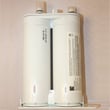
If your model uses the PureSource2 style filter system, a common replacement is the genuine Kenmore refrigerator water filter WF2CB.
Signs your refrigerator is nearing end-of-life
- Compressor runs almost constantly, even after cleaning and good airflow
- Temperatures swing more than a few degrees or food freezes in the fresh-food section
- Repeated frost buildup on the freezer back wall (defrost system strain)
- Water dispenser slows even with a new filter and good supply pressure
- Unusual clicking, buzzing, or fan noise that returns after cleaning
Why it matters
A refrigerator that is working harder than it should uses more electricity and puts extra wear on high-cost components like the compressor and control boards. Simple upkeep often adds years of dependable operation.
Last updated: January 2026
Is there a way to reset a Kenmore Elite refrigerator?
Yes. For Kenmore Pro side-by-side refrigerator model 2534433360A, you can reset common alerts and clear minor control glitches by power-cycling the refrigerator and using the control-panel reset functions described in the 2534433360A owner's manual.
Reset methods that work on 2534433360A
- Power cycle (control reboot): Unplug the refrigerator (or switch off the breaker) for 5 minutes, then restore power.
- Alarm system reset: Press and hold the Alarm Reset button for 3 seconds to disable or activate the alarm system.
- Clear active alarms: If Door Ajar, High Temp, or Power Failure is lit, press Alarm Reset to turn off the alarm; for Power Failure, press Alarm Reset again to reset.
- Air filter reminder reset (if equipped): Press and hold the Air Filter button for 3 seconds to reset the air filter status light.
What each reset changes
| Reset type | What it affects | What it does not fix |
|---|---|---|
| Power cycle | Clears minor electronic glitches after an outage | Cooling problems caused by frost buildup, airflow blockage, or sealed-system issues |
| Alarm Reset | Silences tones and clears alarm indicator lights | A door that is still open or temperatures that are still above setpoint |
| Air Filter reset | Clears the air filter reminder light | Odors from spills, old food, or a dirty interior |
Why it matters
Using the correct reset stops nuisance beeps and clears reminders without changing your temperature settings; it also helps you confirm whether an alarm is only a notification or a sign of a real cooling problem.
If the alarm or warm temps return
- Confirm both doors close fully and nothing is holding them open.
- Keep food packages from blocking air vents in the refrigerator and freezer sections.
- After restoring power, allow several hours for temperatures to stabilize.
- If you are resetting the air filter reminder, replace the filter first, then reset; the correct replacement for many 2534433360A configurations is the refrigerator air filter AFCB.
Last updated: January 2026