Installation guide
 Owner’s manual
 Error Codes


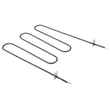
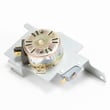
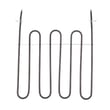
Where is Kenmore's model number?
On the Kenmore 79094203311 electric range, the model and serial number are on the serial plate located on the left side of the warmer drawer frame. Pull the warmer drawer open fully and look along the left side to read the plate (see the 79094203311 owner's manual).
How to find it fast
- Make sure the range is cool and the warmer drawer is empty.
- Pull the warmer drawer straight out to the fully open position.
- Look on the left side of the drawer frame for the serial plate.
- Record both the model number and serial number exactly as shown.
- Use that information when ordering Kenmore range parts or checking wiring diagrams.
What the label typically includes
| Label item | What it’s used for | Example of when you need it |
|---|---|---|
| Model number | Confirms the exact version of the range | Matching the correct bake element or control board |
| Serial number | Identifies production run details | Service history, parts lookups, technician support |
| Electrical ratings | Confirms power requirements | Verifying a terminal block or power cord setup |
Why it matters
Kenmore ranges often have multiple versions that look similar. Using the exact model number (and serial number when needed) helps us match the correct parts, such as the frigidaire range oven temperature sensor 316490000 or the correct surface element control switch, and avoids returns due to fit or wiring differences.
Last updated: January 2026
How do I reset my Kenmore electric range?
To reset your Kenmore electric range model 79094203311, turn the range off and remove power for a full 5 minutes, then restore power and set the clock. This clears many control glitches and is the safest first step before replacing parts.
Quick reset methods (most common)
- Circuit breaker reset (preferred): Switch the range breaker OFF, wait 5 minutes, then switch it ON.
- Unplug reset: If your range is plugged in, unplug it for 5 minutes, then plug it back in.
- Control panel reset: After power is restored, press Cancel/Off once, then reprogram the clock and any cooking settings.
If the range still acts up after a reset
A reset fixes temporary electronic lockups; it will not correct a failed sensor, heating element, or control.
Common symptoms and what to check next:
- Oven temperature is erratic or you get temperature-related errors: check the frigidaire range oven temperature sensor 316490000.
- Oven will not bake but broil works (or vice versa): inspect the heating element for blisters or breaks (bake element or broil element).
- Display is blank, beeping, or buttons do not respond: the electronic control may be the issue.
Power and wiring notes (important)
If you recently installed the range or moved it, a “reset” problem can actually be a power connection issue. The installation instructions for this model emphasize keeping terminal block connections secure and not loosening factory-installed nuts.
- Verify the breaker is fully seated (OFF then ON).
- If hardwired, confirm the power cord/terminal block connections are tight.
- If you suspect a loose terminal block connection, disconnect power first and follow the 79094203311 installation guide.
Why it matters
Resetting the control is a fast way to clear minor electronic glitches without replacing parts. If symptoms return quickly, the pattern helps pinpoint whether the issue is power supply, a heating circuit (bake/broil), or a control/sensor problem.
| What you see | What a reset can fix | What it usually will not fix |
|---|---|---|
| Random beeping or frozen keys | Temporary control glitch | Failed control board or keypad |
| Oven not starting after power flicker | Control lockup | Burned wire, failed element |
| Wrong oven temp | Rarely | Bad sensor or calibration issue |
Last updated: January 2026
Why does my Kenmore stove keep beeping and displaying a F1 symbol?
An F1 code with beeping on your Kenmore 79094203311 electric range means the oven control has detected a fault condition. We recommend clearing the code with STOP, then doing a power reset; if the code returns, the problem is typically in the electronic oven control or a related input such as the oven temperature sensor.
Quick fix steps (in order)
- Press STOP/CLEAR to silence the beeping and clear the F1.
- Try BAKE or BROIL to see if the code immediately returns.
- Turn power off at the breaker (or unplug if accessible) for 5 minutes, then restore power.
- Set the clock after power is restored (the control expects this after a reset).
- Try BAKE again and watch for the F1 to reappear.
What usually causes F1 on this model
On the 79094203311, repeated F-code errors point to an internal control fault or a bad signal being read by the control.
| Likely cause | What you may notice | Common next step |
|---|---|---|
| Electronic oven control issue | Random beeping, F1 returns after reset | Replace the control board (often the fix) |
| Temperature sensing circuit issue | Temperature seems erratic, F1 during/after heating | Test/replace the sensor |
| Keypad or overlay input problem | Beeping starts when not cooking, keys act “stuck” | Inspect overlay and wiring connections |
Parts that commonly relate to this symptom
Why it matters
When the control detects a fault, it may disable heating for safety and accuracy. Clearing the code and doing a proper 5-minute power reset helps confirm whether you have a one-time glitch or a repeatable control or sensor problem.
Where to find model-specific guidance
Follow the troubleshooting steps for “control panel beeps and displays any F code error” in the 79094203311 owner's manual.
Last updated: January 2026
How can I tell how old my Kenmore stove is?
To tell how old your Kenmore electric range model 79094203311 is, use the serial number from the rating label and match it to the manufacturer date code for that unit. The model number identifies the design series; the serial number identifies your exact build date.
Find the rating label on the range
On most Kenmore electric ranges, the rating label is in one of these common locations:
- Along the oven door frame or door jamb (visible when the door is open)
- Behind the storage drawer (pull the drawer out to look on the frame)
- Behind the lower panel or broiler drawer area (if equipped)
- On the back panel (harder to access once installed)
For the exact label location for this model, check the 79094203311 owner's manual.
Use the serial number to determine the manufacture date
Once you have the serial number, use this process to decode the date:
- Write down the serial number exactly as shown (include letters and numbers)
- Look for a date code pattern (often early characters or a week/year block)
- Compare your serial format to the identification information provided in the 79094203311 owner's manual
- If you still need help, provide the serial number to a technician or parts specialist to translate the date code
What to record from the label
| Item | Example format | Why we need it |
|---|---|---|
| Model number | 79094203311 | Confirms the correct product family |
| Serial number | Letters and numbers | Contains the build date code |
| Date of purchase (if known) | Month/year | Helps estimate service life and warranty timing |
Why it matters
The manufacture date helps us narrow parts and troubleshooting steps for your exact production run, especially for temperature and control issues.
- Oven temperature problems can point to the frigidaire range oven temperature sensor 316490000
- Display or timing issues can involve the range oven control board and clock 316650001
- Heating issues can involve the frigidaire range bake element 316505500
Last updated: January 2026