 Error Codes





How do I tell what model Kenmore stove I have?
To identify your Kenmore stove model, look for the model/serial tag on the range body. On Kenmore model 91193402992-style electric ranges, the tag is most often found in the oven door jamb or on the frame behind the storage drawer.
Where to look on a Kenmore range
Check these common locations in order:
- Oven door jamb: open the oven door and look along the frame edge
- Behind the storage drawer: pull the bottom drawer out and look on the frame
- Back panel: look near the power cord entry and rear vent area
- Side frame: sometimes on the side of the range body (visible when pulled out)
What the model tag looks like
The tag usually includes a few key fields. Use the model number for parts lookup and diagrams.
| What you’ll see | What to write down | Why it matters |
|---|---|---|
| Model | Full model number (example: 91193402992) | Ensures correct-fit parts like elements and switches |
| Serial | Serial number | Helps match production changes and revisions |
| Electrical rating | Volts/amps | Useful when diagnosing heating or power issues |
Tips to avoid mix-ups
- Copy the model number exactly, including all digits.
- If the label is worn, take a clear photo and zoom in.
- Match parts by model first, then by the part type (bake element, surface unit, control switch).
Why it matters
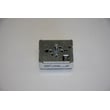
Kenmore ranges can look similar across years, but parts can differ by model. Using the exact model number helps you get the right replacement parts the first time, such as a range oven light bulb 40A15 or a range surface element control switch WB24T10027.
Last updated: January 2026
How do I reset my Kenmore electric range?
To reset your Kenmore electric range model 91193402992, we recommend doing a full power reset: turn the range off, cut power at the breaker for 1 to 5 minutes, then restore power and test Bake and the surface elements. This clears many control glitches.
Reset options (from easiest to most complete)
- Cancel/Off reset: Press Cancel/Off (or Clear/Off) once, wait 30 seconds, then try a function again.
- Breaker reset (recommended): Turn the range circuit breaker OFF for 1 to 5 minutes, then turn it ON.
- Hard reset with unplug (if accessible): Unplug the range for 1 to 5 minutes, then plug it back in.
- After a power outage: Reset the clock and run a quick preheat test.
What to check right after the reset
- Set Bake to 350°F and confirm the oven begins heating.
- Turn on one surface element and confirm it cycles normally.
- Check the oven light; if it is out, replace the bulb with the correct part for this model, such as the range oven light bulb 40A15.
- If the display shows an error code after reset, use our Kenmore 665 freestanding range error codes reference to identify the likely failure area.
Quick troubleshooting if “reset” does not fix it
- No display or dead range: Check the breaker, outlet, and power cord connection at the terminal block.
- Oven will not heat: A failed bake element is common; inspect for blisters or breaks and consider the g.e. range bake element WB44T10010.
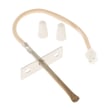
- Overheats or temperature is erratic: A failing sensor can cause this; consider the wall oven temperature sensor WB23X5340.
Common symptoms and likely next step
| Symptom after reset | What it usually points to | Typical next step |
|---|---|---|
| Display works, oven will not heat | Heating circuit issue | Inspect bake element and wiring |
| Error code returns quickly | Control or sensor feedback issue | Look up code, test sensor |
| Surface element stuck on high | Switch contacts stuck | Check surface element control switch |
Why it matters
A proper power reset clears temporary electronic control faults without replacing parts. If the problem returns immediately, the reset helps narrow the issue to a component such as a bake element, temperature sensor, or surface element switch.
Last updated: January 2026
What was the size of the Kenmore 91193402992 oven?
For the Kenmore range model 91193402992, the exact oven size (capacity in cubic feet) and the exact exterior dimensions are not provided in the model information we have here. Most 30-inch freestanding electric ranges from this era are roughly 29–30 inches wide, 46–48 inches tall, and 25–28 inches deep (not including the handle).
What “size” usually means (and what to measure)
When customers ask for oven size, it typically means one of these:
- Oven capacity (cu. ft.): how much the oven cavity holds
- Exterior width: usually 30 inches for most freestanding ranges
- Depth: can vary a lot depending on door and handle
- Height: often adjustable with leveling legs
- Cutout/clearance needs: space around the range for safe operation
How to get the right measurement for your 91193402992
Use a tape measure and record these three numbers:
- Width: side panel to side panel at the widest point
- Height: floor to cooktop, then floor to top of backguard (if present)
- Depth: back panel to the front edge of the door, then to the end of the handle
If you are replacing the range, also measure the opening and note whether your installation is flush to cabinets or has a rear gap for the power cord.
Quick reference: typical freestanding electric range sizing
| Measurement | Typical range | Why it varies |
|---|---|---|
| Width | 29–30 in. | Trim and side panel design |
| Height | 46–48 in. | Leveling legs and backguard |
| Depth | 25–28 in. | Door thickness and handle |
Why it matters
Getting the correct size prevents fit issues with cabinets and countertops, and it helps avoid problems with door clearance, ventilation space, and power cord routing.
If you are troubleshooting performance (not fit), an oven that seems “small” or “uneven” can be related to heating components like the g.e. range bake element WB44T10010 or temperature sensing.
Last updated: January 2026
Why did my Kenmore stove stop working?
If your Kenmore range model 91193402992 suddenly stopped working, the most common causes are a power supply problem (tripped breaker, loose cord/terminal connection) or a failed heating/control component. Start by confirming the range is getting full power, then check the bake/broil circuits and temperature sensing.
Quick checks first (no parts needed)
- Reset the range circuit breaker fully OFF, then ON (electric ranges often use a 240V double breaker).
- Confirm the outlet is supplying power; if the display and oven light are dead, suspect a supply issue.
- If the cooktop works but the oven will not heat, focus on oven components (bake element, broil element, sensor).
- If the oven heats poorly or shuts off, look for overheating, damaged wiring, or a failing sensor.
- If you see an error code, use our Kenmore 665 freestanding range error codes guide to narrow the failure.
Parts that commonly cause “stopped working” symptoms
If the oven will not heat (or heats unevenly), these parts are frequent culprits on electric ranges:
- Burned-out bake element: g.e. range bake element WB44T10010
- Failed broil element: range broil element WB44T10009
- Bad temperature sensor (can cause no-heat or wrong temps): wall oven temperature sensor WB23X5340
- Surface element issues (burner not heating or stuck on): range surface element control switch WB24T10027
- No oven light (not a no-heat cause, but common after a “dead” complaint): range oven light bulb 40A15
What to test (basic DIY diagnostics)
- Power at terminal block: With power OFF, inspect for burned wires or melted connections at the rear terminal block cover.
- Bake/broil element: Look for blisters, cracks, or separated spots; test continuity with a multimeter.
- Sensor circuit: A failing sensor can make the control stop heating for safety; check wiring and sensor condition.
| Symptom | Most likely area | Good next step |
|---|---|---|
| Nothing works (no display, no heat) | House power, cord/terminal connections | Check breaker, then inspect terminal block wiring |
| Cooktop works, oven won’t heat | Bake/broil element, sensor, control | Test elements first, then sensor |
| One burner dead or stuck on | Switch, surface unit | Swap/test switch and element |
Why it matters
Electric ranges need the correct power supply and intact heating circuits. A loose terminal connection can stop the whole range and can also overheat wiring, so checking power and connections early prevents repeat failures.
Last updated: January 2026




