 Owner’s manual
 Error Codes




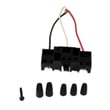
How to replace Kenmore Range oven control board?
To replace the oven control board on your Kenmore 91195351590 electric range, we disconnect power, access the control area, move each wire to the matching terminal on the new board (including the ribbon connector), then reassemble and restore power to test clock, bake, and broil functions. Refer to the 91195351590 owner's manual for control and display behavior after power is restored.
Safety first (before you touch anything)
- Turn off the range at the breaker (240V); confirm the display is dark.
- Let the oven cool completely.
- Use gloves; sheet-metal edges behind panels are sharp.
- Take a clear photo of every connector before removal.
- Label wires with tape so each returns to the same terminal.
Replacement steps (typical for this range style)
- Pull the range forward enough to access the rear control cover.
- Remove the screws holding the rear control panel cover.
- Identify the control board and ribbon connector.
- Transfer wires one at a time from the old board to the new board.
- Reattach the ribbon cable: fully insert it into the connector, then lock/snap the retainer.
- Reinstall the rear cover and push the range back into place.
- Restore power; set the clock and test Bake and Broil.
What you should see after power is restored
Many Kenmore ranges of this design will flash a power-loss indicator on the display after power returns. Use the clock pad to reset the time, then retry the cooking function you want.
| Symptom after install | What it usually means | What to do |
|---|---|---|
| Display flashes or shows a power-loss message | Power was interrupted | Set the clock, then retest Bake/Broil |
| “F” plus a number/letter appears | Control detected a fault | Turn oven control to OFF, reset, let cool about 1 hour, retry |
| No display at all | No power to control or wiring issue | Recheck breaker, harness connections, and ribbon seating |
Why it matters
The oven control board manages temperature regulation, timing, and fault codes. A loose ribbon cable or a wire on the wrong terminal can cause error codes, no-heat conditions, or an unresponsive display.
Last updated: February 2026
What causes a Kenmore oven to stop working?
A Kenmore oven like model 91195351590 can stop working because it is not getting full power, a heating circuit part has failed (bake or broil element), or the control has shut the oven down due to an error code or the 12-hour safety shutoff. Use the 91195351590 owner's manual to match symptoms to the correct checks.
Most common causes (and what to check first)
- No power or partial power: a tripped breaker can leave the range with lights but no heat (electric ranges typically need a full 240V supply).
- Function error code: if the display flashes an “F” plus a number and beeps, the control is detecting a fault.
- 12-hour automatic shutoff: the oven can shut off automatically if it has been left on for more than 12 hours.
- Failed bake element: the oven may not heat in Bake, or heats very slowly.
- Temperature sensor issue: the sensor tube at the back of the oven helps maintain temperature; if it is damaged or out of position, heating can become erratic.
Quick reset steps for an “F” error code
If you see an “F” code and continuous beeping:
- Turn the oven control knob to OFF.
- Press the TIMER ON/OFF pad and the CLOCK pad.
- Let the oven cool for about 1 hour, then retry.
- If the code returns, service is typically needed.
Parts that commonly fix “no heat” symptoms
| Symptom | Likely area | Example part for this model |
|---|---|---|
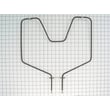
| Bake does not heat | Bake heating circuit | G.e. range bake element WB44K5012 |
| Broil does not heat | Broil heating circuit | Broilunt 240 WB44X232 |
| Oven light out (not a heating issue) | Light bulb or switch | 40a15bulb 40A15 |
Why it matters
An oven that “stops working” can mean anything from a simple power issue to a control-protected shutdown. Checking for error codes and confirming bake or broil heat helps you avoid replacing the wrong part and gets your Kenmore range cooking safely again.
Last updated: February 2026
Where can I find my Kenmore electric range model number?
On Kenmore electric range model 91195351590, the model and serial number label is located on the front frame behind the storage drawer. Pull the storage drawer out to view the label, then write the numbers down for parts lookup and service calls using the 91195351590 owner's manual.
Where to look on the range
Check these common label locations in this order:
- Front frame behind the storage drawer (primary location for 91195351590)
- Drawer opening frame rails and side walls
- Lower front frame near the leveling legs
- Back panel near the power cord entry (less common on this model)
How to access the label (storage drawer)
- Make sure the range is cool and the drawer is empty.
- Pull the storage drawer straight out until it stops.
- Lift the front slightly (if needed) and continue pulling to remove it.
- Look at the front frame area behind the drawer for the model/serial tag.
What to write down (and why)
The tag typically includes:
- Model number (used to match diagrams and parts)
- Serial number (helps identify production details)
- Sometimes an electrical rating line (useful for troubleshooting)
| Item | Example format | Used for |
|---|---|---|
| Model number | 911.95351590 | Correct Kenmore range parts match |
| Serial number | Letters and numbers | Service history and identification |
Why it matters
Using the exact model number prevents ordering the wrong bake element, oven door gasket, or hinge for your 30-inch radiant freestanding range; Kenmore ranges often have similar-looking parts that are not interchangeable.
Last updated: February 2026
Why is my Kenmore electric oven not getting hot?
If your Kenmore range model 91195351590 isn’t getting hot, the most common causes are a failed bake element, a problem with the oven temperature sensor, or restricted airflow from foil or a blocked oven vent. We recommend checking the bake circuit first, then verifying sensor and airflow basics using the 91195351590 owner's manual.
Quick checks that fix many “not heating” complaints
- Confirm the oven is set to BAKE (not BROIL) and allow a full preheat; many ovens beep when preheat is reached.
- Avoid opening the door repeatedly; it causes heat loss and poor baking results.
- Make sure the oven vent is not blocked; proper air circulation is required.
- Never line the oven bottom or racks with aluminum foil; it can cause poor heat flow and poor baking results.
- If the oven was just installed or serviced, verify the range is stable and safely positioned before testing.
Parts to inspect and test (in order)
- Bake element: Look for blisters, cracks, or a separated spot. If it’s damaged or has no continuity, replace it with the g.e. range bake element WB44K5012.
- Oven temperature sensor: This model uses a heat sensor tube that maintains oven temperature; do not move or bend it. A bad sensor can prevent proper heating.
- Wiring and connections: Loose or heat-damaged wires at the element or sensor can stop heating.
What you’ll typically see by symptom
| Symptom | Most likely cause | Best first step |
|---|---|---|
| Broil works, bake does not | Bake element failure | Inspect and continuity-test bake element |
| Oven heats weakly or unevenly | Airflow restriction (foil, blocked vent) | Remove foil, clear vent, retest |
| Temperature swings or never reaches set temp | Sensor or control issue | Check sensor placement and wiring |
Why it matters
An electric oven relies on correct airflow and accurate temperature sensing. Foil on the oven bottom can disrupt heat flow, and a damaged bake element is the most common single-point failure that stops baking heat.
Last updated: February 2026




