 Installation guide
 Owner’s manual
 Error Codes







Does a wall oven need a special outlet?
Most wall ovens, including the Ikea IBS550PWW00 30-inch electric wall oven, do not plug into a standard 120V outlet; they typically hard-wire into a junction box on a dedicated 240V (or 208V) circuit with proper grounding, per the installation requirements in the installation guide.
What the IBS550PWW00 installation calls for
For this model, the installation instructions specify these key electrical requirements:
- A grounded electrical supply is required.
- The oven connects via flexible conduit directly to a junction box (do not cut the conduit).
- The junction box is typically placed close to the cutout (often within about 3 inches below the support surface for wall-cabinet installs).
- Models rated at 5.1 kW and below at 240V typically use a separate 30-amp circuit (a circuit breaker is recommended).
Outlet vs. junction box: what’s the difference?
Many built-in wall ovens are designed to be hardwired, not cord-and-plug connected.
| Connection type | What you’ll see | Typical for wall ovens? |
|---|---|---|
| Standard receptacle (outlet) | A plug and wall outlet | Usually no |
| Junction box (hardwired) | Wire connections inside a covered box | Yes |
Wiring basics (what to expect)
Your exact wiring depends on your home’s electrical setup and local code, but common wall-oven connections include:
- Two hot conductors (often black and red)
- An equipment ground (green or bare copper)
- A neutral (white) only if required by the specific wiring configuration
If your home has aluminum wiring, the installation instructions call for using approved connectors and methods to join copper to aluminum.
Why it matters
Using the correct circuit, junction box location, and grounding prevents nuisance breaker trips, overheating at connections, and installation fit issues in the cabinet cutout.
Last updated: February 2026
What is a IBS550PWW00 code?
IBS550PWW00 is the model number for an Ikea 30-inch electric wall oven, not an error code or a legal code. We use the IBS550PWW00 model number to match the correct parts list, wiring, and installation requirements for your specific oven; see the installation guide for model/serial plate location and electrical details.
What IBS550PWW00 identifies
- Brand and appliance type: Ikea 30" electric wall oven
- The exact parts that fit (controls, sensors, hinges, door parts)
- The correct installation and electrical requirements
- The right diagrams and service information for troubleshooting
Where to find the model/serial tag on the oven
For IBS550PWW00, the model/serial number rating plate is typically located at the bottom of the right-hand mounting rail.
| What you see | What it means | What to do next |
|---|---|---|
| IBS550PWW00 | Your oven model number | Use it to select compatible replacement parts |
| A short code like F## or E## | An oven error code | Look up that specific code in the owner's manual |
| No code, but symptoms (no heat, overheating, etc.) | A functional problem | Troubleshoot by symptom and test likely parts |
If you meant an error code on the display
Start with these common wall-oven checks:
- Power reset: turn the breaker off for 1 minute, then back on
- Confirm the oven is on a dedicated circuit sized for the rating plate (many 30" single ovens use a 30-amp circuit depending on kW rating)
- If temperatures are inaccurate or the oven overheats, test/replace the wall oven temperature sensor WPW10131825
- If the oven shuts down from overheating, inspect the range high-limit thermostat WP9759243
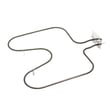
- If broil does not heat, inspect the range broil element WP9760771
Why it matters
Using the exact IBS550PWW00 model number prevents ordering the wrong wall oven parts and helps you follow the correct electrical and cutout requirements during installation.
Last updated: February 2026
Why is my wall oven not turning on?
If your Ikea IBS550PWW00 wall oven is not turning on, the most common causes are a tripped breaker or loose power connection at the junction box, or the oven is not getting proper power after installation. Restore power, then confirm the display lights and shows “PF” as described in the installation guide.
Quick checks to do first (power and display)
- Reset the wall oven circuit breaker fully OFF, then ON.
- Confirm the household fuse (if used) is intact and seated tightly.
- Verify the electrical supply is connected and the junction box cover is installed securely.
- Turn power on and look for “PF” on the display (power failure indicator).
- Set the selector to OFF, then press OK twice (a common first step after “PF”).
If it still will not power up
If the display stays dark after you confirm the breaker and supply wiring, focus on the power feed and safety devices that can interrupt operation.
What to inspect (in order)
- Junction box connections: loose wire nuts, burned wires, or a loose conduit connector
- Grounding and correct wire gauge for the circuit (installation requires proper grounding)
- Harness connections inside the oven (a partially seated connector can kill power)
- Overheat protection: a high-limit device can open if the oven overheated
- Control components: a failed control or display can make the oven appear “dead”
Parts that commonly relate to a “no power” symptom
These parts are on the IBS550PWW00 parts list and are often involved when the oven will not start or appears unresponsive.
| Symptom you see | Part to consider | What it affects |
|---|---|---|
| Oven overheated previously; intermittent shutdown | Range high-limit thermostat WP9759243 | Can open the circuit to protect the oven |
| Display dead or erratic; buttons do nothing | Oven control WPW10158965 | Main control logic and power distribution |
| Display blank but power is present | Display WPW10158964 | User interface visibility |
Why it matters
A wall oven that will not turn on is usually a power delivery issue (breaker, junction box, wiring) rather than a heating-element problem. Verifying “PF” and the basic startup steps helps separate a simple power reset from a wiring or control failure.
Last updated: February 2026







