Owner’s manual
 Error Codes



How to remove bottom grille on GE refrigerator?
On the GE GFE24JSKGFSS bottom-mount refrigerator, the bottom grille (base grille) typically comes off by releasing its retaining tabs or removing a couple of screws (model variation), then pulling the grille straight out from the cabinet. Use gentle, even pressure to avoid cracking the grille.
Quick steps to remove the bottom grille
- Unplug the refrigerator or switch it off at the controls before working near wiring or the condenser fan area.
- Look along the top edge and corners of the grille for screws; if present, remove them with a Phillips screwdriver.
- If there are no screws, grip the grille near the ends and pull straight outward to release the clips.
- If it feels stuck, press in slightly on the grille to unload the clips, then pull outward again.
- Set the grille aside on a non-scratching surface.
What to check while the grille is off
Removing the grille is usually done for cleaning or to access service areas. While it is off, we recommend:
- Vacuuming dust from the condenser area (improves airflow and cooling efficiency).
- Checking that the refrigerator is level and stable.
- Looking for signs of water drips or a kinked water line (if your model has an ice maker or dispenser).
Reinstalling the grille
Line the grille up with the cabinet openings and push it straight in until the clips seat. If your grille uses screws, reinstall them snugly (do not overtighten).
| What you see at the grille | What to do |
|---|---|
| Screws at corners/top edge | Remove screws, then pull grille outward |
| No screws, firm resistance | Pull straight out to release clips |
| One side releases first | Re-seat and pull evenly from both ends |
Why it matters
A properly installed bottom grille protects the condenser area and helps maintain correct airflow. If the grille is loose or blocked with dust, the refrigerator can run longer and cool less efficiently.
For diagrams and model-specific cabinet details, use the owner's manual.
Last updated: February 2026
How to remove the bottom shelf of a GE fridge?
To remove the bottom shelf in your GE GFE24JSKGFSS refrigerator, empty the shelf first, then tilt the front up, lift the back up, and pull the shelf straight out. This prevents the shelf hooks from binding in the side tracks.
Steps to remove the shelf safely
- Remove all food, bins, and any loose glass inserts from the shelf.
- Grip the shelf with both hands near the front corners.
- Tilt the shelf up at the front.
- Lift the back of the shelf up to unhook it from the track slots.
- Pull the shelf out of the refrigerator.
How to reinstall the shelf
We reinstall the shelf by hooking the back first, then locking the front down.
- Tilt the shelf up and insert the top hook(s) at the back into a slot on the track.
- Lower the front of the shelf until the bottom locks into place.
- Confirm the shelf is level and does not rock.
Quick troubleshooting if it feels stuck
If the shelf will not lift or slide out, one of these is usually the cause:
- A door bin or drawer is contacting the shelf edge; remove the bin or slide the pan out slightly.
- The shelf is not tilted high enough at the front to clear the track stop.
- The shelf is twisted from uneven pulling; lift evenly at both sides.
- Spills have dried in the track area; wipe the track and shelf rails clean.
Shelf removal vs. pan removal (common mix-up)
| Item | How it comes out | What you do first |
|---|---|---|
| Refrigerator shelf | Unhooks from side tracks | Tilt front up, then lift back |
| Climate zone pan/drawer | Slides to stop, then lifts past stop | Slide out fully, then lift and pull |
Why it matters
Removing the shelf the right way protects the shelf hooks and side tracks, and it reduces the chance of cracking glass or dropping a slippery shelf during cleaning. For diagrams and feature notes for your exact configuration, use the owner's manual.
Last updated: February 2026
What is the most common problem with GE GFE24JSKGFSS refrigerators?
The most common issues we see on the GE GFE24JSKGFSS are ice maker and water-dispenser complaints (slow or small ice cubes, bad taste/odor, spurting or dripping) plus temperature complaints tied to airflow and sensing. Many of these trace back to a clogged water filter, door not sealing, or a temperature-sensing/airflow problem.
Most common symptoms (and what they usually mean)
- Small or hollow ice cubes: commonly a restricted water filter
- Ice or water tastes or smells bad: bin or refrigerator interior needs cleaning; food odors transferring to ice
- Water spurts after a filter change: air in the line from a newly installed filter
- Water drips after dispensing: air in the water line or the glass is removed too quickly
- Beeping/door alarm: door left open or door not closing properly
- Fridge too warm or temps not matching the setting: door openings, warm food load, or defrost cycle effects
Quick fixes we recommend first (no tools)
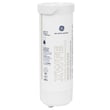
- Replace the water filter if ice is small/hollow or flow is weak; use the correct filter for this model: GE refrigerator water filter XWFE.
- Purge air after installing a new filter by running dispenser water for about 3 minutes.
- Clean the ice bin and discard old ice if cubes have odor/taste.
- Check for door obstructions (packages holding the door open) and confirm the gasket is not folded over.
- Give temperatures time to stabilize; after changes or long door openings, allow up to 24 hours.
Common causes and the parts that often solve them
| Problem area | What you notice | Part that commonly applies (if needed) |
|---|---|---|
| Water filtration/flow | Small cubes, slow fill, poor taste | GE refrigerator water filter XWFE |
| Temperature sensing | Temps swing, inconsistent cooling | GE profile refrigerator temperature sensor WR55X10025 |
| Air circulation | Warm fresh-food section, uneven temps | Refrigerator evaporator fan motor WR60X32614 |
| Control/electronics | Odd behavior, intermittent cooling | Main control board assembly WR55X46945 |
Why it matters
Ice and water symptoms often point to simple maintenance (filter, purging air, cleaning). Temperature and airflow symptoms can lead to food spoilage if ignored, so it helps to confirm door sealing and airflow early.
Where to find model-specific troubleshooting
Use the troubleshooting charts and control settings in the owner's manual for the GE GFE24JSKGFSS; it covers door-alarm beeping, filter reset guidance, dispenser spurting, and temperature stabilization timelines.
Last updated: February 2026