Installation guide
 Owner’s manual
 Error Codes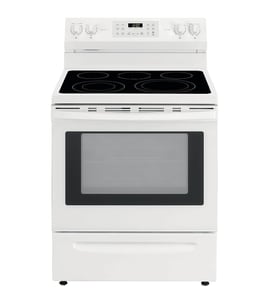





Is GE Cafe considered high end?
Yes. GE Café is generally considered a high-end (premium) line within GE Appliances, positioned above standard GE models with upgraded design, features, and finishes. For your GE range model C2S986SEL1SS, the C2S986SEL1SS owner's manual covers operation, care, and supported accessories.
What “high end” usually means for GE Café
Premium ranges like GE Café typically focus on a mix of performance, styling, and convenience features. In day-to-day use, that often shows up as:
- More premium exterior styling and coordinated finishes
- Feature-rich controls and cooking modes (varies by model)
- Higher-end rack and accessory options for baking and roasting
- More emphasis on fit, finish, and user experience
How to confirm what’s “premium” on your exact C2S986SEL1SS
Because “high end” can mean different things to different shoppers, the best way to judge your specific range is to compare the features you actually have to a standard GE range.
Use these quick checks:
- Review cooking modes, probe use, and cleaning guidance in the manual
- Check which racks and accessories are supported for your model
- Compare burner output and oven features to a baseline GE range
- Verify installation and clearance requirements for your kitchen setup
Quick comparison (general positioning)
| GE line | Typical market position | What you usually get |
|---|---|---|
| GE (standard) | Mainstream | Core cooking features, practical designs |
| GE Café | Premium | Upgraded styling, more features, more accessory options |
| GE Monogram | Luxury | Highest-end materials, design, and built-in style focus |
Why it matters
Knowing the line helps set expectations for parts pricing, accessory compatibility, and service approach. For example, premium models often use more specialized control assemblies and trim pieces, so matching parts by model number is especially important.
Last updated: January 2026
How to use self cleaning function on GE Profile oven?
On the GE range model C2S986SEL1SS, you run Self Clean by starting with the oven cool, wiping out loose grease, removing non-self-clean-safe items, then selecting Self Clean on the Clean pad and pressing Start/Enter; the door locks until the oven cools.
Steps to run Self Clean (recommended process)
Follow the Self Clean instructions in the C2S986SEL1SS owner's manual.
- Start with the oven at room temperature.
- Wipe excess grease and soils from the oven and interior door.
- Remove items that should not stay in during Self Clean (see table below).
- Close the oven door.
- Press the Clean pad, select Self Clean, then press Start/Enter.
- When the cycle ends, let the oven cool, then wipe out any ash.
What to remove before Self Clean
Self Clean uses very high heat. Removing the wrong items prevents damage and reduces smoke.
| Item | Leave in for Self Clean? | Notes |
|---|---|---|
| Self-clean (black) racks | Yes | These can remain in the oven during Self Clean. |
| Enameled (not shiny) racks | Yes | These can remain in the cavity during Self Clean. |
| Nickel-plated (silver) racks | No | Leaving them in can tarnish them and make them harder to slide. |
| Cookware, foil, thermometers | No | Remove to prevent damage and odors. |
If the door is locked or you see a message
These are common Self Clean-related situations:
- Door will not open / LOCKED light on: the oven is still above the unlocking temperature; press Cancel/Off and wait for it to cool.
- “LOCK DOOR” flashes: the cycle was selected but the door is not closed; close the door.
- “F” plus a number/letter: press Cancel/Off, let it cool for 1 hour, then retry; if it repeats, reset power for 30 seconds.
Why it matters
Self Clean can save time, but the high temperatures can discolor or damage the wrong racks and accessories. Pre-wiping heavy grease also helps prevent excessive smoke and odors.
Last updated: January 2026
What is the life expectancy of a GE oven?
A GE oven typically lasts 13 to 15 years with normal household use and basic maintenance. For your GE C2S986SEL1SS range, keeping the oven clean, protecting the door seal, and fixing small issues early usually delivers the longest service life; heavy use can shorten it.
Typical lifespan and what affects it
Most ranges fail from heat-related wear, electrical component fatigue, or gas ignition issues rather than the oven cavity itself.
- Usage level: daily cooking wears igniters, valves, and controls faster than occasional use
- Heat stress: frequent high-heat cooking and repeated long preheats accelerate component aging
- Cleaning habits: gentle cleaning helps; harsh chemicals and moisture in controls can cause problems
- Ventilation and cooling: blocked airflow can overheat electronics and shorten board life
- Fast repairs: replacing a failing sensor or control early can prevent secondary damage
Common “end-of-life” symptoms (and what they usually mean)
| Symptom | Common cause | Typical fix type |
|---|---|---|
| Oven temperature is inaccurate | Temperature sensor drifting | Replace sensor (often the fix) |
| Oven shuts down or acts erratic when hot | Control or cooling circuit issue | Diagnose cooling fan/control |
| Burner won’t light or flame is weak | Valve/regulator/orifice issue | Gas component service |
| Display or touch panel problems | User interface/control failure | Control or touch assembly replacement |
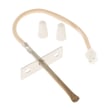
If you’re seeing temperature problems, the oven temperature sensor is a frequent culprit; for this model, that part is GE wall oven temperature sensor WB23X5340.
Maintenance that extends life (practical checklist)
Use these habits to reduce wear on your GE range:
- Wipe spills after the oven cools to prevent baked-on residue
- Keep burner heads and caps seated correctly for stable flames
- Avoid slamming the oven door; it protects hinges and the door seal
- Maintain clear airflow around the range during operation
- Use the care and cleaning steps in the C2S986SEL1SS owner’s manual
Why it matters
A range can run for years with minor part replacements, but overheating, poor airflow, and ignored temperature or ignition issues often turn a small repair into a larger control or wiring problem.
Last updated: January 2026
What is C2S986SEL1SS?
C2S986SEL1SS is a GE gas range model number. It identifies the exact version of the appliance so we can match the correct parts, installation requirements, and operating instructions for your specific range.
What the model number tells you
Use C2S986SEL1SS any time you’re ordering parts or checking specs because small design changes can affect fit and function.
- Confirms the appliance is a GE range (gas cooking platform)
- Helps match the correct burner, valve, and control parts
- Ensures you follow the right clearances and anti-tip setup
- Points you to the correct conversion guidance (natural gas vs. propane)
- Helps you find the right troubleshooting steps and error code info
Where to find it and how to use it
The model number is typically on a rating label (often around the oven frame or storage drawer area). Once you have it:
| What you need | What to use | Why it matters |
|---|---|---|
| Operating and care info | C2S986SEL1SS owner’s manual | Correct features, settings, and safety guidance |
| Cutout, leveling, anti-tip, gas hookup | C2S986SEL1SS installation guide | Proper installation and safe operation |
| Error code help | GE freestanding range error codes | Faster diagnosis when the display shows a code |
Why it matters (especially for gas and conversions)
This GE range leaves the factory set for natural gas. If you’re converting to propane, the installation instructions specify that conversion should be performed by a qualified propane gas installer, and the conversion orifices and instructions are stored on the back of the range.
If you live at high altitude (over 6,000 ft), the installation instructions call out specific high-altitude conversion kits for natural gas and propane.
Related parts customers commonly look up by model
If you’re troubleshooting performance or replacing a failed component, these model-matched parts are common starting points:
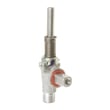
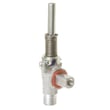
- Range surface burner valve WB21X20612
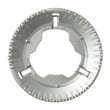
- Range extra large surface burner, 18,000-btu WB16X24722
- GE wall oven temperature sensor WB23X5340
Last updated: January 2026