 Installation guide
 Owner’s manual
 Error Codes










Where is the model number on my Kenmore electric stove?
On Kenmore electric freestanding range model 79094203315, the model and serial number information is on the serial plate located on the left side of the warmer drawer frame; open the warmer drawer to see it clearly (see the 79094203315 owner's manual).
Where to look on the range
Check these common label locations first:
- Open the warmer drawer and look at the left side of the drawer frame (serial plate location for this model)
- Look for a silver or white rating label with model and serial fields
- Wipe the label gently; grease and cleaner overspray can make it hard to read
- Take a photo of the label before writing anything down
What you should see on the label
The plate typically lists both identifiers you need for parts and service.
| Item | What it’s used for | Example format |
|---|---|---|
| Model number | Matching parts and diagrams | 79094203315 |
| Serial number | Production run details | Letters and numbers |
Why it matters
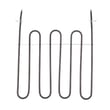
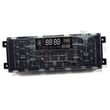
We use the exact model number to match the correct Kenmore range parts (like a bake element, oven temperature sensor, or control board) because similar-looking ranges can use different wiring, controls, and surface element components.
Last updated: January 2026
What does PF mean on Kenmore Elite oven?
PF on a Kenmore Elite oven means power failure: the range control detected an interruption or drop in electrical power. On Kenmore model 79094203315, you can usually clear PF by resetting the clock and confirming normal operation using the steps in the 79094203315 owner's manual.
What to do when PF shows up
- Press Cancel/Stop once to exit any active cooking mode.
- If the display is flashing, set the clock again.
- Try Bake at 350°F for 10 minutes to confirm the oven heats normally.
- If PF returns, check for a loose plug, tripped breaker, or a weak outlet connection.
- If the oven was running during the outage, discard food that may have been in an unsafe temperature range.
Quick checks that prevent repeat PF errors
Power interruptions are often caused by a supply issue, not a bad oven control.
- Verify the range cord is fully seated in the outlet.
- Check the home electrical panel for a tripped double breaker (range circuits are typically 240V).
- Look for signs of overheating at the cord or outlet (scorching, melted plastic, burning smell).
- Avoid running multiple high-draw appliances on the same circuit.
- If you recently moved or installed the range, confirm wiring is correct per the 79094203315 installation guide.
When PF points to a repair
If power in the home is stable but PF keeps coming back, the issue can be in the range’s power connection or control system.
| Symptom | Most likely area to check | Common next step |
|---|---|---|
| PF appears after bumping the range | Power cord/outlet connection | Reseat cord; inspect outlet |
| PF appears randomly | Breaker, terminal block, wiring | Inspect connections; test voltage |
| PF plus dead display at times | Loose connection or failing control | Check wiring; evaluate control |
Why it matters
A PF message is the oven’s way of telling you cooking may have been interrupted. Clearing it and confirming stable power helps prevent incomplete cooking, temperature swings, and repeat shutdowns.
Last updated: January 2026
How do I reset my Kenmore electric range?
To reset your Kenmore electric range model 79094203315, we recommend doing a control reset first (restores factory-default user settings), then a power reset if the control is still acting up. The control reset is done at the keypad and takes about 10 seconds.
Option 1: Reset the oven control (factory defaults)
This method restores common user settings back to default, including the oven temperature offset.
- Press and hold 7 on the numeric keypad until you hear an acceptance tone (about 6 seconds).
- Press START to complete the reset.
- Re-enter any preferences you use (clock, tones, 12/24-hour mode).
For the exact button locations and control layout, use the 79094203315 owner's manual.
Option 2: Power reset (hard reset)
If the display is frozen, the oven won’t heat, or you’re seeing odd behavior after a power surge, a power reset can clear the control.
- Turn OFF the range circuit breaker (or unplug the range if accessible).
- Wait 2 to 5 minutes.
- Turn power back ON.
- Set the clock and test BAKE at 350°F.
What gets reset (and what does not)
| Reset type | What it affects | What it usually fixes |
|---|---|---|
| Control reset (keypad) | User options and temperature offset | Wrong temp after calibration, odd settings, beeps/tones issues |
| Power reset (breaker) | Control board reboot | Frozen display, glitchy keypad response, post-outage errors |
Why it matters
A proper reset helps separate a simple control setting issue from a part problem. If the oven still won’t regulate temperature after resetting, the oven temperature sensor is a common next check on electric ranges.
If you’re troubleshooting temperature problems, the frigidaire range oven temperature sensor 316490000 is one of the model-matched parts we list for this range.
Last updated: January 2026
What is the code F93 on a Kenmore oven?
On Kenmore electric ranges like model 79094203315, error code F93 is a door-lock fault; the control is not sensing the oven door lock mechanism working correctly (most often during or after Self Clean). Clearing power and checking the lock parts and wiring usually resolves the cause.
What to do first (safe reset and quick checks)
- Press STOP/CANCEL to clear the code.
- Turn power off at the breaker for 5 minutes, then restore power and reset the clock.
- If the code appeared during Self Clean, let the oven cool completely before trying to unlock.
- Try Bake or Broil; if the code returns, focus on the door lock circuit.
- Review the lock and Self Clean steps in the 79094203315 owner's manual.
Common causes of F93 on this range
- Door lock motor not moving the latch fully
- Door lock switch not changing state (stuck, misaligned, or failed)
- Loose or damaged wiring at the lock assembly or control
- Control not reading the lock feedback correctly
Parts that are often involved
| Symptom you notice | Most likely area to check | Example part for this model |
|---|---|---|
| Door will not lock for Self Clean | Lock motor and switches | Range oven door lock motor and switch assembly 5304528973 |
| Door stays locked after Self Clean | Lock mechanism binding or switch issue | Range oven door lock motor and switch assembly 5304528973 |
| Code returns immediately after reset | Wiring or control feedback issue | Wiring harness connections; control inputs |
Why it matters
The oven uses the door lock as a safety interlock for Self Clean. If the lock does not report the correct locked or unlocked position, the control stops the cycle and posts an F-code to prevent unsafe operation.
When to stop and get service
- The door is locked and will not unlock after cooling and a breaker reset
- You see damaged wires, melted connectors, or arcing
- The code repeats after verifying the latch moves freely
Last updated: January 2026




