 Installation guide
 Owner’s manual
 Error Codes





How to reset a KitchenAid Superba oven?
To reset a KitchenAid Superba oven like model KEBC107KSS04, we recommend clearing the control by pressing CANCEL/OFF (or UPPER OVEN CANCEL/OFF and LOWER OVEN CANCEL/OFF on double ovens). If the display shows PF, clear it and reset the clock as needed using the steps in the KEBC107KSS04 owner's manual.
Quick reset steps (most common)
- Press CANCEL/OFF once to stop any active cooking cycle.
- If your oven has two cavities, press UPPER OVEN CANCEL/OFF and/or LOWER OVEN CANCEL/OFF.
- If PF appears (power failure), press CANCEL/OFF to clear it, then reset the clock.
- If the control is locked, unlock it first (Control Lock can stay set even after a power failure).
- Wait a few seconds; the display should return to the time-of-day screen.
If the display is frozen or shows an error
If you see Err on the display, it usually means an invalid pad sequence was pressed. Reset by pressing CANCEL/OFF, then re-enter your setting.
Power reset (hard reset)
Use this when the keypad is unresponsive:
- Turn the oven’s circuit breaker OFF.
- Wait 1 to 2 minutes.
- Turn the breaker ON.
- If PF appears, press CANCEL/OFF and set the clock.
What you should see on the display
| Display message | What it means | What we do |
|---|---|---|
| PF | Power was interrupted | Press CANCEL/OFF, then reset clock |
| Err | Invalid pad pressed | Press CANCEL/OFF, retry entry |
| Blank (not cooking) | Normal idle state | No action needed |
Why it matters
A proper reset clears stuck key inputs, cancels timed cooking, and restores normal control operation after a power interruption. It also helps you confirm whether the issue is a control setting (like Control Lock) versus a part problem.
Last updated: January 2026
Are all 24 inch wall ovens the same size?
No. “24-inch” wall ovens are not all the same size; the 24 inches usually refers to the nominal cabinet width class, not identical cutout dimensions. For KitchenAid model KEBC107KSS04, you must match the cabinet cutout measurements shown in the KEBC107KSS04 installation guide to ensure the oven fits and mounts correctly.
What “24-inch” usually means
Most 24-inch single wall ovens are designed for a 24-inch cabinet opening, but the required cutout can vary by brand and model.
Common differences include:
- Cutout width and depth tolerances (even small differences matter)
- Required cutout height and bottom support details
- Trim overlap and how the oven face covers the opening
- Electrical junction box location and clearance needs
- Venting and recessed installation requirements
KEBC107KSS04 cutout sizing (what to compare)
When you compare ovens, use cutout dimensions (not the exterior door width).
| Measurement to match | What to check | Why it matters |
|---|---|---|
| Cutout width | Cabinet opening side-to-side | Prevents binding and mounting issues |
| Cutout height | Opening top-to-bottom | Ensures the oven sits level and trims cover gaps |
| Cutout depth | Front-to-back clearance | Prevents the oven from protruding or pinching wiring |
For KEBC107KSS04, the installation guide shows a cutout width around 23-1/4 in and a cutout depth around 23 in (minimum clearances apply). Always follow the exact diagram and notes for your installation.
Why it matters
A wall oven that is “24-inch” but has different cutout requirements can be unsafe to mount, can leave gaps around the trim, or can interfere with wiring and cabinet doors. Matching the cutout specs avoids returns and rework.
Quick fit-check steps before you buy
- Measure your cabinet cutout width, height, and depth in multiple spots
- Confirm the oven requires a recessed installation and full enclosure
- Verify the junction box location and cable routing clearance
- Check for filler kit needs if your opening is oversized
- Compare your measurements to the KEBC107KSS04 installation guide
Last updated: January 2026
What does F1 mean on a KitchenAid oven?
On a KitchenAid KEBC107KSS04 wall oven, an F1 error typically points to a problem with the electronic oven control (clock/control board) or the keypad/touch panel sending a stuck or invalid signal; it can also be triggered by an oven temperature sensing issue. Start with a safe power reset, then narrow it down with basic checks in the KEBC107KSS04 owner's manual.
Quick checks we recommend first
- Power reset: Turn the breaker OFF for 1 minute, then turn it back ON.
- If F1 returns immediately (without pressing any keys), suspect the control board or touch panel.
- If F1 appears after heating starts, suspect an overheat condition or a temperature sensor circuit issue.
- If the oven was in Self-Clean when it happened, let it cool completely and retry after the reset.
- If the display beeps continuously, press Cancel/Off once; if it resumes, continue troubleshooting.
What usually causes F1 on this model family
| Symptom pattern | Most likely cause | What to do next |
|---|---|---|
| F1 comes back right after power is restored | Stuck key signal or failed control | Inspect keypad area for moisture, then plan control diagnosis/replacement |
| F1 shows up during preheat or baking | Temperature sensing or overheating | Test sensor circuit; check cooling airflow |
| F1 happens after a long cook or high heat | Heat stress on control or cooling issue | Verify cooling fan operation and vents are clear |
Parts that commonly relate to F1 troubleshooting
If your testing points to temperature sensing or overheating, these model-matched parts are common suspects:
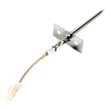
- Wall oven temperature sensor WPW10131825 (sensor out of range or wiring issue)
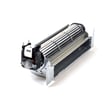
- Cooling fan/blower problems that let heat build up around the control area
- Wiring/connectors at the sensor or control (loose, overheated, or damaged)
Why it matters
An F1 code is the oven’s way of preventing unsafe operation when the control detects an invalid input or abnormal temperature feedback. Fixing the root cause helps restore accurate baking temperatures and prevents repeat shutdowns.
Last updated: January 2026
Why is my KitchenAid Superba oven not heating up?
If your KitchenAid electric wall oven model KEBC107KSS04 isn’t heating, the most common causes are a failed heating element, a bad temperature sensor, a tripped high-limit thermostat, or a control or wiring issue that prevents power from reaching the elements. Use the built-in heat check steps in the KEBC107KSS04 installation guide.
Quick checks we recommend first
- Confirm you started a cooking mode (Bake or Broil) and the display shows the oven is ON.
- Run a simple heat test: start Bake or Broil, wait about 2 minutes, then carefully crack the door and feel for heat.
- Check for an error code (an “F” followed by a number) on the display.
- Make sure the oven door closes fully (a misaligned door can affect operation on some models).
- If the oven recently ran Self-Clean, allow it to cool completely and try again (overheat protection can interrupt heating).
Parts that commonly cause “no heat”
When the oven turns on but doesn’t warm up, these parts are the usual suspects:
| Symptom | Most likely part | Example part for KEBC107KSS04 |
|---|---|---|
| Bake won’t heat, broil may still work | Bake element | Bake element 4451175 |
| Temperature swings, underheats, or won’t regulate | Oven temperature sensor | Wall oven temperature sensor WPW10131825 |
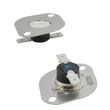
| Oven shuts down or won’t heat after overheating | High-limit thermostat | Range high-limit thermostat WP9759242 |
Why it matters
A no-heat condition is usually a power-delivery problem to the heating circuit (element, sensor feedback, safety thermostat, or wiring). Identifying whether Bake, Broil, or both fail helps pinpoint the failed component faster and avoids replacing the wrong part.
Safety notes before troubleshooting
- Turn off power at the breaker before removing panels or testing wiring.
- Heating elements and interior surfaces can stay hot even when they look dark.
- If you’re testing live voltage, use a proper meter and safe procedures; otherwise, use a qualified technician.
Last updated: January 2026








