 Owner’s manual
 Error Codes



Can an oven be both gas and electric?
Yes. An oven can be both gas and electric when it’s part of a dual fuel range: the cooktop uses gas burners and the oven uses electric heating for steadier, more even baking. Your GE PS950SF2SS is an electric range (electric cooktop and electric oven); see the PS950SF2SS owner’s manual for the exact features and hookup requirements.
What “dual fuel” means
A dual fuel range combines two power sources:
- Gas cooktop for fast, responsive flame control
- Electric oven for consistent temperature control and even heat
- Typically requires a gas supply line plus a 240-volt electrical connection
- Often includes convection features depending on the model
How to tell what you have at home
Use these quick checks to identify whether your range is gas, electric, or dual fuel:
- Look for gas burner caps and grates (gas cooktop) versus a smooth glass top with radiant elements (electric cooktop)
- Check the power cord: most electric ovens use a heavy 240V range cord
- Look behind the range for a gas shutoff valve and flexible gas connector
- Confirm the model number on the rating label, then match it to the manual
Quick comparison
| Range type | Cooktop heat source | Oven heat source | Typical hookups |
|---|---|---|---|
| All-gas | Gas | Gas | Gas line + 120V outlet |
| All-electric (like PS950SF2SS) | Electric | Electric | 240V electrical |
| Dual fuel | Gas | Electric | Gas line + 240V electrical |
Why it matters
Knowing whether your oven is gas, electric, or dual fuel helps you plan safe installation, choose the right replacement parts (like surface elements or control boards), and troubleshoot symptoms such as “oven won’t heat” or uneven baking.
Last updated: January 2026
How do I fix the F2 code on my oven?
On the GE PS950SF2SS electric range, an F2 code is a function error that typically points to an overheating condition or a problem in the oven temperature sensing circuit. We recommend canceling the error, letting the oven cool, then resetting power; if it returns, focus on the temperature sensor and related wiring.
Quick reset steps (do these first)
- Press Cancel/Off to stop the cycle.
- Let the oven cool for 1 hour (the control often needs a full cool-down).
- Restore operation and see if the code returns.
- If it repeats, turn power off at the breaker for at least 30 seconds, then restore power.
- If the code returns again, move to the checks below.
These steps match the function error code guidance in the PS950SF2SS owner’s manual.
What to check next (most common causes)
1) Oven temperature sensor and wiring
A failing sensor or a loose connection can make the control think the oven is too hot.
- Inspect the sensor harness connection for looseness or heat damage.
- Look for pinched wires, burned terminals, or corrosion.
- If you have a multimeter, test the sensor resistance at room temperature; most range sensors read around 1,080 to 1,100 ohms.
Model-matched replacement: wall oven temperature sensor WB23T10015.
2) Cooling airflow and heat buildup
Overheating can also happen if heat cannot vent normally.
- Make sure nothing blocks oven vents.
- Confirm the cooling fan runs when the oven is hot.
- Check for heavy grease buildup around venting areas.
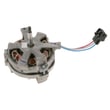
If the fan is not running, a common related part is the range control panel cooling fan WB26T10063.
Error-code guidance for this model
Use this table to decide what to do next:
| What you see | What it usually means | What we recommend |
|---|---|---|
| F2 appears once, then clears after cooling | Temporary over-temp event | Cool 1 hour, then retry |
| F2 returns quickly after reset | Sensor circuit issue | Check wiring, test/replace sensor |
| F2 returns after sensor checks out | Control issue or relay sticking | Service diagnosis; control may need replacement |
For additional GE-specific code explanations, use GE manual cleaning range error codes.
Why it matters
An F2 condition can shut the oven down to prevent unsafe temperatures. Fixing the root cause (sensor circuit, airflow, or control relays) restores accurate temperature control for baking, broiling, and self-clean.
Last updated: January 2026
How do I reset my GE oven control panel?
To reset the control panel on your GE PS950SF2SS electric range, cancel any active cooking cycle and then power-cycle the range at the breaker for about 60 seconds. This clears many lockups after a power surge or unresponsive keypad; then wait for the display to fully restart.
Quick reset steps (most common)
- Press Cancel/Off to stop any bake, broil, or clean cycle.
- If the display is flashing after an outage, reset the clock.
- Turn OFF the range circuit breaker for 1 minute.
- Turn the breaker ON and wait for the control to finish its power-up.
- Test Bake and Broil to confirm the keypad responds.
If the panel still will not respond
These checks address common causes called out in the troubleshooting guidance.
- Check your home electrical panel for a tripped breaker or blown fuse, then reset/replace as needed.
- Confirm the range is not in Sabbath Mode (it can make the control seem unresponsive).
- If the clock and timer do not work, verify the range is getting full power (a partial power loss can leave the display on but disable heating).
- If the oven is in a high-heat state (for example after self-clean), allow it to cool and then try Cancel/Off again.
What a reset fixes vs. what it does not
| Symptom | Reset usually helps? | What to check next |
|---|---|---|
| Display flashing after outage/surge | Yes | Set clock, re-enter cooking mode |
| Keypad frozen or not accepting input | Often | Breaker power-cycle, Sabbath Mode |
| Oven not heating but controls work | Sometimes | Heating circuit, sensor, relays |
| Clicking during baking | No (normal) | Normal relay cycling |
Why it matters
A proper reset clears control logic after a power interruption and ensures the range is not stuck in a canceled, locked, or special-feature state. It also helps you separate a simple control glitch from a power supply or component problem.
For model-specific control features and special modes, follow the steps in the PS950SF2SS owner’s manual. For error messages that return after a reset, use the GE freestanding range error codes guide to narrow the next check.
Last updated: January 2026





