 Installation guide
 Owner’s manual
 Error Codes





What is the Sabbath mode on a KitchenAid wall oven?
On the KitchenAid KEBS208SSS04 30-inch electric built-in double oven, Sabbath mode keeps the oven in a bake setting until you turn it off (or for a set timed period). It disables tones and most keys, and the display will not show messages or temperature changes.
What changes when Sabbath mode is on
- Only the number keys and Start work
- No beeps or tones will sound
- The display will not show status messages or temperature changes
- Heat source icons stay lit on the display during Sabbath mode
- Opening or closing the door does not immediately change the oven light or heating element operation
What to expect in common situations
| Situation | What you will notice | What to do |
|---|---|---|
| You press other pads (like Cancel/Off, settings, etc.) | No response | Use number keys and Start only |
| You open the oven door | Light and heat do not react right away | Close the door and allow time for the oven to respond |
| Power failure occurs | Oven stays in Sabbath mode but stops actively cooking | Touch Off to return to normal operation |
How to use it safely
- Confirm the oven is set to the bake temperature you want before enabling Sabbath mode.
- If you need the oven to run only part of the Sabbath, use the timed Sabbath option described in the KEBS208SSS04 owner’s manual.
- After any interruption (like a power outage), check whether the oven is actively heating before relying on it for cooking.
Why it matters
Sabbath mode is designed to keep oven operation consistent and quiet by limiting controls, tones, and display updates. That helps you maintain a steady bake setting without normal feedback from the control panel.
Last updated: February 2026
How to reset a KitchenAid KEBS208SSS04 oven?
To reset your KitchenAid KEBS208SSS04 double wall oven, cancel any active cooking cycle by touching UPPER OVEN OFF or LOWER OVEN OFF. If the control is unresponsive, turn power off at the breaker for about 1 minute, then restore power to reboot the control.
Quick reset options (start here)
- Cancel a cycle: Touch UPPER OVEN OFF or LOWER OVEN OFF.
- Clear a running timer: Touch TIMER OFF (the timer only stops with this key).
- Unlock the control panel: Touch and hold START for about 5 seconds to toggle Control Lock.
- Exit Sabbath Mode (if enabled): Touch OFF to return to normal operation.
- Hard reset (power cycle): Switch the oven circuit breaker OFF, wait 60 seconds, then switch it ON.
If the display is “stuck”: Control Lock and Sabbath Mode
Some “won’t reset” symptoms are actually a mode setting.
| What you see | What it usually means | What to do |
|---|---|---|
| Only a few keys work | Control Lock is on | Hold START ~5 seconds to unlock |
| Oven won’t actively cook, “ON” not lit | Sabbath Mode behavior | Touch OFF to return to normal mode |
For the exact key sequence and mode details for this model, use the KEBS208SSS04 owner’s manual.
When a reset does not fix the problem
If the oven resets but still will not heat correctly, we focus on common heat-control parts:
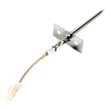
- Temperature sensing issues: check the wall oven temperature sensor WPW10131825
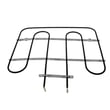
- No heat in bake: inspect the bake element for damage (blisters, breaks)
- Overheating or error behavior: check wiring connections and harness plugs
- Dead oven after power returns: check for a blown thermal fuse
Why it matters
A proper reset clears a stuck control state, but it also helps you identify whether the issue is a setting (Control Lock, Sabbath Mode, timer) or a failing component such as a sensor or heating element.
Last updated: February 2026
What is the lifespan of a KitchenAid oven?
Most KitchenAid wall ovens, including the KitchenAid KEBS208SSS04 30 inch electric built-in double oven, typically last 15 years with normal household use and basic maintenance; many run 10 to 20 years depending on heat exposure, cleaning habits, and how often the oven is used.
What affects oven lifespan the most
- Self-clean frequency: high-heat self-clean cycles add stress to wiring, fuses, and controls
- Door seal condition: a worn gasket leaks heat and forces longer run times
- Cooling airflow: blocked vents can overheat electronics
- Power quality: loose connections at the terminal block can cause heat damage
- Routine cleaning: heavy grease buildup can trap heat and create hot spots
Quick maintenance checklist (KEBS208SSS04)
Use your KEBS208SSS04 owner’s manual for the exact care and operating guidance for this model.
- Keep vents clear and avoid storing items that block airflow around the oven
- Wipe spills after the oven cools to reduce smoke and baked-on residue
- Inspect the door seal for gaps, tears, or hardened sections
- Use self-clean only when needed; follow the manual’s timing and cooling instructions
- If baking becomes uneven, check for a failing bake element or temperature sensor
Common wear items and what they do
| Part | What you’ll notice when it’s failing | Why it matters |
|---|---|---|
| Bake element | Slow preheat, underbaking, uneven browning | Primary heat source for baking |
| Temperature sensor | Overheating or underheating, inconsistent temps | Controls temperature accuracy |
| Thermal fuse | Oven goes dead or won’t heat after overheating event | Safety cutoff to prevent damage |
| Cooling fan | Control area gets very hot, shutdowns | Protects controls from heat |
If you are troubleshooting heat problems on this model, the range bake element WPW10207398 and wall oven temperature sensor WPW10131825 are two common parts to check.
Why it matters
A wall oven that is running longer to reach temperature, leaking heat at the door, or overheating the control area wears out components faster. Catching those symptoms early often extends the service life and reduces repeat failures.
Last updated: February 2026
Why is my KitchenAid KEBS208SSS04 oven not heating up?
If your KitchenAid KEBS208SSS04 double wall oven runs but does not produce heat, the most common causes are a tripped breaker or blown household fuse, a failed heating component (bake element), or a failed temperature-sensing or safety device that prevents the oven from energizing the elements.
Quick checks first (no tools)
- Confirm the display is on and you can start BAKE or BROIL.
- Check the home electrical supply: make sure the circuit breaker has not tripped and the household fuse is intact and tight.
- Test both cavities: select UPPER OVEN and LOWER OVEN and try BROIL on each.
- After starting BROIL, wait about 5 minutes and carefully feel for heat near the oven opening (do not touch heating elements).
- If an F error code appears, turn the oven off and have it serviced.
Parts that commonly cause “no heat” on KEBS208SSS04
If power is good, these parts are the most frequent fixes:
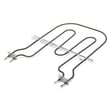
- Bake element: a broken or shorted element can stop heating in BAKE. Consider the range bake element WPW10207398.
- Temperature sensor: if the sensor reads incorrectly, the control may not heat properly. Consider the wall oven temperature sensor WPW10131825.
- Thermal fuse: if the oven overheated or airflow was restricted, a blown fuse can cut power to heating circuits. Consider the wall oven thermal fuse WP8304452.
- Wiring issues: loose, burned, or broken wires can interrupt power to elements or sensors.
What to test (basic troubleshooting order)
| Step | What you’re checking | What it tells you |
|---|---|---|
| 1 | Breaker/fuse and power on | Rules out a supply problem |
| 2 | BROIL heat in each oven | Helps isolate upper vs. lower issues |
| 3 | Sensor and element condition | Finds common failed heating parts |
| 4 | Fuse and wiring continuity | Finds safety cutout or open circuit |
Why it matters
An oven that will not heat is often a power supply issue or a safety-related open circuit (thermal fuse, wiring) that prevents the control from sending voltage to the heating elements. Fixing the root cause restores safe, consistent baking and broiling.
For model-specific operating checks and settings, use the KEBS208SSS04 installation guide and the KEBS208SSS04 owner’s manual.
Last updated: February 2026







