 Installation guide
 Owner’s manual
 Error Codes










How to reset a Frigidaire wall oven?
To reset your Frigidaire FGET3065PFF wall oven, cancel cooking, then power-cycle the oven at the circuit breaker for a few minutes. Restore power, then reset the clock and reselect your cooking mode. For model-specific control details, use the FGET3065PFF owner's manual.
Quick reset steps (safe and effective)
- Press Off/Cancel to stop any active bake, broil, or convection cycle.
- Turn power off at the circuit breaker (preferred for a built-in wall oven).
- Wait 3 to 5 minutes.
- Turn power back on.
- Reset the clock and set your desired oven function.
- After any power failure, keep the oven off until power is stable, then reset.
If an error code returns after the reset
A reset clears many temporary control glitches; a repeating code means the control is still detecting a problem. Use Frigidaire code lists to match the code to the next check:
Common next checks after a recurring code include:
- Loose or overheated wiring connections at the terminal block
- A failing oven temperature sensor causing incorrect temperature feedback
- A wiring harness or control issue if multiple functions act erratically
Parts that commonly relate to reset and error-code problems
If troubleshooting points to a sensor or power connection issue, these model-matched parts are commonly involved:
| Symptom after reset | What it often points to | Model-matched part on this page |
|---|---|---|
| Oven heats wrong, overheats, or will not regulate temperature | Temperature feedback problem | Cooking appliance oven temperature sensor 5304504897 |
| Dead display, intermittent power, burning smell at wiring | Power connection issue | Terminal block 5304409888 |
Why it matters
Power-cycling restores normal operation after a power interruption, but repeated error codes usually indicate an underlying issue (temperature sensing, wiring, or a component fault). Fixing the cause prevents repeat shutdowns and poor baking performance.
Last updated: February 2026
What are the parts of an electric oven?
An electric wall oven like the Frigidaire FGET3065PFF is built around heating components, airflow parts, and safety and control hardware. The core parts include the bake and broil heating circuits, temperature sensing, door and lighting components, and (on convection models) a fan system that moves hot air for even baking.
Main parts you will find in most electric ovens
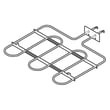
- Heating elements (bake and broil) that generate heat for baking and broiling
- Oven temperature sensor that tells the control how hot the oven is
- Electronic oven control and control panel that manage modes, timing, and temperature
- Convection fan motor and fan blade (on convection models) to circulate heat
- Door system parts (hinges, glass, handle, seal) that retain heat and allow safe access
- Cooling fan system (on many wall ovens) that protects electronic components after high-heat use
Common Frigidaire FGET3065PFF parts (examples)
These are model-matched examples of parts you may see when diagnosing heat, airflow, or door issues:
- Cooking appliance oven temperature sensor 5304504897
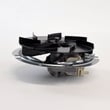
- Wall oven convection fan motor 139008502
- Range convection fan blade 318398302
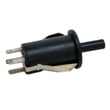
- Range door light switch 808136601
- Range oven door hinge 316575915
Quick “part to symptom” guide
| If you notice this symptom | Often involved parts | What to check first |
|---|---|---|
| Oven temperature is inaccurate | Temperature sensor, control | Run a temperature test and inspect sensor wiring |
| Convection bake is uneven or noisy | Convection fan motor, fan blade | Listen for rubbing, check for wobble or obstructions |
| Oven light stays on or will not turn on | Door light switch, bulb/socket | Confirm door closes fully and switch clicks |
| Heat leaks around the door | Door seal, hinges, glass | Look for gaps, torn gasket, or a sagging door |
Why it matters
Knowing the major oven parts helps you troubleshoot faster and order the right replacement the first time. For example, a failing temperature sensor can cause underbaking or overbaking even when the display temperature looks correct.
Where to confirm what your oven has
For the exact features and component locations on the Frigidaire FGET3065PFF (including convection and cooling fan details), use the FGET3065PFF owner's manual and the FGET3065PFF installation guide.
Last updated: February 2026
Why is my electric wall oven not heating up?
If your Frigidaire wall oven model FGET3065PFF won’t heat, the most common causes are a power supply problem, a failed heating circuit component (like a temperature sensor), or a control issue. Start by confirming the oven has proper power at the breaker, then move to component checks.
Quick checks first (no disassembly)
- Make sure the oven is not in a power failure state; if power was interrupted, turn the oven off, restore power, then reset the clock and cooking mode per the owner's manual.
- Check the home circuit breaker or fuse; wall ovens typically need a dedicated 240V circuit.
- If the oven was stored or shipped in cold conditions, let it sit at room temperature for at least 3 hours before powering it on (cold can damage electronic controls).
- Confirm you are selecting a cooking mode (Bake or Broil) and setting a temperature, not just the timer.
Common part failures that stop heating
These parts can prevent the oven from heating even when the display works:
- Oven temperature sensor: if it reads wrong, the control may not energize the elements. Consider testing or replacing the cooking appliance oven temperature sensor 5304504897.
- Control panel/control board issues: symptoms include no heat, erratic operation, or unresponsive keys. (A related part on this model is the range control panel 139038818.)
- Wiring/connection problems: loose or burned connections can interrupt power to heating circuits.
What to check and what it points to
| What you notice | What it usually means | What to do next |
|---|---|---|
| Display works but no heat in Bake or Broil | Sensor, control, wiring, or element circuit issue | Run error-code checks; test sensor resistance |
| Completely dead (no display) | Power supply or connection problem | Check breaker, junction box, and wiring |
| Heats sometimes, then stops | Overheat protection, failing control, loose connection | Inspect wiring and cooling airflow |
Error codes can speed up diagnosis
If an error code appears, use our Frigidaire self-cleaning wall oven error codes guide to match the code to likely causes and next steps.
Why it matters
A no-heat condition is often electrical. Confirming safe, correct power and grounding (as outlined in the installation guide) helps prevent repeat failures and protects sensitive controls.
Last updated: February 2026





