 Owner’s manual
 Error Codes







Does a Kenmore Elite have a reset button?
Kenmore Elite ranges like model 79077513806 do not use a dedicated external “reset button.” Most resets are done by restoring power (unplugging or switching the breaker off, then back on) or by using a control-panel reset that returns settings to factory defaults; see the 79077513806 owner's manual.
Quick ways we reset a Kenmore Elite gas range
- Power reset: turn the range off, unplug it (or switch the breaker off) for 1 to 5 minutes, then restore power.
- Control reset (factory defaults): use the keypad sequence in the manual to clear stored settings and return adjustments to default.
- Clock reset: after a power interruption, reset the clock and timer so timed bake features work correctly.
- After self-clean: allow the oven to cool fully; the door latch can stay locked until temperatures drop.
- If the display is blank: confirm the breaker is on and the outlet has power.
What a “factory reset” changes on this model
The manual notes that clearing stored recipes also resets other adjustments back to factory settings.
| Reset type | What it affects | When to use it |
|---|---|---|
| Power reset | Control board reboot, display glitches | Frozen keypad, odd beeps, temporary errors |
| Factory-default reset | User settings and adjustments | Incorrect settings, persistent behavior after power reset |
| Clock reset | Time of day, timed cooking accuracy | After unplugging or outage |
Why it matters
A power reset fixes many temporary electronic control issues without replacing parts. A factory-default reset is stronger; it can undo custom settings (time format, silent mode, temperature display units, and temperature adjustments), which can change how your oven bakes.
Last updated: February 2026
How to change Kenmore spark electrode igniter?
On the Kenmore Elite gas range model 79077513806, replacing a surface-burner spark electrode (igniter) typically means lifting off the grate, cap, and burner head, then swapping the electrode at the orifice holder and reconnecting the wire so the burner lights reliably. Use the 79077513806 owner's manual for burner-part removal order and safety notes.
Before you start (safety and access)
- Turn all burner knobs to OFF and let everything cool completely.
- Shut off gas at the range shutoff valve.
- Unplug the range (or switch off the circuit breaker) so the igniters cannot spark.
- Remove the grate, then the burner cap, then the burner head (this is the correct order for this model).
- Keep liquids and cleaners out of the burner area; residue can ignite.
How to replace the spark electrode (typical steps)
- With the burner head removed, locate the electrode at the burner base near the gas port.
- Remove the retaining screw (if used) and carefully lift the electrode out of the orifice holder.
- Disconnect the wire connector from the old electrode.
- Connect the wire to the new electrode; make sure the connector is fully seated and secure.
- Reinstall the electrode and tighten the screw snugly (do not overtighten).
- Reassemble the burner head, cap, and grate.
- Restore power and gas; test ignition by turning the knob to LITE, then adjust flame.
Quick checks if it still will not spark or light
- Electrode tip is not cracked and is positioned correctly near the burner.
- Burner head ports are clean and the cap is seated correctly.
- You are not leaving the knob in LITE after ignition (it will keep sparking).
- If the burner lights slowly or unevenly, clean the burner head ports and recheck alignment.
Parts that are commonly involved
| Symptom | Common related part | Example part on this model |
|---|---|---|
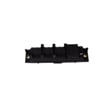
| Clicking but weak/no spark at one burner | Surface burner igniter and orifice holder | Electrolux range surface burner igniter and orifice holder 316237805 |
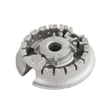
| Burner lights unevenly | Surface burner head | Range surface burner head 316212400 |
Why it matters
A properly installed electrode and correctly seated burner head/cap prevent delayed ignition and help keep flames steady and sized to the pan, which improves cooking performance and safety.
Last updated: February 2026
Where can I find my Kenmore Elite oven model number?
For your Kenmore Elite gas range, the model number is on the appliance’s rating label; on model 79077513806, it’s typically found around the oven door frame (door jamb) or in the storage or warming drawer area. Use the exact model number to match the correct parts and manual.
Most common places to check
- Open the oven door and look along the left or right door jamb (front frame)
- Pull out the bottom drawer (storage or warming drawer) and check the frame behind it
- Check the lower front frame near the drawer opening
- If accessible, look on the back panel near the gas connection and power cord
Quick steps to find it fast
- Turn the oven light on and use a flashlight to read the label clearly.
- Look for a sticker or metal tag that lists MODEL and SERIAL.
- Write the model number exactly as shown (for example, 79077513806).
- Use the model number to reference the 79077513806 owner’s manual for feature and care details.
What the label usually looks like
| What you’ll see | Why it’s important |
|---|---|
| Model number (example: 79077513806) | Ensures parts fit and diagrams match |
| Serial number | Helps identify production details for service |
| Gas type and electrical info | Helps confirm correct installation and troubleshooting |
Why it matters
Kenmore Elite ranges can look similar across model series, but parts like an oven igniter, temperature sensor, or burner components can vary by model. Using the exact model number helps us match the right replacement part the first time.
Last updated: February 2026
Why is my Kenmore Elite oven not heating but runs?
If your Kenmore Elite gas range model 79077513806 powers on and seems to “run” but the oven will not heat, the most common cause is a weak or failed oven igniter that cannot get hot enough to open the gas valve. Start by checking for a strong igniter glow and proper power to the range using the 79077513806 owner's manual.
What to check first (fast, safe checks)
- Confirm the range has electrical power; this model uses electric ignition, and the oven will not operate correctly without power.
- Make sure the oven controls are set correctly for Bake or Broil.
- Look through the oven bottom area (as visible) for igniter activity when you start Bake.
- If the igniter glows but the burner never lights, the igniter is typically too weak.
- If the igniter does not glow at all, check wiring connections and the control output.
Likely causes and what they look like
| Symptom | Most likely cause | What you typically observe |
|---|---|---|
| No heat, no igniter glow | Open igniter, wiring issue, control not sending power | Silent start, no glow, no flame |
| Igniter glows dim or slow, no flame | Weak igniter | Glow is dull, burner never lights |
| Igniter glows bright, still no flame | Gas valve issue or gas supply problem | Strong glow, no ignition |
| Oven heats but temperature is off | Temperature sensor issue | Overbakes or underbakes |
Parts that commonly fix “runs but won’t heat”
For model 79077513806, these parts are common suspects depending on symptoms:
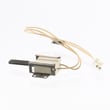
- Tappan range oven burner igniter 316489403 (bake ignition problems)
- Range oven gas valve 316404901 (igniter glows strong but burner will not open)
- Frigidaire range oven temperature sensor 316490000 (heats, but temperature control is inaccurate)
Why it matters
A gas oven can look like it is operating (display on, fan running, timer counting) even when the burner never lights. On electric-ignition ranges, the igniter is a safety device; if it is weak, the gas valve often stays closed, so you get no heat.
Last updated: February 2026




