Owner’s manual
 Error Codes



How do I take the bottom shelf out of my Samsung refrigerator?
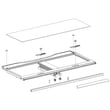
To remove the bottom shelf in your Samsung RF22K9581SG refrigerator, we release the shelf from its side locks, then lift the shelf frame up and pull it out. This prevents cracking the glass and avoids bending the shelf rails.
Steps to remove the bottom glass shelf
- Empty the shelf completely.
- Slide the shelf forward until it stops.
- Locate the two release tabs or locks on the left and right sides of the shelf frame.
- Press both release points in at the same time.
- While holding the releases, lift the front of the shelf up.
- Angle the shelf slightly and pull the entire shelf assembly out.
Quick checks before you pull
- Remove tall bins or drawers that block the shelf from lifting.
- Keep the doors fully open so the shelf clears the center mullion.
- Lift evenly on both sides to avoid twisting the shelf frame.
- If it feels stuck, slide it back 1 to 2 inches and try the release again.
Cleaning and reinstall tips
- Wash glass with mild soap and warm water; dry fully before reinstalling.
- Reinstall by setting the rear of the shelf onto the supports first, then lower the front.
- Push the shelf back until it clicks or seats firmly in the side supports.
What to do if the shelf will not release
If the shelf tabs will not depress or the shelf frame is warped, inspect the shelf supports and rails for damage or ice buildup.
| Symptom | Most common cause | What we do next |
|---|---|---|
| Shelf will not lift | Shelf not fully forward | Slide forward to the stop, then press both releases |
| One side releases, other does not | Misalignment or binding | Level the shelf, press both sides together |
| Shelf feels glued in place | Spills or frost at rails | Warm and clean the rail area, then retry |
Why it matters
Removing the shelf the right way protects the glass, keeps the shelf frame aligned, and helps the door seals close properly so temperatures stay stable.
For model-specific diagrams and shelf handling notes, use the owner's manual. If you need replacement parts for your RF22K9581SG, order from the parts list for this model or search by model number on Sears PartsDirect.
Last updated: February 2026
What is the most common problem with Samsung refrigerators?
The most common issues we see on Samsung refrigerators, including model RF22K9581SG, are cooling problems and ice maker or dispenser troubles. These usually trace back to airflow (fan), defrost and drain icing, or water supply components; symptoms include warm temps, frost buildup, leaks, or no ice.
Most common symptoms
- Fresh food section not cold enough or temperature swings
- Freezer OK but refrigerator warm (or the reverse)
- Ice maker stops producing ice or makes small/hollow cubes
- Water dispenser slows down or stops
- Frost or ice buildup on the back wall or around vents
- Water puddles under crisper drawers or on the floor
What typically causes those problems
| System | Common failure | What you notice |
|---|---|---|
| Air circulation | Evaporator fan motor | Warm spots, weak airflow, fan noise |
| Defrost and drainage | Drain icing or restriction | Frost buildup, water leaks inside |
| Temperature sensing | Temperature sensor | Too warm/too cold, inconsistent cycling |
| Ice and water supply | Water filter or inlet valve | No ice, slow fill, slow dispenser |
Quick checks before replacing parts
- Verify temperature settings; allow 24 hours after changes
- Keep vents clear; avoid packing food against the back wall
- Confirm doors close fully and seal tightly
- If ice is slow or hollow, replace the filter and flush several gallons
- If you see water inside, clear drain icing and confirm the drain path is open
Parts that commonly fix these symptoms
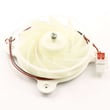
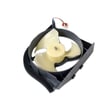
- Refrigerator evaporator fan motor DA31-00287B
- Refrigerator drain tube kit DA97-04049E
- Refrigerator temperature sensor DA32-10104N
- Refrigerator water filter DA29-00019A
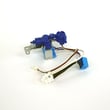
- Refrigerator water inlet valve DA62-04027A
Why it matters
Cooling and ice maker problems are often connected; restricted airflow, frost buildup, or low water flow can lead to food spoilage, recurring ice jams, and leaks. For model-specific procedures and diagnostics, use the owner's manual. For ordering, use the parts list for RF22K9581SG or search by model at Sears PartsDirect.
Last updated: February 2026
How do I find the model number on my RF22K9581SG?
Your Samsung refrigerator’s model number is printed on the rating label; on RF22K9581SG units it’s typically inside the fresh food compartment on a side wall or near the ceiling, and sometimes on the door frame. Use that exact model number to match parts and manuals.
Where to look on a Samsung bottom-mount refrigerator
Check these common label locations first:
- Inside the refrigerator section on the left or right interior wall
- On the ceiling area inside the fresh food compartment
- On the door jamb (the frame area visible when you open the doors)
- Behind the crisper drawers (on the inner liner wall)
- On the back exterior panel (less common, but possible)
For diagrams and model identification notes, use the RF22K9581SG owner's manual.
What the label looks like and what to write down
The rating label usually includes several identifiers. We recommend copying them exactly:
- Model number (example format: RF22K9581SG)
- Version or revision code (often shown after a slash or as “/AA” on some labels)
- Serial number
- Electrical ratings (volts/amps) and refrigerant information
Quick checklist
| Item | Why it matters | Example |
|---|---|---|
| Model number | Ensures correct diagrams and parts fit | RF22K9581SG |
| Version code | Helps match the exact configuration | /AA |
| Serial number | Useful for service history and date coding | Varies |
Why it matters
Samsung refrigerators can have multiple versions that look identical but use different parts (for example, a water filter, ice maker, or control module). Using the exact model and version from the rating label prevents ordering the wrong component.
Last updated: March 2026