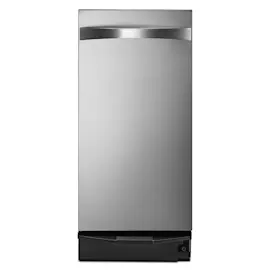
Installation guide
 Owner’s manual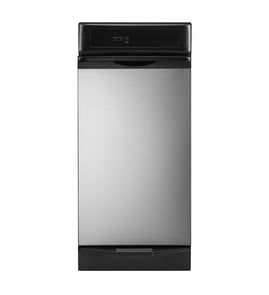




How to reset GE trash compactor?
On the GE UCG1680LSS trash compactor, the “reset” is typically automatic: if the motor overheats from repeated cycles, the thermal protector opens and then recloses after a few minutes. Also, if the drawer is opened during a cycle, closing it fully lets the ram return to the UP position. See the UCG1680LSS owner’s manual for the exact operating and stop steps.
Quick reset checklist (most common fixes)
- Turn the knob to OFF, then back to ON.
- Make sure the drawer is fully closed (the drawer safety switches prevent operation if it is not).
- Lift the foot pedal momentarily until the cycle starts.
- If you compacted repeatedly, wait a few minutes for the automatic thermal motor reset to recover.
- If the drawer is hard to close, remove any trash that fell behind the drawer.
If it stopped mid-cycle
If the ram stopped because the drawer was opened during operation, do this:
- Close the drawer completely.
- The ram should travel back to the UP position.
- Open the drawer fully and turn the knob to OFF.
What to check if it still won’t run
| Symptom | What it usually means | What to do |
|---|---|---|
| No response at all | No power or switch not ON | Check outlet, breaker/fuse; set knob to ON |
| Hums or stops after many cycles | Thermal protector opened | Wait a few minutes, then try again |
| Won’t start cycle | Drawer not fully closed | Clear obstructions; close firmly |
| Stops when you pull the drawer | Safety switch activated | Close drawer; let ram return UP |
Why it matters
A trash compactor relies on drawer safety switches and an automatic thermal protector to prevent damage. Using the correct start/stop steps helps the ram return to home position and keeps the compaction cycle under 30 seconds.
Last updated: February 2026
How to unjam a trash compactor?
On the GE UCG1680LSS trash compactor, most “jams” happen when the drawer is not fully closed or debris falls behind the drawer and blocks travel. We unjam it by stopping the cycle safely, clearing the obstruction, then restarting a normal cycle.
Safe unjam steps (UCG1680LSS)
- Turn the ON/OFF knob to OFF.
- If the ram is moving, close the drawer fully; the safety switch stops the ram and it returns to the UP position when the drawer is closed.
- Open the drawer fully.
- Check for items that spilled behind the drawer; remove the drawer if needed so you can clear debris from the rear area (this is a common reason the drawer will not close).
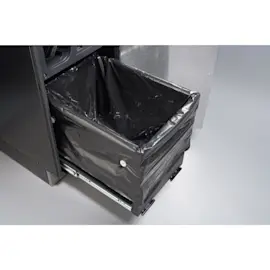
- Inspect the bag area for sharp debris or overfilled trash that can bind the drawer; reset the bag cuffs on the retainer buttons.
- Reinstall the drawer, make sure it is fully closed, turn the knob to ON, then lift the foot pedal to start a cycle.
Quick checks that prevent repeat jams
- Drawer closure: The compactor will not run unless the drawer is fully closed (drawer safety switches).
- Load level: Compaction is most noticeable when the drawer is about 1/2 full; very small loads can seem like a “stall.”
- Bag fit: Use heavy-duty compactor bags and keep the bag properly hooked on the retainer buttons.
- Do not force the knob: It should rotate easily; forcing it can damage the switch.
What the compactor should do (normal cycle)
| Step | What you should see | Typical time |
|---|---|---|
| Start | Knob ON, drawer closed, foot pedal lifted | Immediate |
| Compact | Ram travels down, then reverses | Under 30 seconds |
| Finish | Ram returns to UP, unit shuts off | Under 30 seconds |
When a part is likely involved
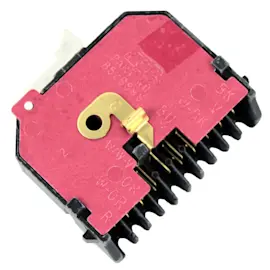
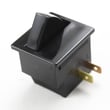
If the drawer is fully closed and clear, but the unit still will not cycle or stops unexpectedly, a door/drawer interlock or direction sensing issue is common. For this model, the trash compactor top limit and directional switch WC21X20249 is one component that helps the compactor sense position and direction.
Why it matters
Clearing debris behind the drawer and confirming full drawer closure restores the safety-switch circuit, which is required for the motor and ram to run normally and prevents damage from forcing the mechanism.
For operating and stop instructions specific to this model, use the UCG1680LSS owner's manual.
Last updated: February 2026
How long does a compactor last?
A GE trash compactor like model UCG1680LSS typically lasts 10 to 20 years with normal household use. Regular cleaning, keeping the drawer fully closed during operation, and fixing small issues early (rollers, switches, latch) helps you reach the high end of that range.
Typical lifespan and what affects it
Most compactors fail early due to heavy loads, poor cleaning habits, or worn moving parts.
- Light to average use: closer to 15 to 20 years
- Heavy daily use: closer to 10 to 15 years
- Moisture and spills left inside: shortens life (corrosion, odors, switch issues)
- Slamming or forcing the drawer: wears rollers and latch parts faster
- Ignoring odd noises or stalling: can strain the drive system
Quick care checklist (high impact)
Use these habits to extend the life of your UCG1680LSS compactor.
- Keep the drawer fully closed before starting a cycle (the unit uses drawer safety switches)
- Let the drawer get about half full before expecting strong compaction results
- Turn the unit OFF before cleaning; remove the knob to prevent accidental operation
- Clean spills promptly; vacuum and wash the cabinet interior as needed
- Avoid overloading with dense items that can jam the ram
Parts that commonly wear first
If the compactor runs inconsistently, will not start, or stops mid-cycle, these parts are frequent culprits.
| Symptom | Common wear area | Example part for this model |
|---|---|---|
| Will not start or reverses oddly | Safety/limit switching | Trash compactor top limit and directional switch WC21X20249 |
| Drawer hard to open/close, squeaks | Drawer/frame rollers | Trash compactor drawer roller WC01X20232 |
| Motor hums, weak compaction | Drive system | Trash compactor drive motor WC26X20081 |
Why it matters
A compactor that is hard to close or not cycling smoothly often stresses the motor and drive components. Addressing drawer alignment, cleaning, and worn rollers early helps prevent bigger repairs and keeps compaction performance consistent.
For model-specific operating and cleaning steps, follow the UCG1680LSS owner's manual.
Last updated: February 2026
What is a common problem with trash compactors?
A very common trash compactor problem is that it will not start or stops mid-cycle because a safety interlock is not satisfied. On the GE UCG1680LSS, the drawer must be fully closed for the compactor to run, and the removable ON/OFF knob can also prevent operation when it is set to OFF or removed (child lockout). See the UCG1680LSS owner's manual for operating and safety switch details.
Most common issues we see (and what to check first)
- Drawer not fully closed: the compactor will not cycle unless the drawer is completely shut.
- Something fell behind the drawer: items behind the drawer can block closure and stop operation.
- Knob is OFF or removed: the removable knob acts as a lockout; the unit will not run with the knob OFF.
- Door opened during a cycle: opening can stop the ram; closing the drawer lets the ram return up.
- Bag or debris causing drag: sharp debris can snag or puncture bags and interfere with smooth drawer movement.
Quick symptom-to-cause guide
| Symptom | Most likely cause | What to do |
|---|---|---|
| Won’t start at all | Drawer not fully closed or knob OFF/removed | Close drawer firmly; set knob to ON |
| Starts then stops | Drawer/door safety switch activated | Close drawer completely; let ram return to UP |
| No noticeable compaction | Drawer less than 1/2 full | Add more trash; run another cycle |
| Drawer hard to slide | Worn rollers or obstruction | Clear obstruction; inspect rollers |
Parts that commonly relate to these problems
If the drawer is closed but the compactor still will not run, a worn switch or mechanical drag is often involved.
- Trash compactor top limit and directional switch WC21X20249 (helps control ram position and direction)
- Trash compactor drawer roller WC01X20232 (supports smooth drawer movement and closure)
- Trash compactor frame roller WC01X20226 (helps the unit roll/align properly in the cabinet)
Why it matters
Trash compactors rely on safety switches to prevent operation when the drawer is not fully closed. That protects you from moving parts, and it also prevents damage that can happen if the drawer is opened during a compaction cycle.
Last updated: February 2026