Installation guide
 Owner’s manual
 Error Codes









How do you reset a Kenmore electric stove?
To reset your Kenmore Elite electric range model 79041029801, we recommend doing a power reset by turning the range’s power OFF at the breaker (or unplugging it), waiting about 1 minute, then restoring power. This clears many control glitches and restores normal operation.
Quick reset options (what to try first)
- Power reset: Turn OFF the range circuit breaker for 60 seconds, then turn it back ON.
- Control lockout reset (if the cooktop won’t work): Press and hold the cooktop lockout key until “CLO” appears, then keep holding until you hear a second beep (about 3 seconds).
- Turn all surface knobs to OFF: If you hear a triple beep when trying lockout, set all surface elements to OFF and repeat.
- If self-clean was used: Wait for the cycle to finish and the door to unlock; cooktop lockout can stay on until the cycle completes.
- After a power failure: Turn OFF cooktop lockout before expecting the cooktop to operate normally.
What a “reset” does (and does not do)
A reset can clear temporary electronic issues, but it will not fix a failed heating component, wiring problem, or sensor issue.
| Reset method | What it affects | Best for |
|---|---|---|
| Power reset (breaker/unplug) | Main control and display | Frozen keypad, odd beeps, error-like behavior |
| Cooktop lockout toggle | Cooktop controls only | Cooktop won’t respond, “CLO”/lockout behavior |
| Factory-setting reset (recipes/settings) | Stored recipes and user adjustments | Restoring default settings after changes |
If the oven still won’t heat after resetting
These checks pinpoint common causes on this model:
- Confirm the range has full power (a range can light up but still lack proper voltage for heating).
- Check for loose or overheated power connections at the terminal block (a common no-heat cause).
- If baking temperatures seem inaccurate, test the oven temperature sensor.
- If the cooktop works but the oven does not, focus on oven-specific components and wiring.
Helpful model-matched parts to consider:
- Terminal block 5304409888 (power connection point)
- Frigidaire range oven temperature sensor 316217002 (monitors oven temperature)
Why it matters
A correct reset helps you avoid unnecessary part replacement and quickly restores operation after a power outage, self-clean lockout, or a control glitch. For exact button locations and lockout behavior on model 79041029801, follow the steps in the owner's manual.
Last updated: February 2026
Where is the model number on the Kenmore 79041029801 Elite stove?
On the Kenmore Elite 79041029801 electric range, the model and serial number are printed on the serial plate on the oven front frame; you can see it by opening the oven door, and on some versions it’s located behind the storage or warmer drawer. See the installation guide for the exact location callout.
Where to look (fast checklist)
- Open the oven door and look along the front frame (the face frame around the oven opening).
- Check the lower front frame area where the serial plate is easiest to spot.
- If you do not see it with the door open, pull out the bottom drawer and look behind it.
- Use a flashlight; the plate is often reflective and easier to read at an angle.
- Write down model number, serial number, and any lot number/letter shown on the plate.
What the label looks like and what to record
The serial plate is a manufacturer label (usually silver or white) with multiple lines of text.
| Item on the plate | Why we need it |
|---|---|
| Model number (79041029801) | Ensures you get parts that fit your exact range |
| Serial number | Helps match production changes within the same model |
| Lot number/letter (if listed) | Useful for parts lookups and service inquiries |
Why it matters
Kenmore Elite ranges can have small production variations within the same model family. Using the exact 79041029801 model number (plus the serial and lot info) prevents ordering the wrong cooktop element, control panel, or wiring harness.
Last updated: February 2026
Why is my Kenmore 79041029801 Elite stove not working?
If your Kenmore Elite range model 79041029801 is not working, the most common causes are a power supply problem (tripped breaker, loose cord connection), a control fault that needs to be cleared, or a failed heating circuit component such as a surface element or oven temperature sensor. Start with the basic power checks, then isolate whether the issue is the whole range, the oven, or one burner.
Quick checks first (whole range vs. one function)
- Confirm the range cord is fully seated in the outlet.
- Check the home breaker; electric ranges often use a double-pole breaker.
- Verify house power by checking nearby lights or another outlet.
- If the control is beeping and showing F10, F30, or F90, press STOP to clear it, then retry your setting.
- If only one surface element will not heat, make sure you are using the correct knob and a higher heat setting.
What the symptom usually points to
| What is not working | Most likely causes | What to do next |
|---|---|---|
| Entire range is dead | No power, loose plug, wiring issue | Reset breaker, reseat plug, inspect terminal connections |
| Oven will not heat but cooktop works | Sensor, control issue, wiring, heating element circuit | Check for error codes; consider testing sensor |
| One burner will not heat | Failed surface element, switch/control, wiring | Swap pans, try different setting; inspect element connections |
| Beeping with F10/F30/F90 | Electronic control detected a fault | Clear with STOP; if it returns, record code |
Parts that commonly fix “not working” problems on this model
If your troubleshooting points to a failed component, these are common repair parts for model 79041029801:
- Frigidaire range oven temperature sensor 316217002 (helps when oven temperature is erratic or the oven will not regulate heat)
- Terminal block 5304409888 (helps when the range has intermittent or no power at the cord connection)
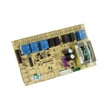
- Frigidaire range surface unit power relay board 316442119 (helps when surface elements do not respond correctly)
Why it matters
Electric ranges can fail in three different places: incoming power, the electronic control system, or the heating circuits (elements, sensors, relays). Separating “entire range dead” from “one burner/oven issue” prevents unnecessary parts replacement and gets you to the right fix faster.
Where to find model-specific troubleshooting steps
We recommend following the “Before you call” checklist and fault-code guidance in the owner's manual.
Last updated: February 2026