 Installation guide
 Owner’s manual


How much does a handyman charge to install a microwave?
For a GE over-the-range microwave/hood combo like model JVM3160DF5WW, a handyman typically charges about $100 to $400 for labor; the price goes up when mounting, venting changes, or electrical corrections are needed. This installation requires basic mechanical and electrical skills and a properly supported mounting surface.
What drives the price up or down
- Type of install: countertop swap vs. over-the-range (OTR) mount
- Venting work: recirculating vs. outside venting, damper or duct changes
- Electrical needs: correcting a 2-prong outlet to a grounded 3-prong receptacle (electrician work)
- Cabinet and wall prep: locating studs, drilling, leveling, trim removal
- Labor help: OTR installs typically require two people due to weight
Typical labor price ranges (labor only)
| Installation type | Typical labor range | Notes |
|---|---|---|
| Countertop microwave swap | $0 to $80 | Usually plug-and-play, minimal setup |
| Basic OTR replacement (same venting) | $100 to $300 | Most common scenario |
| OTR with venting or cabinet modifications | $200 to $600+ | Ducting, trim, or carpentry adds time |
Model-specific installation requirements to mention when getting quotes
From the JVM3160DF5WW installation requirements, we recommend confirming these items with your installer:
- Unit must mount to both a top cabinet and a wall (not an island or peninsula setup)
- Mounting surface must support the microwave weight (listed as 63 to 85 lb) plus potential added load
- Microwave must be connected to at least one wall stud
- Electrical rating is 120V AC, 60 Hz, 14.5A; use a grounded 3-prong receptacle
Reference: JVM3160DF5WW installation guide
Why it matters
OTR microwave/hood combos combine lifting, precise leveling, stud anchoring, and electrical safety. Paying for a correct install helps prevent door alignment issues, vibration, poor vent performance, and mounting failures.
Last updated: February 2026
What are common problems with GE profile microwaves?
Common problems we see with GE over-the-range microwaves like model JVM3160DF5WW include not starting, running but not heating, a dead display after a power surge, turntable issues, and vent fan behavior that seems “random” (it can turn on automatically to protect the unit). Use the JVM3160DF5WW owner’s manual troubleshooting table to match symptoms to the most likely cause.
Most common symptoms and what they usually mean
- Won’t start at all: tripped breaker or blown house fuse, plug not fully seated, or door not fully latched
- Control panel lights up but won’t run: door not securely closed, Start/Pause not pressed, or a selection needs to be canceled first
- Runs but does not heat: often a high-voltage circuit problem (service-level repair)
- Dead after a surge: internal fuse or noise filter can open to protect the microwave
- Vent fan turns on by itself: normal; the fan can come on automatically if it senses too much heat from the cooktop
Quick checks we recommend before replacing parts
- Confirm the door closes firmly and the latch engages (no “bounce back”).
- Unplug the microwave for 60 seconds, then plug it back in (clears some control glitches after a surge).
- Verify the outlet has power (test with a small lamp).
- If the unit is completely dead, stop and plan for a fuse and safety inspection.
Parts that commonly relate to these problems (for JVM3160DF5WW)
| Symptom | Common part area | Example part for this model |
|---|---|---|
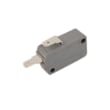
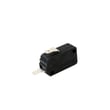
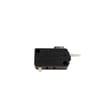
| Won’t run when door is closed | Door safety switches | Microwave door interlock switch WB24X10146 |
| Dead unit, no display | Internal protection fuse | Microwave fuse WB27X11138 |
| Runs but no heat | High-voltage components | Magnetron, capacitor, diode (service-level) |
Why it matters
Microwaves use high voltage internally. Door interlock problems and blown fuses are common, but they can also be signs of a deeper electrical fault. Correct diagnosis helps prevent repeat failures and protects the control panel and wiring.
Last updated: February 2026
What is the average lifespan of a GE microwave?
A GE microwave typically lasts 8 years. For an over-the-range microwave/hood combo like GE JVM3160DF5WW, we expect about 8 years of service life with normal household use and basic care (keeping vents clear, not running it empty, and cleaning grease regularly).
Typical lifespan range (what we see most often)
Most microwaves fall into a predictable window based on usage and heat exposure.
- Typical: 8 years
- Common range: 5 to 10 years
- Often shorter when: heavy daily use, frequent overheating from blocked venting, repeated door slams
- Often longer when: light use, good airflow, clean interior and filters, stable power
| Usage pattern | What to expect | What helps most |
|---|---|---|
| Light (1 to 3 uses/day) | 9 to 12 years | Keep vents and filters clean |
| Average (3 to 8 uses/day) | 7 to 10 years | Avoid overheating, clean grease |
| Heavy (8+ uses/day) | 5 to 8 years | Don’t run empty, protect door/latches |
Signs your microwave is nearing end of life
These symptoms often show up before a major failure:
- Food takes noticeably longer to heat
- Loud buzzing or humming that is new
- Intermittent power, dead display, or random resets
- Door not closing smoothly or needing extra force
- Fan runs excessively, or the unit seems to overheat
Parts that commonly affect “keep or replace” decisions
If your JVM3160DF5WW stops heating or won’t run, these are common repair checkpoints (and often cost-effective compared to replacing the whole unit):
- Microwave fuse WB27X11138 (no power, dead display)
- Microwave door interlock switch WB24X10146 (won’t start, stops when door moves)
- Microwave magnetron WB26X23320 (runs but does not heat)
Why it matters
Microwaves can fail in ways that look similar (no heat, no power, won’t start). Knowing the typical lifespan helps you decide whether to troubleshoot a simple wear item (like a fuse or door switch) or plan for replacement.
For model-specific operating and care guidance, follow the maintenance and safety sections in the JVM3160DF5WW owner’s manual.
Last updated: February 2026
Is the JVM3160DF5WW easy to use?
Yes. The GE JVM3160DF5WW microwave/hood combo uses a straightforward keypad with dedicated buttons for timed cooking, defrosting, and common one-touch options (such as Popcorn, Reheat, Beverage, and Potato), plus separate controls for the vent fan and surface light. For the exact control layout, use the JVM3160DF5WW owner's manual.
What you can do quickly from the keypad
- Start timed cooking with Cook Time and the number pads
- Defrost using Defrost Weight/Time
- Add time in a single step with Add 30 Sec
- Use one-touch convenience pads such as Popcorn and Reheat
- Control the hood features with Vent Fan and Surface Light
Common button sequences (JVM3160DF5WW)
| Task | Buttons to press | Result |
|---|---|---|
| Timed cooking | Cook Time, enter time, Start/Pause | Runs for the time you set |
| Defrost | Defrost Weight/Time, enter weight or time, Start/Pause | Thaws using the selected method |
| Add time fast | Add 30 Sec | Adds time in 30-second increments |
| Hood ventilation | Vent Fan (press to cycle) | Cycles fan speeds and off |
| Cooktop light | Surface Light (press to cycle) | Cycles bright, night, and off |
Why it matters
Microwave/hood combos get used multiple times a day. Dedicated pads for cooking, defrosting, ventilation, and lighting reduce steps and make it easier to get consistent results without digging through menus.
Last updated: February 2026


